
Staffing compliance software for every worker, credential, and placement.
Staffing and recruitment agencies carry compliance responsibility for hundreds or thousands of workers at once. Right-to-work checks, DBS disclosures, industry certifications, training cards and insurance documents - every one has an expiry date, and most agencies still track them in spreadsheets. ExpiryEdge gives you a live compliance matrix across every worker and fires reminders before anything lapses, so a worker is never placed on a date their documentation was out of date.
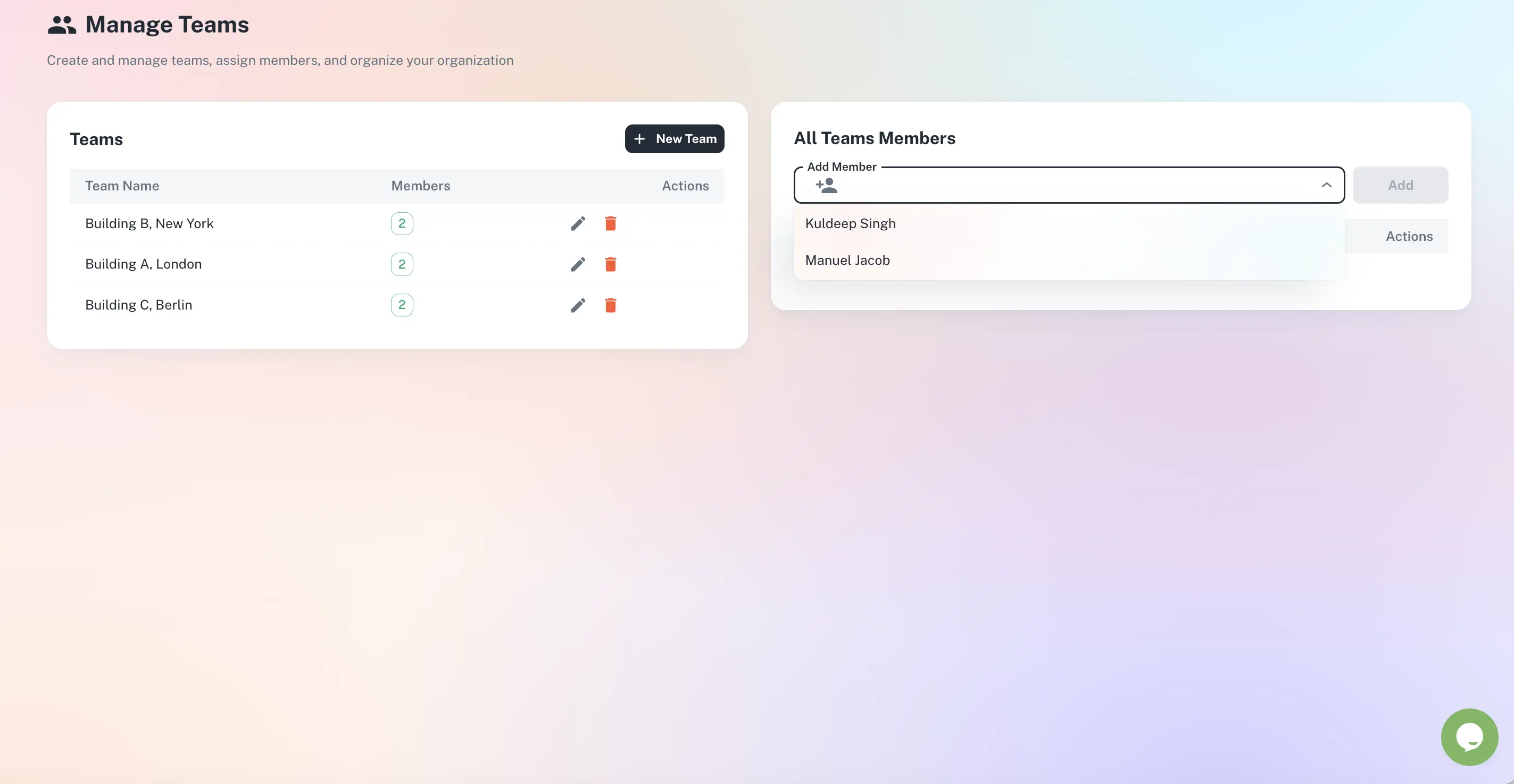
A live compliance matrix across your entire workforce
Certifications, right-to-work, DBS and insurance per worker
Reminders go to workers directly - they action it themselves
Filter by client, sector or expiring in the next 30 days
Instant, client-ready audit trail for every renewal
Quick answer
ExpiryEdge is staffing compliance software for recruitment agencies. It tracks right-to-work documents, DBS disclosures, certification cards, training records and insurance for every worker you place, and sends staged reminders - to your team and to the worker - before anything expires. Workers submit renewed documents themselves through a link that needs no account or login, and if a file is rejected, only that field reopens for them to fix - not the whole submission. You see at a glance who can be placed for a given client, and every renewal is timestamped for client or regulator inspection.
The agency carries the risk, not the worker
When a placed worker is non-compliant, it is your contract and your liability on the line.
Compliance lives in a spreadsheet
A single tab tracking thousands of expiry dates goes stale the moment someone forgets to update it - and nobody finds out until a client calls.
Last-minute placements, no time to check
A role comes up at short notice and resourcers scramble to confirm a worker is current, chasing certificates instead of filling the placement.
Proof is impossible after the fact
A client or regulator asks whether a worker held a valid certificate on a specific date. Without a dated trail, you cannot answer with confidence.
Every worker, every document, always current
CSCS, DBS, right-to-work and insurance at a glance
Track every card, check and document against each worker, with its own expiry. See who is current before they go on site - not after a client flags it. Filter to who is expiring in the next 30 days, by sector or by client.
CSCS, IPAF, PASMA, SIA and sector cards
Right-to-work and DBS renewal intervals
Insurance for contractors and self-employed workers
Send the nudge to the worker, not just your team
Renewal reminders go directly to the worker by SMS, WhatsApp or email with a document collection link - no account or login required. They open it, upload the new certificate, and the file lands in their record while your team is notified. If a document is rejected, only that field reopens for the worker to fix, so they are never asked to resubmit everything.
Worker-facing reminders on their channel
No-login document collection link
Field-level reject reopens just that item
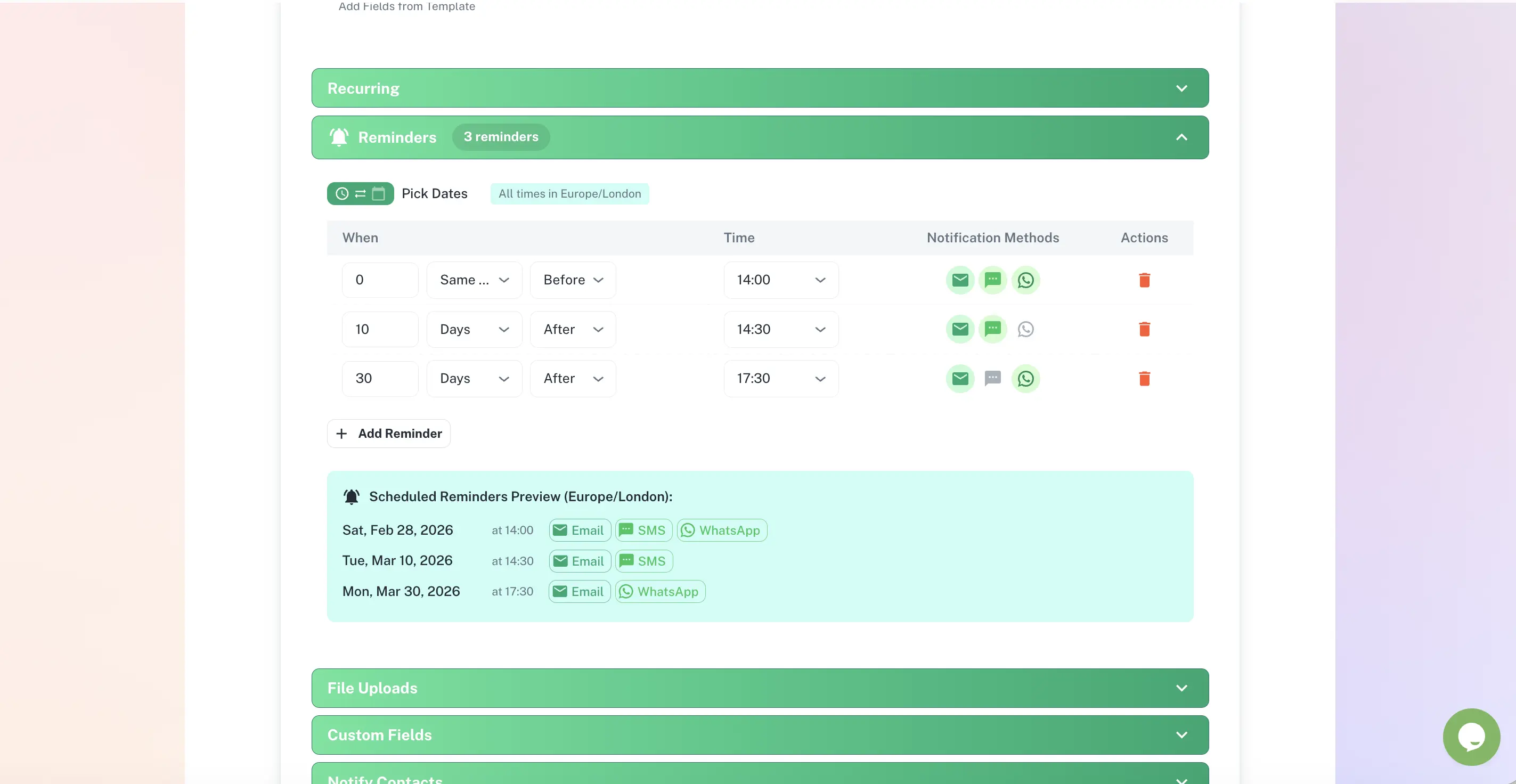
Know who is responsible for each worker and document
Assign workers and document types to resourcers and compliance leads so nothing is unowned. Each owner sees what they are responsible for; leadership sees the whole workforce roll up into one view.
Named owner per worker or document type
Role-based access for resourcers and leads
Leadership roll-up across the agency
Live across your workforce in three steps
Add workers and their documents
Import existing worker records or add them individually. Log each certification, check and document with its expiry date and upload the current certificate.
Reminders go out automatically
Your compliance team gets advance notice of upcoming lapses; workers get their own reminder to renew and re-upload. No manual chasing.
Renewals log and the trail grows
Every update is timestamped and stored. When a client or regulator asks whether a worker was current on a date, you show them immediately.
Built for the people who keep the agency compliant
Compliance Manager
Ensures every placed worker has current documentation before they go on-site. Needs a live view across the whole workforce - not a spreadsheet updated when someone remembers.
Resourcer / Recruitment Consultant
Needs to know instantly whether a worker is compliant before placing them. Currently wastes time chasing certificates when a placement comes up at short notice.
Agency Director
Carries ultimate liability if a non-compliant worker causes an incident or a client contract is breached. Needs a compliance process that is systematic and provable, not dependent on memory.
The most common are: right-to-work documents (passports, visas, biometric residence permits), DBS disclosures, industry certification cards (CSCS, IPAF, PASMA, SIA), sector-specific training certificates (food hygiene, manual handling, first aid), professional registrations (NMC, GMC, SWE for healthcare staffing), employer liability and public liability insurance for contractors, and ongoing training or induction records required by specific clients.
Yes. Workers receive a reminder via their preferred channel - SMS, WhatsApp, or email. The reminder includes a link to upload their renewed certificate directly. The document goes straight into their record and your team is notified. Compliance does not require a resourcer to manually collect and file documents.
No. Workers just open the link you send them - there is no signup, login or app to install. If a document is rejected, for example an illegible photo or an expired page, only that specific item is reopened for them to fix, not the entire submission.
Yes. You can tag workers by client, sector, or placement status. Filter the compliance dashboard by any of these to see who is compliant for a specific client's requirements. If a client mandates specific certifications, you can view exactly who meets their criteria and who needs a renewal before being placed.
You set a reminder schedule - for example, 90 days and 30 days before expiry. Your compliance team receives the alert well in advance, and the worker is reminded directly. If they cannot provide an updated document in time, you know before they are placed, not when a client calls to flag it. Overdue items are flagged so they cannot be placed by mistake.
Yes. ExpiryEdge timestamps every document upload, renewal and status change with the user who made it. You can export a full history for any worker or any client, showing exactly which certifications were held and valid on any given date - the evidence a client audit or regulator inspection needs.
Most agencies are running quickly by importing existing worker records from a spreadsheet, then configuring reminder schedules and inviting the team. You can start receiving automated reminders immediately. ExpiryEdge offers a 14-day free trial with full access - no credit card required.
Know every worker's compliance status. Before a client asks.
Free to try. No credit card required.