
Stop chasing people for documents by email.
Send a document request as a simple link - no login required. They upload files, fill in fields and sign; ExpiryEdge follows up automatically until it is done, and you approve or reject what comes back, field by field.
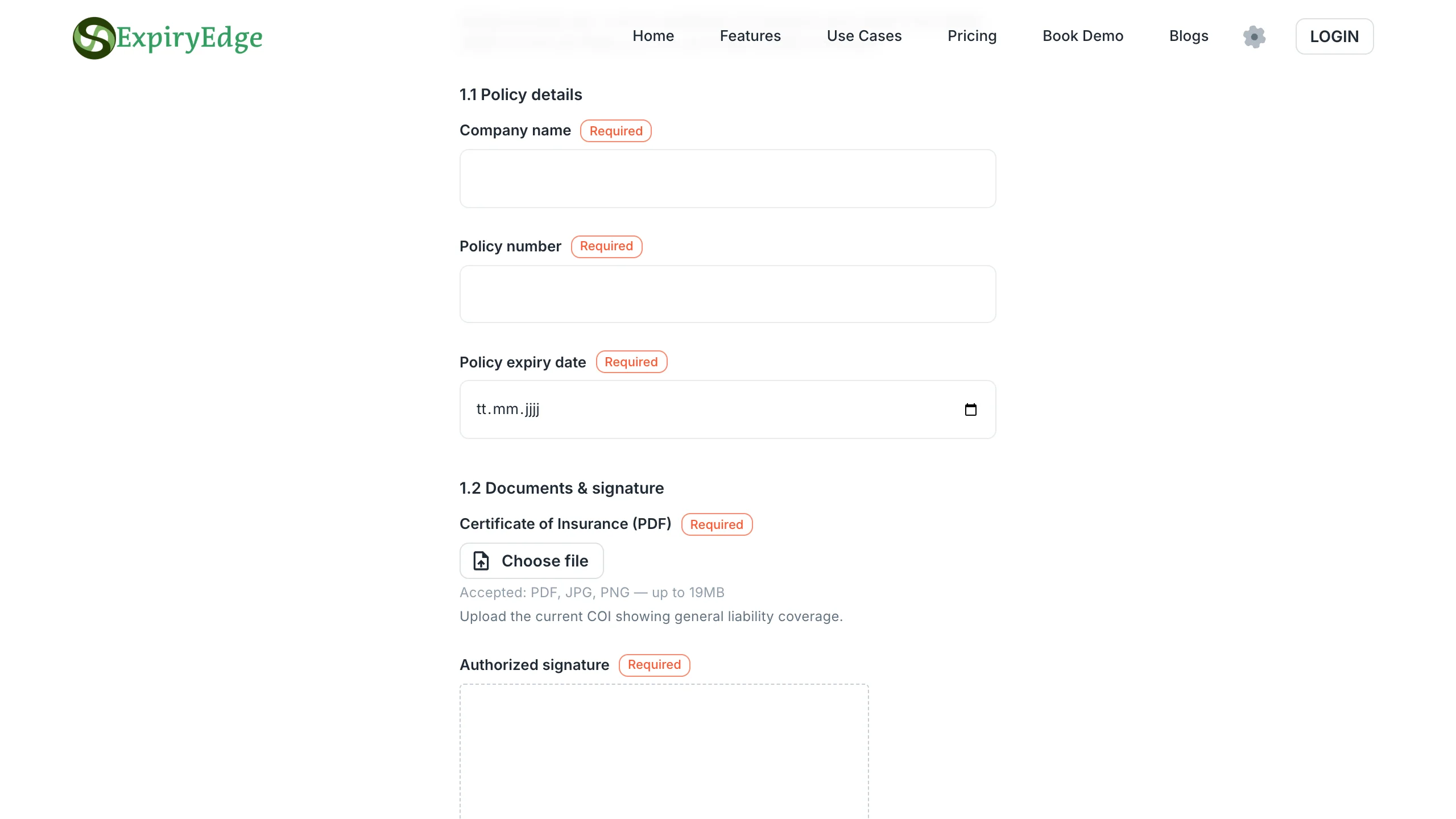
Everything you need to collect documents, data and signatures - without the back and forth
No login required for the person filling it in
File uploads, form fields and legally binding e-signatures in one request
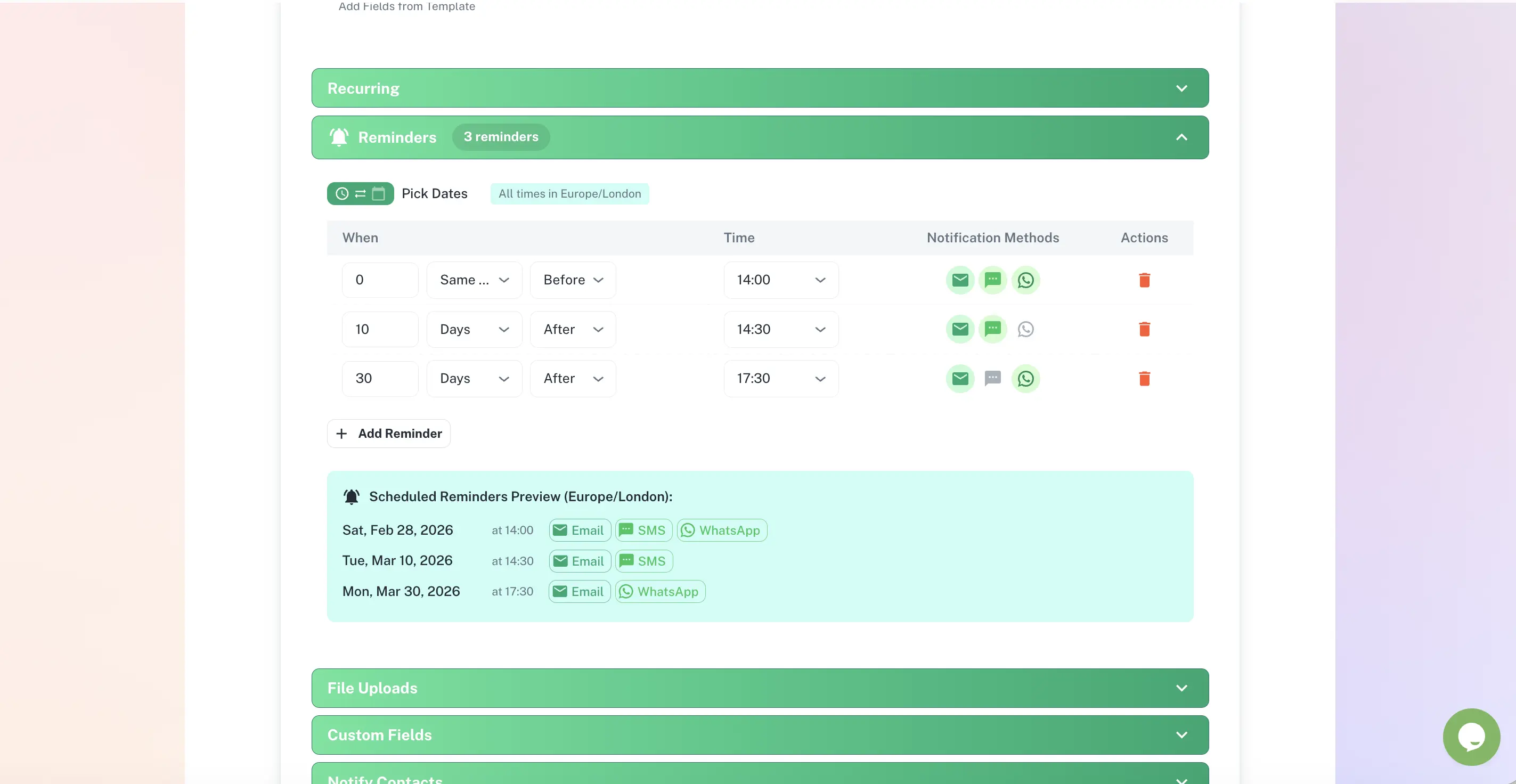
Automatic follow-up until it is completed
Approve or reject individual fields, with comments
Quick answer
Document collection is how ExpiryEdge gets the documents, data and signatures you need from people outside your organisation. You build a multi-page request once, send it as a link, and the recipient fills it in with no account required. ExpiryEdge chases incomplete requests automatically on a schedule you set, and you can approve or reject individual answers - a rejection reactivates the same link so only the flagged item needs fixing.
One link. Everything you need back.
Build a request once, send it to anyone, and watch it come back complete - files, form fields and a signature, all in one place, tied to the deadline it was collected for.
The recipient fills it in on any device - no account needed.
From "please send us..." to "already on file"
A multi-page request with any mix of fields you need
Combine short text, dates, dropdowns, file uploads and e-signatures across as many pages and sections as the request needs. Save it as a reusable template - build the "vendor COI request" once, send it to every vendor.
13 field types, including file upload and e-signature
Upload a PDF and drag signature fields to where they go
Multi-page, multi-section layout
Reusable templates
No account, no login for the person on the other end
The recipient opens a link and starts filling it in immediately - on a phone, tablet, or laptop. There is nothing to install and nothing to sign up for, which is why links get completed instead of ignored.
Works on any device, no app required
Optional password protection and link expiry
Progress is saved automatically if they leave and come back
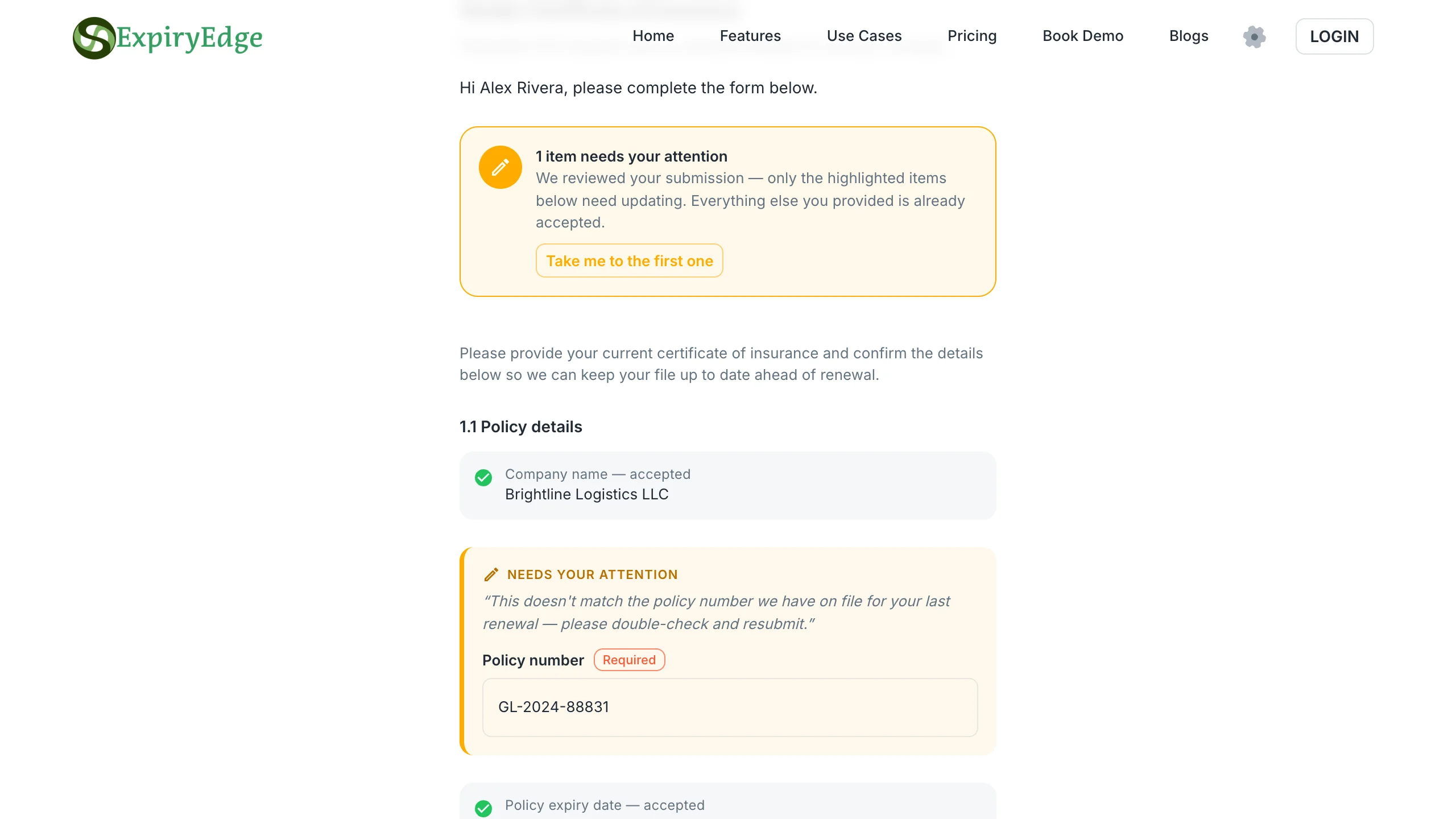
Approve or reject field by field
A wrong policy number or a blurry upload doesn't mean starting over. Reject just that field with a comment, and the same link reactivates for the recipient to fix only what's flagged - with a full history of every version.
Approve or reject individual fields
Comments tell the recipient exactly what to fix
Full history of every resubmission
Who uses document collection
Property & Facilities Managers
Collect certificates of insurance from vendors and tenants before a lease or policy renews - tied directly to the renewal date it supports.
Operations & Compliance Teams
Request W-9s, signed agreements, and compliance documents from contractors and vendors without a single follow-up email.
HR Teams
Collect signed offer letters, ID documents and certifications from new hires and employees - no account required on their end.
Finance & Accounting
Request tax documents and signed forms from clients ahead of a filing deadline, with automatic reminders as the date approaches.
Why email attachments are not enough
| ExpiryEdge | Shared Drive Link | ||
|---|---|---|---|
| No account needed for the recipient | Sometimes | ||
| Automatic follow-up until complete | |||
| Structured fields - nothing comes back incomplete | |||
| Approve or reject individual answers | |||
| E-signature built in | |||
| Tied to the renewal deadline it supports | |||
| Full history of every version submitted |
Document collection lets you build a request - a multi-page form with text fields, file uploads and e-signature fields - and send it to an external contact (a vendor, tenant, client or employee) as a simple link. They open the link, fill it in, upload files and sign - no account or login required. ExpiryEdge automatically follows up until the request is complete, and you can approve or reject individual answers.
No. The recipient just opens the link you send them. There is no signup, login or app to install. This is the main reason document collection links get completed faster than an email asking someone to "reply with the attached form" - there is no friction between receiving the request and finishing it.
Any mix you need: short text, long text, numbers, dates, dropdowns, checkboxes, file uploads (PDF, images, Word, Excel and more), multi-select, phone numbers, addresses, and e-signatures. Requests can span multiple pages and sections, so a single link can cover everything you need from one vendor - certificate of insurance, W-9, and a signed acknowledgement, for example.
Yes. Attach a PDF, then let ExpiryEdge add a signature page or drag the signature, initials, date and name fields to where they belong. The recipient signs on the request page with no account, and the signed PDF with its audit certificate is saved with the response. Signatures are legally binding (ESIGN/UETA, eIDAS, UK). Every plan includes a monthly e-signature allowance, with add-on packs if you need more.
You set a reminder schedule once (for example, day 3, day 7, and day 14 after sending) and ExpiryEdge sends the follow-up automatically until the request is completed, paused, or cancelled. You see delivery, open and reply status for every reminder without leaving the app.
Yes. You can approve or reject each field individually with a comment. Rejecting a field reactivates the exact same link - the recipient sees what needs fixing and resubmits only that, not the whole form again. Everything they already got right stays as-is, with a full history of what changed.
Email attachments get lost, forgotten, and never followed up automatically. A document collection link is trackable (you see exactly when it was opened and completed), structured (you define exactly what fields are required, so nothing comes back incomplete), and self-following-up (reminders fire on a schedule without you doing anything). It also ties directly to the deadline it exists for - so when a certificate is collected, the renewal date it was collected for updates in the same place.
Yes. A request can carry a due date and link back to the expiry or renewal record it supports - for example, a certificate of insurance request tied to a policy's renewal date. When the document comes back, the record it was collected for is right there, not in a separate system.
Stop chasing. Start collecting.
Send your first document request in minutes - no credit card required.