
Reusable Workflow Templates
Start from a ready-made template or save your own process once. Then reuse it as often as you like, for every renewal of that kind.
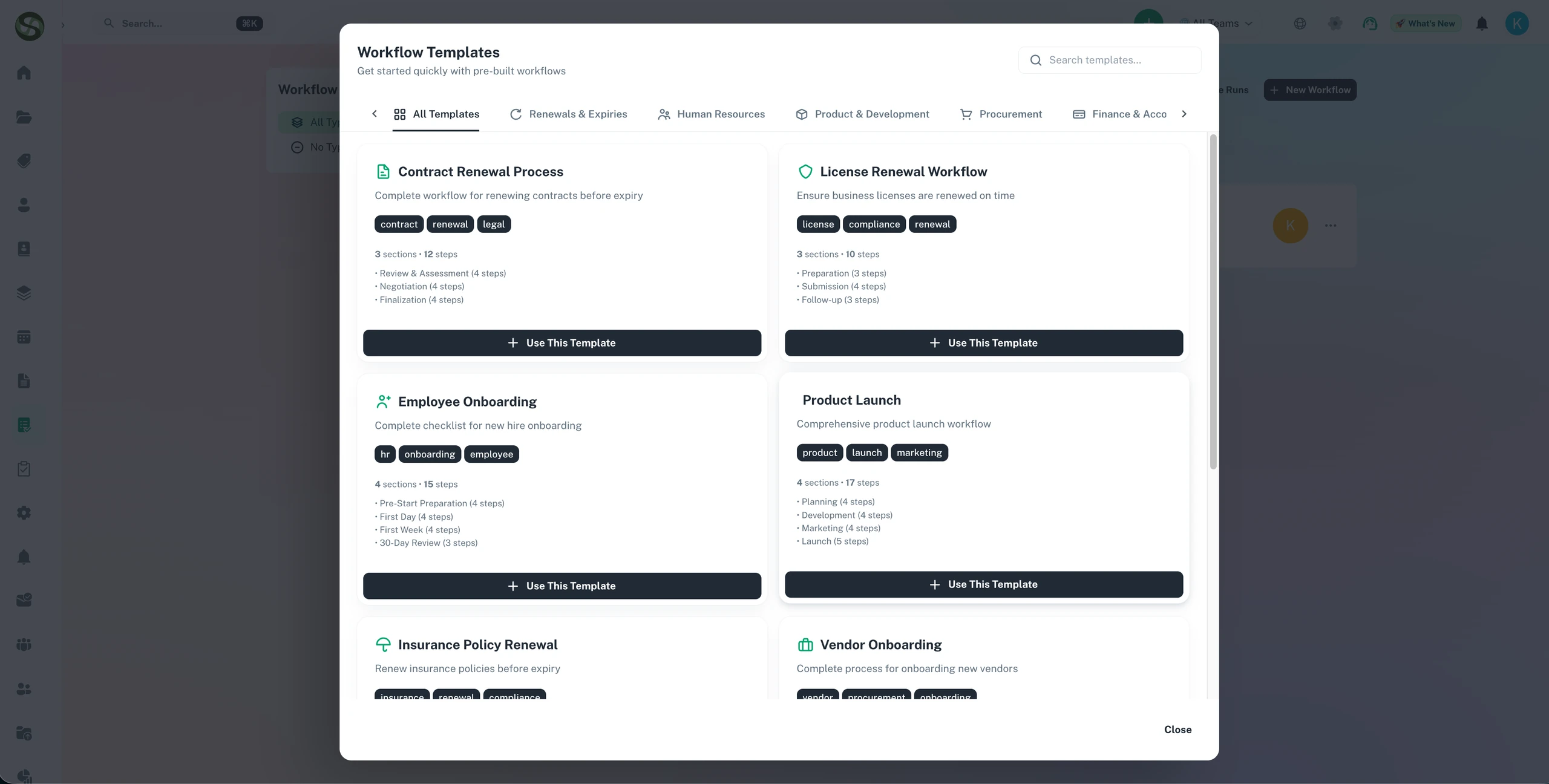
Reusable workflow templates to standardise recurring compliance and renewal processes
Pre-built compliance templates
Custom workflow creation
Template sharing across teams
Recurring process automation
Reusable Workflow Templates Features
Everything you need to streamline your workflow and boost productivity
Industry-Specific Templates
Ready-made templates cover the usual jobs: software licence renewals, insurance policies, new starter onboarding, compliance certificates and more. Pick one and you're tracking the same afternoon.
One-Click Workflow Deployment
One click sets up the whole workflow. The template creates the tasks, links the ones that depend on each other, names an owner for each and schedules the reminders the way your team likes them.
Custom Template Builder
Build a template from a blank page or edit one of ours. Add tasks, milestones, reminders and who owns what. Then save it, so the way your team does things is written down and reused.
Organized Template Library
Group templates by team, by kind of process or by how often they run. When you need the fire door check template, search or filter and it's there.
Template Versioning
Every change to a template is kept. Improve a template without breaking workflows that are already running, and roll back to an older version if the new one doesn't work out.
Team Template Sharing
Share templates between teams and sites. Head office sets the standard steps, and each site can still tweak the bits that differ for them.
Why Use Reusable Workflow Templates?
Real benefits that drive measurable results for your business
Set Up Workflows in Seconds
A ten-step renewal takes seconds to set up, not an hour. You stop typing the same tasks and dates over and over, and get on with the renewal itself.
Same Steps, Every Time
Everyone follows the steps that already worked. Nobody skips the insurer's sign-off because they were new, or did it a different way last year.
Copy What Works to Every Site
When one site gets a process right, roll it out to the others. A new manager picks up a working template on day one instead of building their own from memory.
Get Better Each Cycle
Fix a template when you learn something, like a supplier who needs more notice. Every workflow you start after that gets the fix.
Who Uses Reusable Workflow Templates?
Designed for teams and businesses across industries
Software License Renewal Process
The template has five steps: tell the budget holder at 90 days, contact the vendor at 60, review the contract at 30, approve at 14 and pay at 7. Use it for every software renewal.
Employee Onboarding Workflow
Pre-employment checks, first-day setup, week 1 training, a 30-day review and a 90-day review. Every new hire gets the same start, whoever their manager is.
Annual Compliance Certification
Gather evidence, run the internal audit, fix what it finds, sit the external audit, then submit for certification. Use the same steps for ISO, SOC2, HIPAA or your own sector's rules.
Client Project Delivery
Kickoff, gathering requirements, design sign-off, build, testing, go-live and handover. Each client project runs through the same stages.
Quarterly Review Process
Pull the data, analyse it, write the report, review it with the people who need to see it, present it and log the actions. Repeat it every quarter with one click.
Event Planning Workflow
Book the venue, confirm speakers, launch the marketing, run sign-ups, prep before the day and follow up after. Reuse it for a conference, a webinar or the team away day.
Frequently Asked Questions
Everything you need to know. Can't find the answer? Reach out to our support team.
A workflow template is the standard way your team renews or completes one kind of obligation. It lists the steps, who owns each one, the timings, and any files or sign-offs you need. Once you've built it, you can apply it to any new item of that type. Every renewal then runs the same way and leaves the same audit trail.
Yes. You can change every part of a template. A healthcare provider might keep templates for clinical licence renewals, medical equipment servicing and CQC cycles. A builder might keep them for LOLER inspections, COSHH assessments and site safety audits. Each template holds exactly the steps your team takes for that type of item.
When you add a new item, pick the right template from your library. ExpiryEdge fills in the steps, reminder schedule, required files and who's assigned to what. Then you add the details that are specific to this one, such as the contractor or the exact expiry date, and the workflow is ready to run.
Yes. Reminder schedules are part of the template. Apply the template to an item and the full run of reminders is set up for you. You don't set reminders by hand for each van or each staff member's licence. Every item of that type gets watched the same way.
Yes, at any time. Changes apply to items you create from the template from then on. Items already using it can be updated one by one, or left as they were. So you can improve a process bit by bit without upsetting renewals that are already in progress.
Ready to Get Started?
Join thousands of teams already using ExpiryEdge to streamline their workflows