
Track every deadline. Collect what you need to renew it. Prove every action.
ExpiryEdge keeps track of every expiry date and reminds the right person before anything lapses. When you need a new certificate or a signature from someone outside, it sends them a link, and they don't need a login to reply. Every step goes into a time-stamped log you can export in one click.
Catch each deadline early, and get the papers you need to clear it
Multi-channel reminders - Email, SMS, WhatsApp, Slack, Teams
Document collection - files, data & e-signatures via a link
SOP workflow checklists with live progress
Live compliance dashboard across teams
Quick answer
ExpiryEdge tracks deadlines and compliance dates. You add anything with an expiry date, like a licence, a contract, an insurance policy or an inspection, and it reminds you several times before it lapses. Reminders go by email, SMS, WhatsApp, Slack or Microsoft Teams. If you need something from a vendor or client to renew, it sends them a link that collects files, data and e-signatures with no login. It also runs routine work as SOP checklists you can assign, and it logs every action so you can export the trail for an audit in one click.
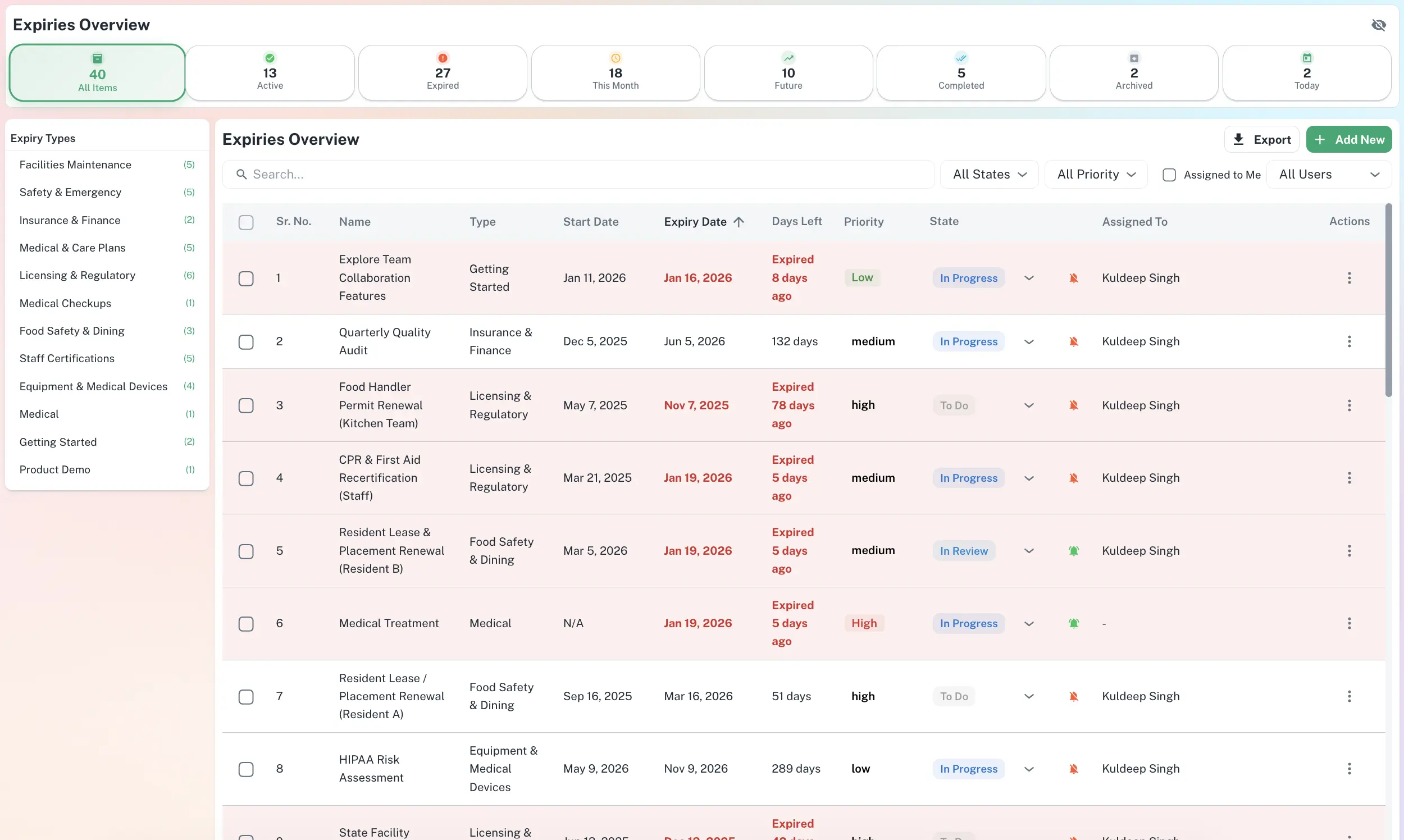
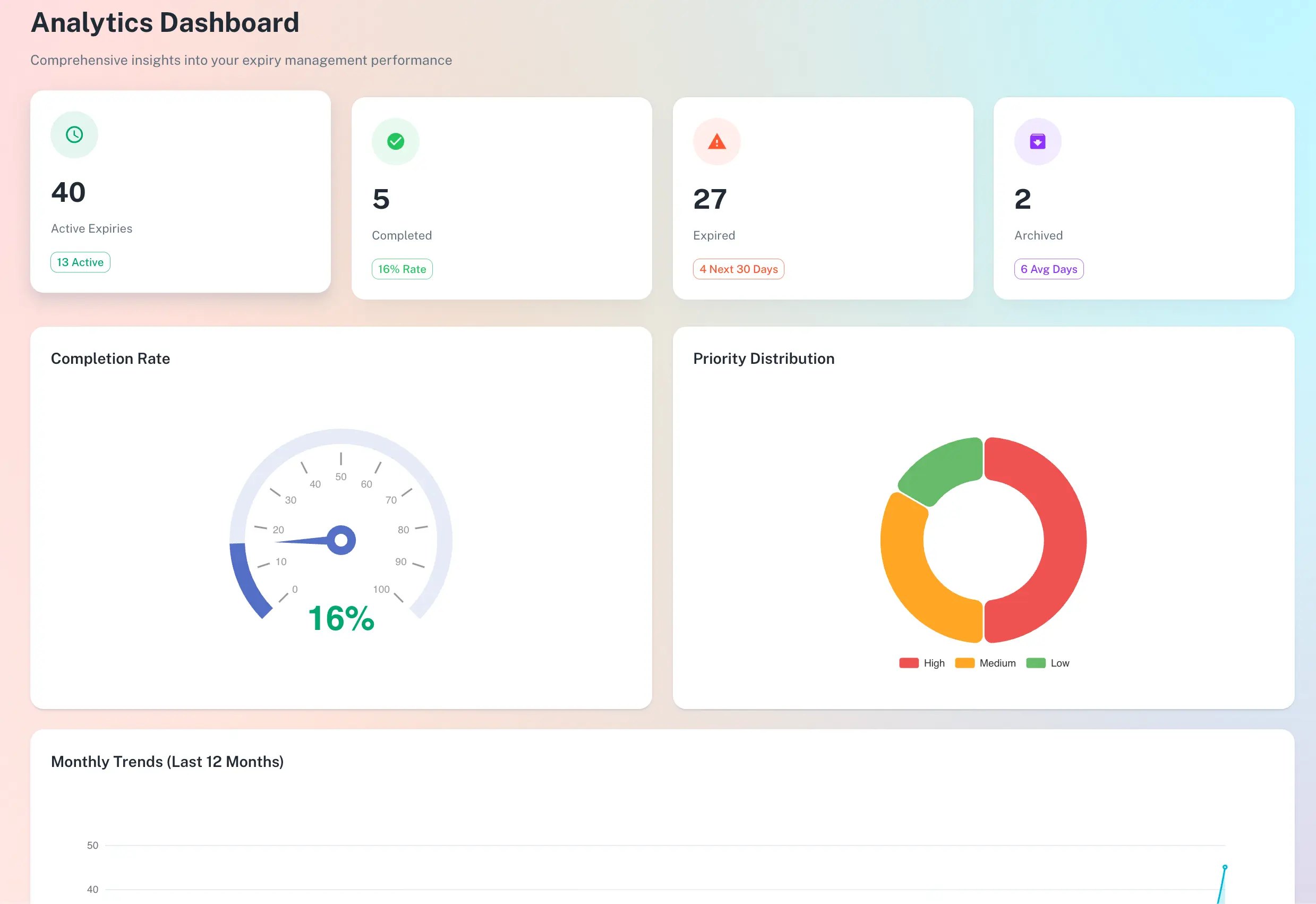
Your whole compliance picture, on one screen
Search one dashboard for any deadline and see who owns it and where it stands. Filter by type, team, site or what's due next. When an inspector or insurer calls, pull the audit pack while they're still on the phone.
Filter by type, status or owner. The whole list fits on one screen.
Seven capabilities, one connected system
Each feature works on its own and gets stronger together.
From a date in your head to a control that runs itself
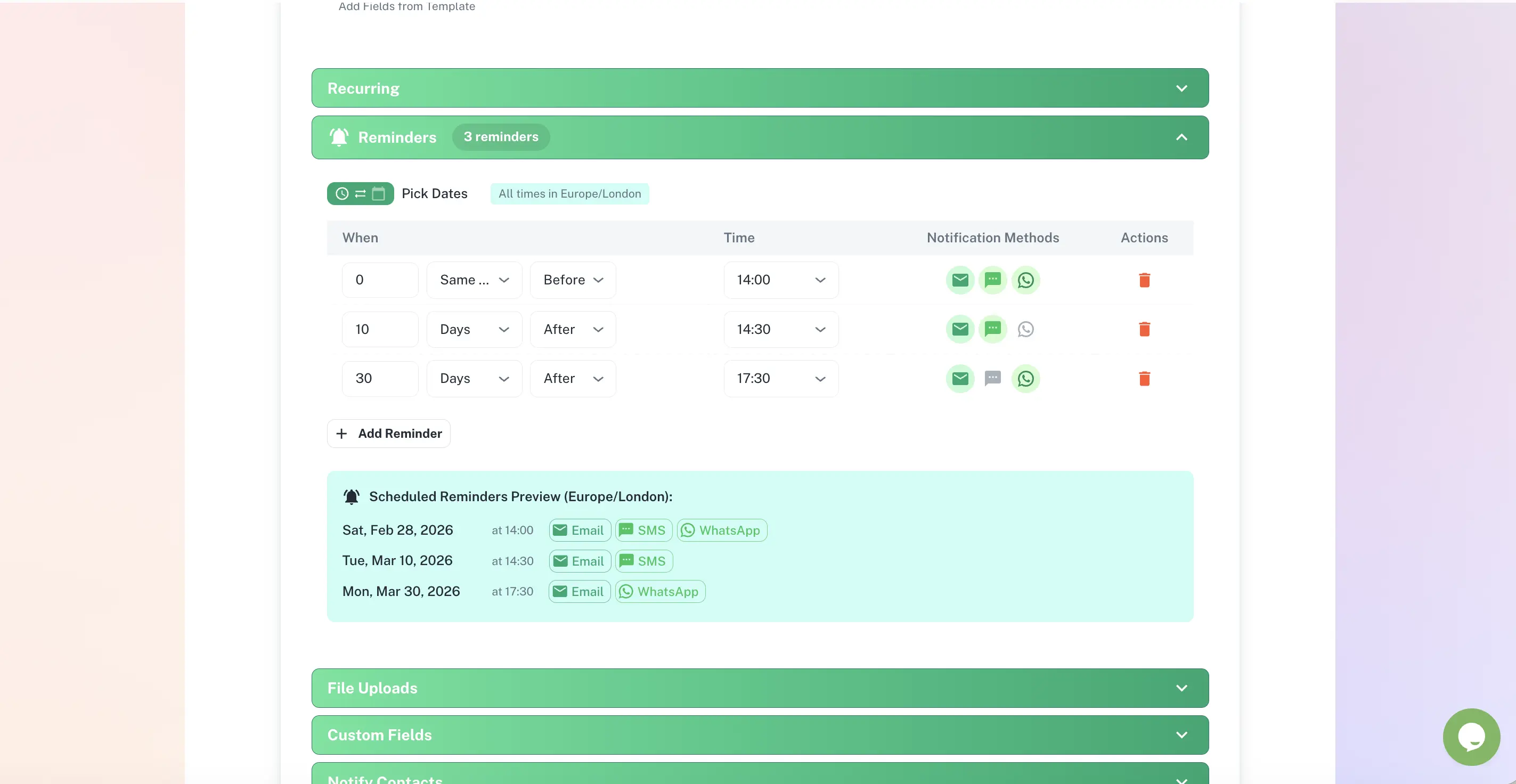
Multi-step sequences on the channel each person actually checks
Pick a schedule for each item, say 90, 30, 14 and 1 day before expiry, and choose who gets each alert and where. If nothing happens, ExpiryEdge moves it up the chain on its own.
Email, SMS, WhatsApp, Slack, Microsoft Teams
Different recipients per step
Automatic escalation on missed deadlines
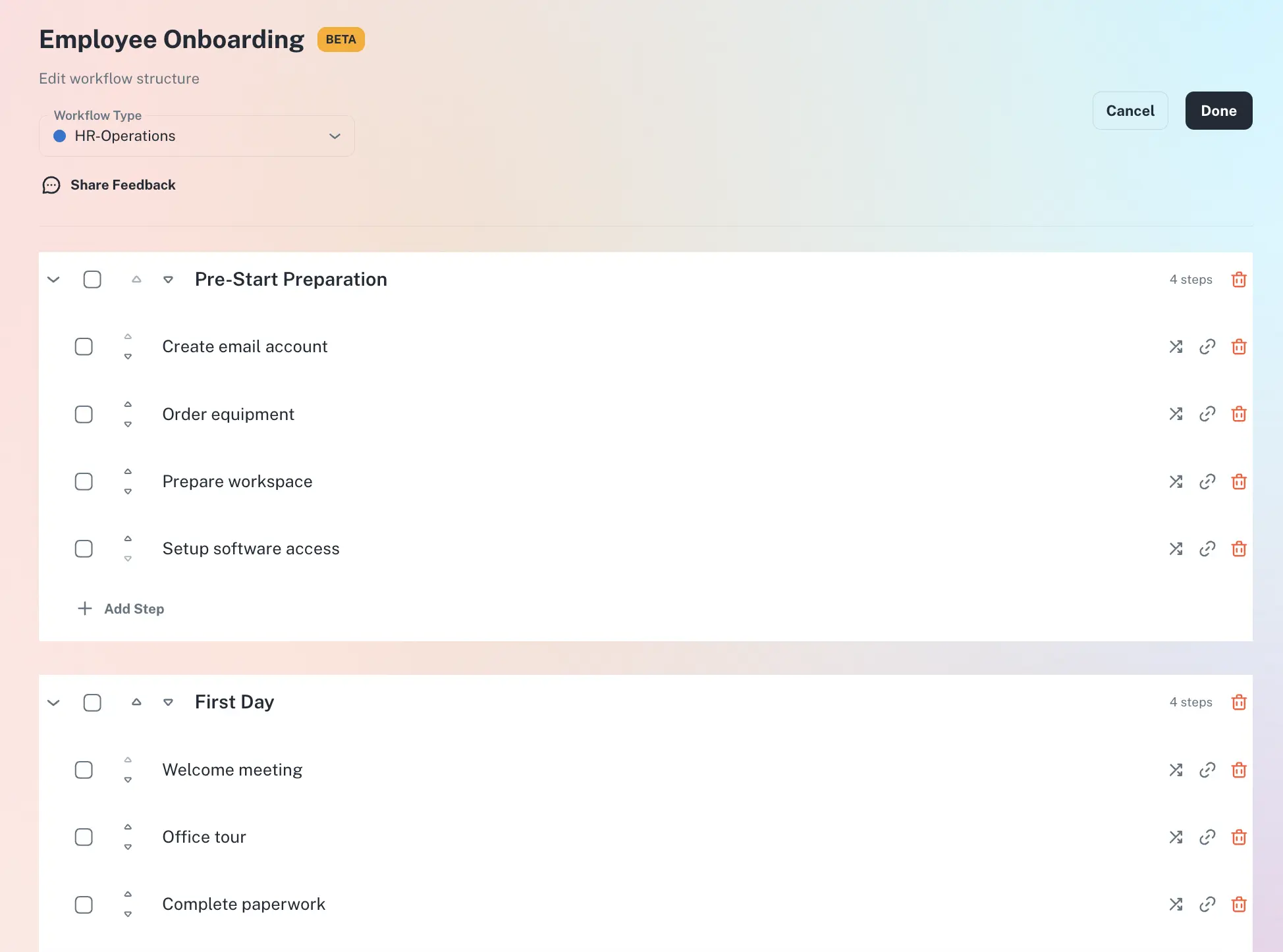
Repeatable work as structured SOP checklists
Set the sections, steps and owners once. Each run then goes the same way, with every step assigned and visible to whoever needs it. The process still works when someone leaves or is on holiday.
Assignable steps with owners
Live progress tracking
Templates you reuse across the team
A timestamped trail you can export in one click
Each reminder, upload and sign-off is logged with who did it and when. When an auditor asks, the proof is one download. Nobody spends a week piecing it together from old emails.
Who did what, when - automatically
Documents stored with their record
Export to CSV, PDF or XLSX
Why a calendar reminder is not enough
| ExpiryEdge | Calendar | Spreadsheet | |
|---|---|---|---|
| Automatic multi-step expiry reminders | |||
| Multi-channel alerts (SMS, WhatsApp, Slack, Teams) | |||
| Escalation when deadlines are missed | |||
| Named ownership with accountability | Manual | ||
| Documents stored with the record | |||
| Role-based team access | |||
| Full audit trail with timestamps | |||
| One-click audit-ready export | Manual |
ExpiryEdge tracks expiry dates for your business. Add any document or deadline, from licences and contracts to insurance, staff certificates, equipment servicing and permits. It sends reminders by email, SMS, WhatsApp, Slack or Microsoft Teams before each one runs out. You also get SOP checklists, a place to store files, shared team workspaces and reports you can hand to an auditor.
If it has an expiry date, ExpiryEdge can track it. Typical items are business licences and permits, staff certificates like first aid, food hygiene or a trade licence, and insurance renewals. You can also track vendor contracts, equipment servicing, ID and work visa dates, fire and safety checks, software subscriptions and leases. You can add as many custom categories as you like, so a care home can track DBS checks and a landlord can track gas safety certificates.
You set a reminder plan for each item type. A licence might send alerts at 90, 30, 14 and 1 day before it expires. Each alert can go to a different person on a different channel: email, SMS, WhatsApp, Slack, Microsoft Teams or an API webhook. If the date passes and nobody has acted, ExpiryEdge can send it up to a manager or someone more senior.
A calendar alert fires once, and it's easy to dismiss. ExpiryEdge sends a series of reminders on whichever channel each person actually reads. It escalates missed dates, keeps the document with the record and puts a name against every item. It also logs every action and builds the reports. A calendar tells you something is due. ExpiryEdge gets it done and shows you when it was done.
Yes, and it's one of the most common uses. Upload each person's certificates, such as first aid, food hygiene, a forklift licence or a professional registration. Add the expiry dates and pick a reminder plan. As a date gets close, both the employee and their manager hear about it. The current certificate sits in the record, so you just swap in the new one when it arrives.
Yes. With document collection you send a request as a link, and the person on the other end doesn't need a login. The link gathers files, form answers and e-signatures. It was built for jobs like getting a vendor's new certificate of insurance or a client's signed form. It keeps reminding them until they finish, and you approve or reject each field when it comes back.
Yes. You can set up separate teams such as HR, Operations and Legal, and give each one its own items. Decide what each role can see, then filter the dashboard by team or site. Leaders and the compliance lead get one view across every team. Managers and staff see only what they're responsible for.
Yes. You set the escalation rules when you build the reminder plan. If nobody deals with a deadline in the time you allow, ExpiryEdge alerts the manager, team lead or director you named. You can add more levels too. The owner hears first, then their manager, then leadership, so a lapsed permit never slips by in silence.
Yes. Every action is logged with the time and the person who did it. You can see who added an item, when they closed it, which files they attached and who got each reminder. One click exports an audit pack with the records, the history and the files. Hand it to an inspector, an insurer or your internal auditor. Nobody has to rebuild the paper trail after the fact.
Most teams are up and running in under 5 minutes. Import your records from a spreadsheet, set your reminder plans and invite your team. Reminders start straight away, and there's nothing technical to set up. The 14-day free trial gives you full access, and you don't need a credit card.