
Set the cadence once. The reminders run forever.
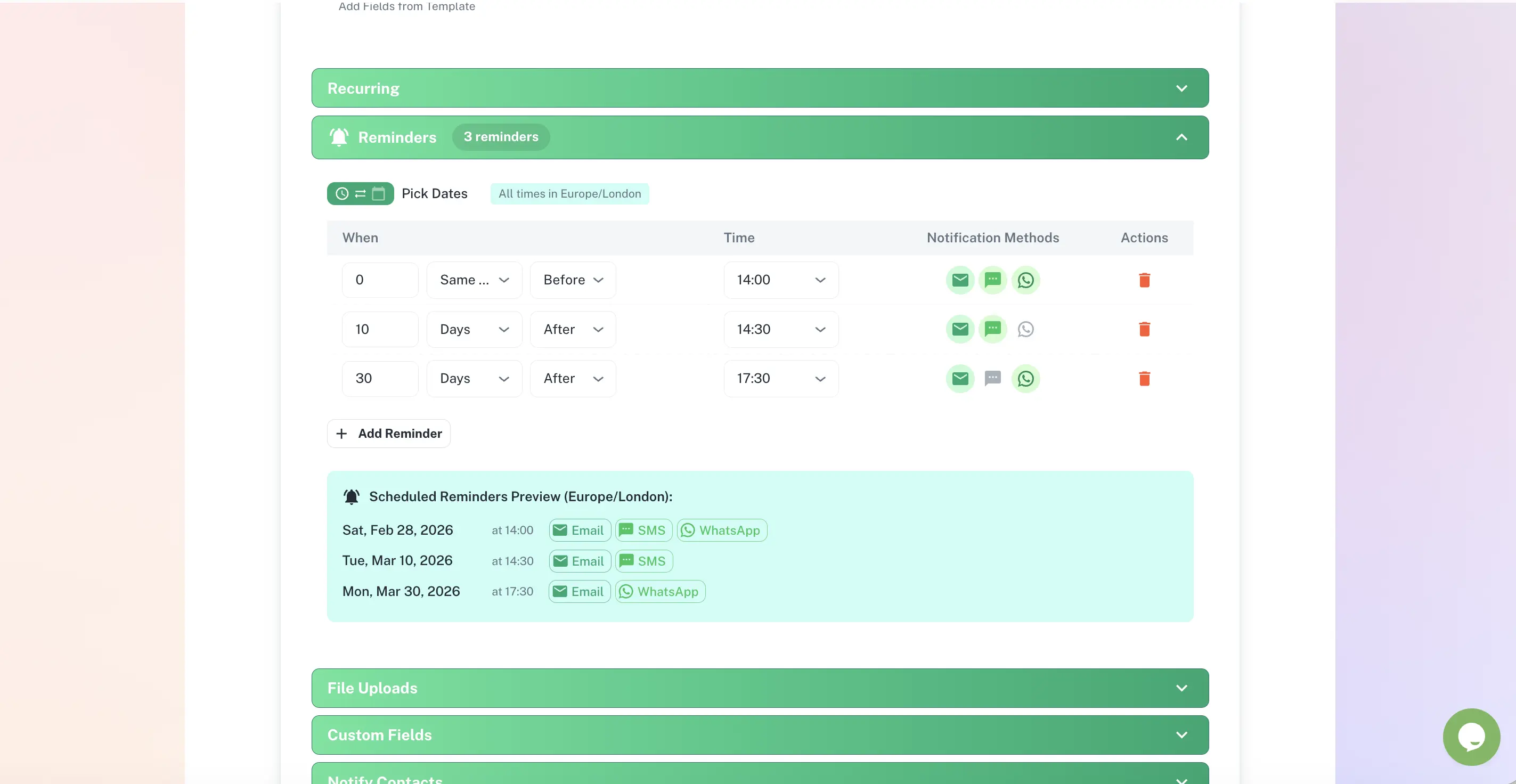
A single calendar alert is one chance to be ignored. ExpiryEdge sends a sequence - for example 90, 60, 30 and 7 days before expiry - to the right person on the channel they actually check: email, SMS, WhatsApp, Slack or Microsoft Teams. If the deadline passes without action, it escalates automatically.
The right person, the right channel, the right number of times
Multi-step sequences, not a single alert
Email, SMS, WhatsApp, Slack, Teams
Different recipients per step
Automatic escalation on missed deadlines
Quick answer
Automated reminders in ExpiryEdge are multi-step alert sequences attached to each tracked deadline. You define a cadence - such as 90, 60, 30 and 7 days before expiry - and choose who receives each step and on which channel: email, SMS, WhatsApp, Slack, Microsoft Teams or API webhook. If a deadline passes without action, ExpiryEdge escalates to a manager automatically.
Reminders engineered to actually get a response
Reminders fire on a cadence you set
Pick the lead times that match how long a renewal takes - 90 days to start the paperwork, then 60, 30 and 7 as the deadline nears. Each item type can have its own schedule, so a contract and a first-aid certificate are reminded differently.
Custom cadence per item type
Lead times from months to days
Reminders stop automatically once renewed
One reminder fans out across every channel
An email is easy to miss; a WhatsApp or a Slack message is not. Each step can reach a different person on a different channel, so the owner gets a text and their manager gets a Teams message - from the same trigger.
Email, SMS, WhatsApp, Slack, Microsoft Teams, API
Different recipients per step
API webhook for your own systems
Escalation when a deadline is ignored
If a reminder goes unactioned, ExpiryEdge escalates - first the owner, then their manager, then leadership. Configure exactly who gets pulled in and when, so a critical renewal never quietly lapses.
Multi-tier escalation chains
Triggered when a deadline passes unactioned
Configurable timing per item
One cadence, every channel
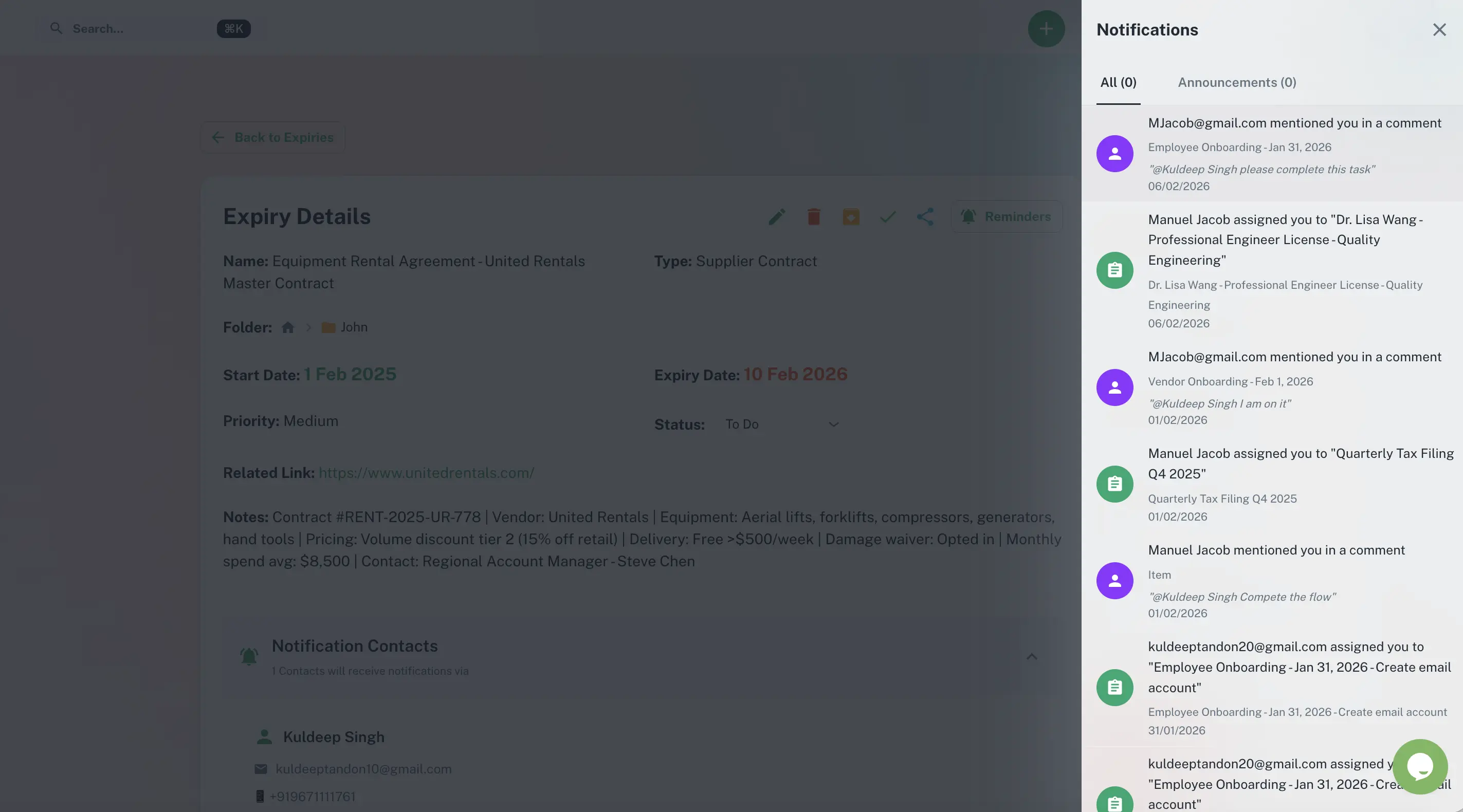
Configure the schedule once and choose how each step is delivered. ExpiryEdge handles the rest for every future renewal.
Why a calendar reminder is not enough
| ExpiryEdge | Calendar | Spreadsheet | |
|---|---|---|---|
| Multi-step reminder sequence | One alert | ||
| Multi-channel delivery (SMS, WhatsApp, Slack, Teams) | |||
| Different recipients per step | |||
| Escalation when a deadline is missed | |||
| Stops automatically once renewed | Manual | ||
| Logged in an audit trail |
As many as you want. A common cadence is 90, 60, 30 and 7 days before expiry, but you set the schedule per item type. A contract that takes months to renegotiate can start at 120 days; a certificate that renews in an afternoon might only need 14 and 3.
Email, SMS, WhatsApp, Slack, Microsoft Teams and API webhook. Each step in a sequence can use a different channel and reach a different person, so the right people are alerted where they actually pay attention.
Yes. You assign recipients per step. For example the owner gets every reminder by SMS, while their manager only receives the 7-day alert by Teams, and leadership is brought in only on escalation. This keeps the right people informed without alert fatigue.
ExpiryEdge escalates automatically. You configure a chain - owner, then manager, then leadership - and the timing between each tier. A deadline that passes unactioned does not go silent; it climbs until someone responds.
Yes. As soon as you log the renewal and update the expiry date, the old sequence ends and the next one begins from the new date. There is no manual cleanup and no leftover reminders for work already done.
Yes. Every reminder is logged with the channel, recipient and timestamp. That record is part of the audit trail, so you can show exactly when and how someone was notified about a renewal.