
The document is already there when the deadline arrives.
Upload contracts, certificates, insurance policies and permits directly alongside their expiry dates. When a renewal reminder fires, the current version is already attached - ready to renew, share or submit. No scrambling through email threads or shared drives when a deadline hits.
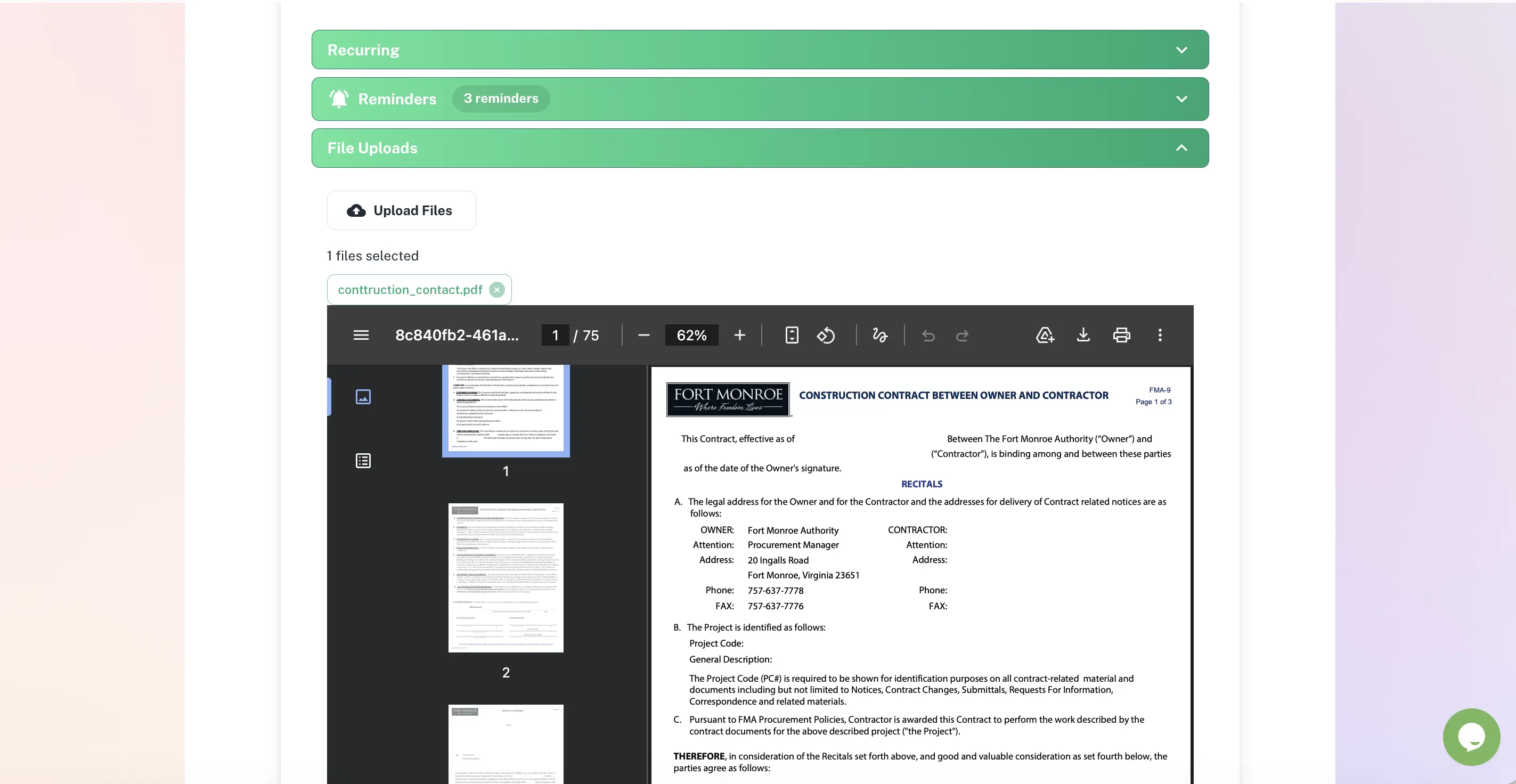
Every document stored with the deadline it belongs to
Documents linked directly to expiry records
Encrypted cloud storage with role-based access
Folder structure that mirrors your business
One-click bulk export for audits
Quick answer
Document expiry management stores each compliance file - contract, certificate, licence or permit - in the same record as its deadline. In ExpiryEdge the document and the expiry date live together, so when a renewal reminder fires the current version is already attached. Files are encrypted, access is role-based, and any selection exports as an audit pack in one click. This is for documents your team already has - if you need to get a document from someone outside your organisation (a vendor, tenant or client), see Document Collection instead.
Documents attached exactly where they belong
Upload files directly to any expiry record so the supporting document is one click away - at renewal time and at audit time.
Attach the contract, certificate or policy straight to its deadline.
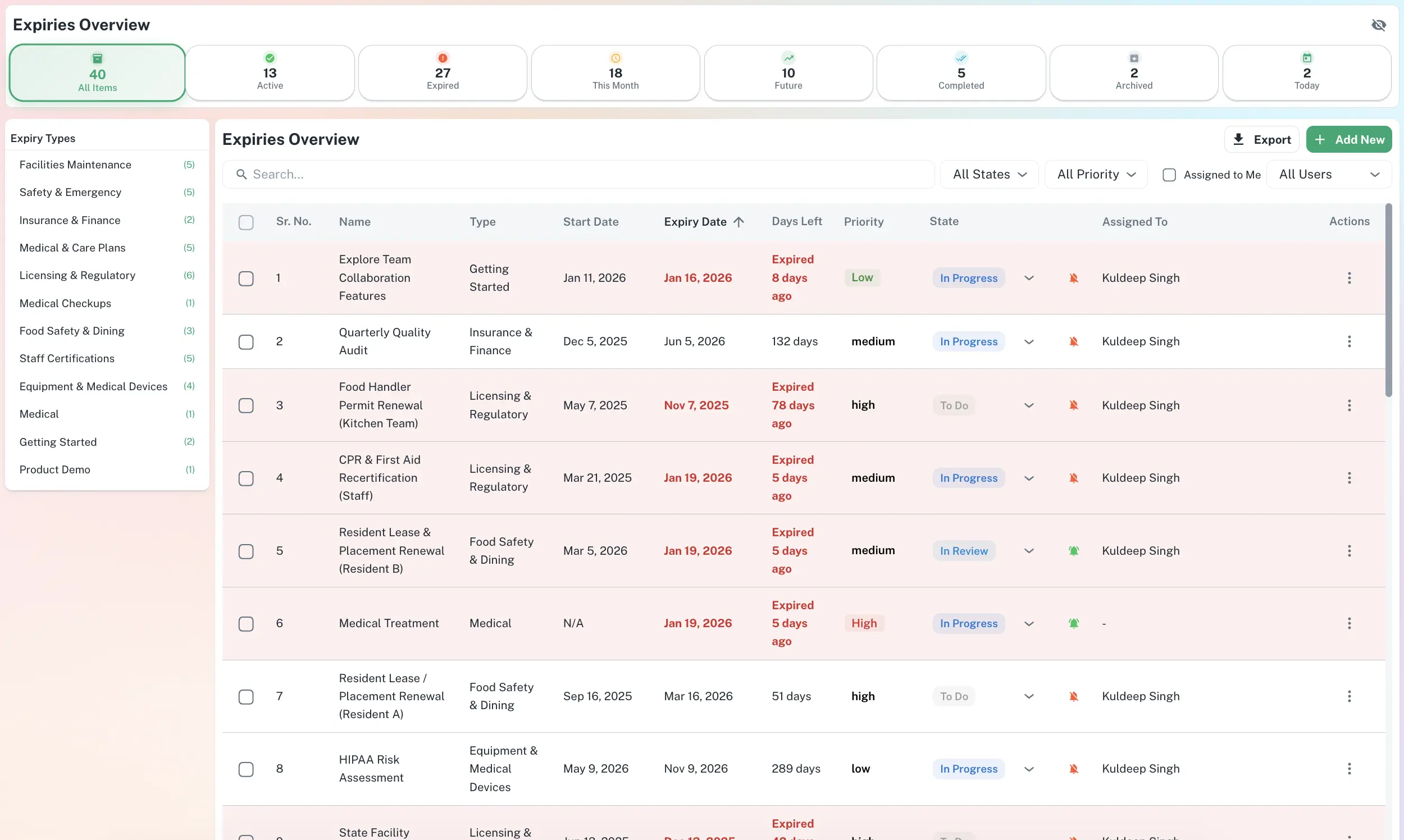
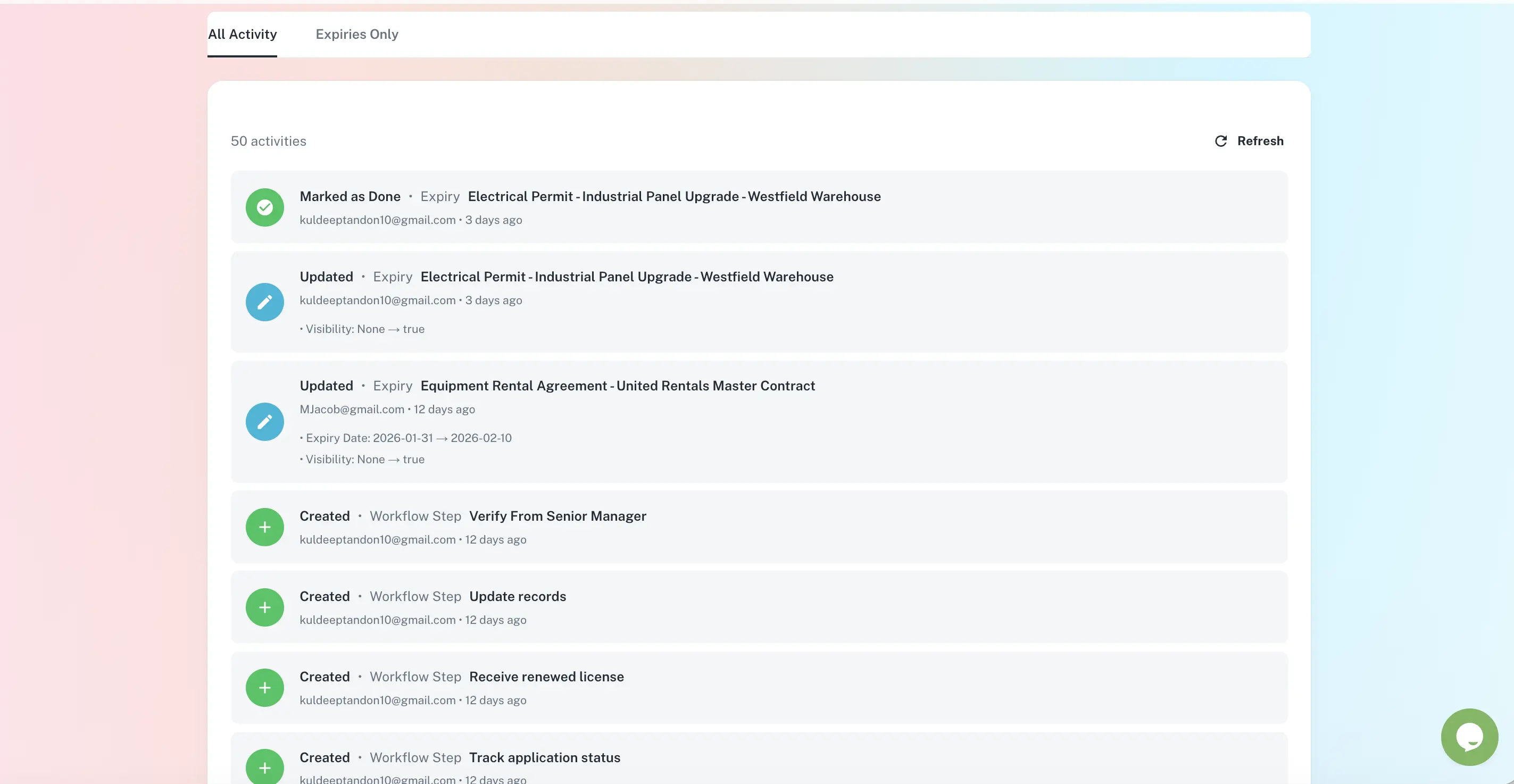
The file and its deadline, in the same place
Attach any file to its expiry record
Add PDFs, images, Word documents and spreadsheets to any record - the signed contract and its schedule together if you need. The document and its deadline are permanently linked, so the right file is always in the right place.
PDFs, images, .docx, .xlsx supported
Multiple files per record
Folders by department, location or vendor
Open the record, read the document, decide
When a renewal reminder fires you are not hunting a shared drive - the current version is already attached. Upload the new file to the same record and the expiry date, document and reminder cadence all roll forward to the next cycle.
Current version always on the record
New file replaces old on renewal
Reminder sequence restarts automatically
A timestamped trail behind every document
Every upload, view and update is logged with who did it and when. When an inspector arrives, the documents and their access history export together as a single audit pack - no retroactive folder-building the night before.
Who accessed and updated each file
Immutable, timestamped history
One-click bulk export to CSV or PDF
Who uses document expiry management
Legal & Contracts Teams
No more spending an hour finding the signed agreement before a renewal. The document is attached to the record - open the item, read the contract, decide.
HR Managers
Store staff certifications, trade licences and ID documents alongside their expiry dates. When reminders fire, the current certificate is there to update.
Compliance Officers
Build an audit-ready library. Every licence, permit and certification - with its renewal history - is one click away when an inspector arrives.
Operations Managers
Keep inspection certificates, contractor insurance and supplier agreements organised and linked to their renewal dates - never lose a document at the worst moment.
Why a shared drive is not enough
| ExpiryEdge | Google Drive | SharePoint | |
|---|---|---|---|
| Document stored with its deadline | |||
| Automated renewal reminders | |||
| Role-based access per category | Manual | ||
| Audit trail of access and updates | Limited | ||
| One-click audit pack export | |||
| Renewal rolls the reminder forward |
ExpiryEdge supports PDFs, JPG/PNG images, Word documents (.docx), Excel spreadsheets (.xlsx) and most common file formats. You can attach multiple documents to a single expiry record - for example, both the signed contract and a supporting schedule.
Yes. All documents are stored encrypted in the cloud with role-based access control. Only users with the appropriate permissions can view, download or modify documents. Admins can configure which roles have access to which document categories.
When you renew a record, you upload the new document version to the same record. The expiry date updates to the new renewal date, the new document replaces the previous version, and the automated reminder sequence restarts for the next renewal cycle.
Yes. You can export any selection of expiry records together with their attached documents in a single bulk download. This generates a complete audit pack - records, documents and completion history - ready to submit to a regulator, insurer or auditor without any additional preparation.
Google Drive and SharePoint store files but have no awareness of expiry dates or renewal obligations. ExpiryEdge stores each document directly alongside its deadline, sends automated reminders before expiry, maintains an audit trail of who accessed and updated each record, and generates one-click audit-ready exports. Documents in ExpiryEdge are always in the context of their compliance obligation - not just filed away.
The document is already there when you need it
Attach every contract, certificate and licence to its expiry record - so when renewal approaches, you are acting, not searching.