
Know your posture now. Prove it to any auditor.
Real-time dashboards, automated management reports, and one-click audit-ready exports - across both expiry deadlines and workflow checklist completion. ExpiryEdge makes risk visible before it becomes a problem, and when a regulator, insurer or internal auditor asks for documentation, it is already built.
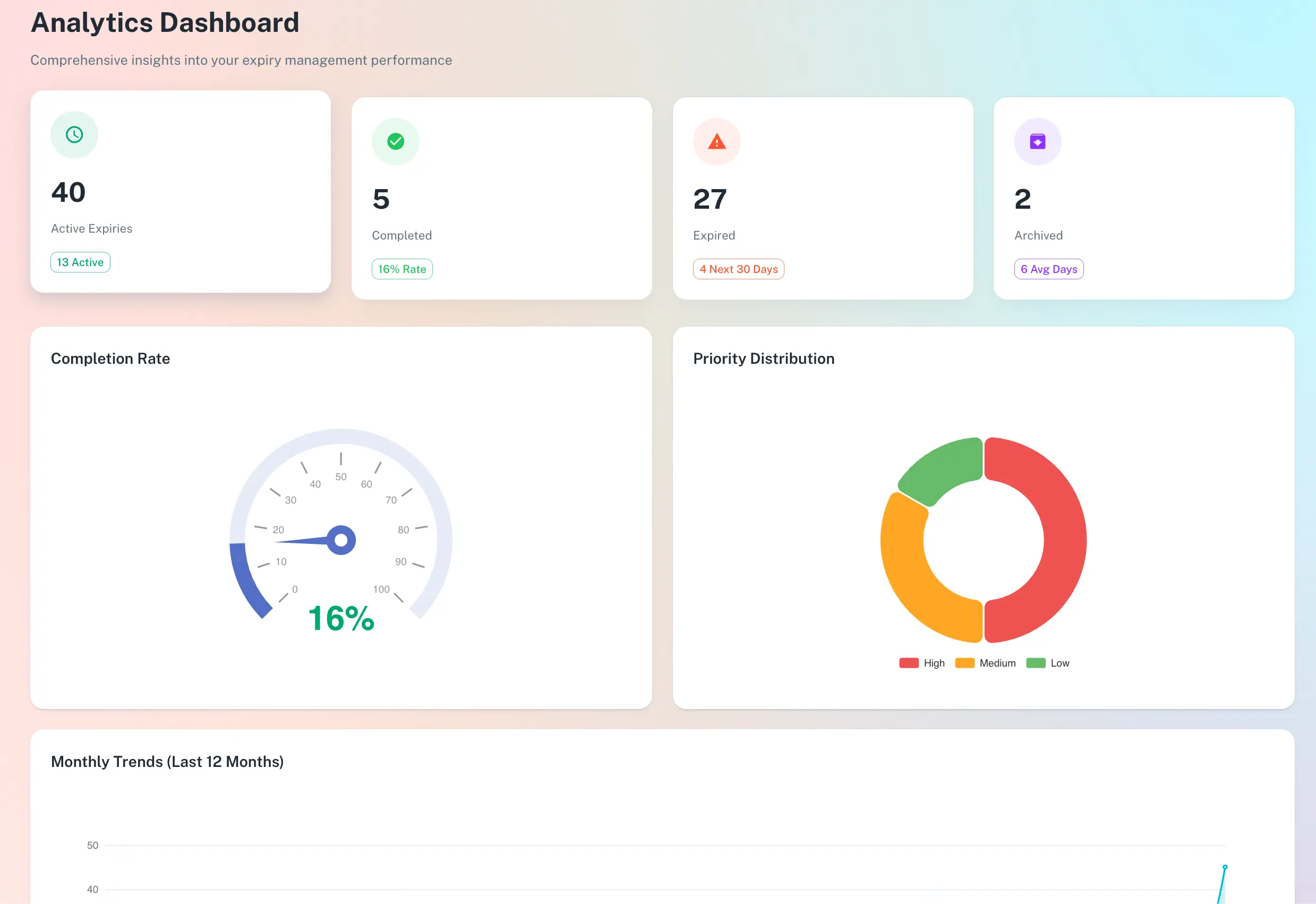
Live visibility today, an audit pack the moment you are asked
Live operations dashboard across deadlines and workflows
One-click audit-ready exports (CSV / PDF)
Automated risk flagging - high, medium, low
Scheduled management reports by recipient
Quick answer
Compliance reporting software turns day-to-day activity into evidence. ExpiryEdge shows a live dashboard of what is current, expiring or overdue across deadlines and workflow runs, flags risk automatically, and logs every action with a timestamp and user. When an inspector or insurer asks, one click exports a complete audit pack - records, documents and history - in CSV or PDF.
Insight and accountability at a glance
From real-time analytics to a timestamped audit trail - always know the health of your compliance posture, and prove it on demand.
An instant read on compliance health across the whole organisation.
What the reporting layer changes
One click
Generate a full audit pack - records, documents and history - in CSV or PDF.
Real time
The dashboard updates automatically as items change or reminders fire.
Every action
Logged immutably with who did it and when - no retroactive documentation.
The audit pack builds itself as you work
A live dashboard, not a report you build
See the percentage of records up to date, items expiring this week and month, overdue counts by team and category, and active workflow completion rates. Risk is flagged high, medium or low automatically - so the most urgent issues are always at the top.
Deadlines and workflow runs in one view
Automated high / medium / low risk flags
Saved filtered views for recurring reviews
A trail behind every action
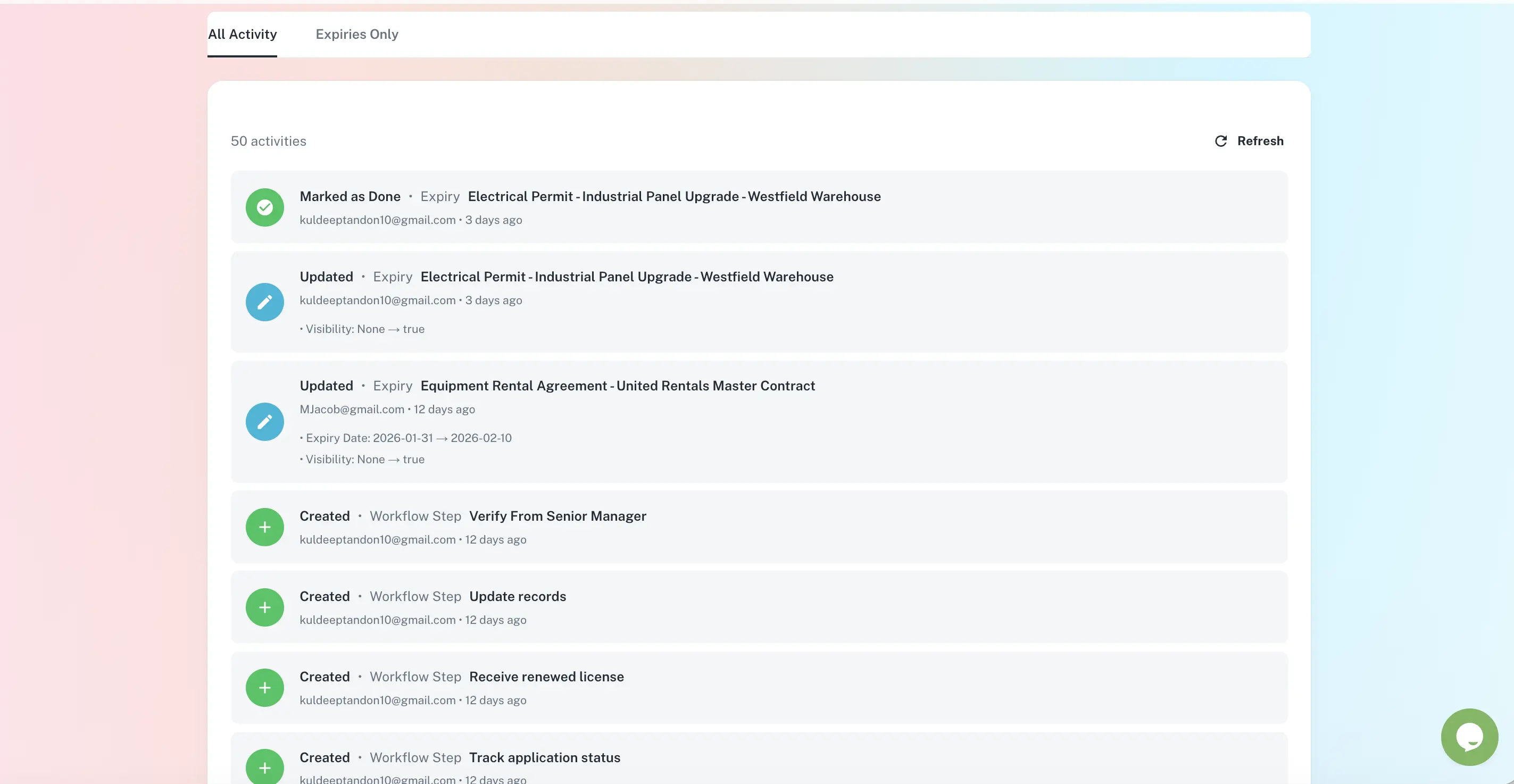
Every create, update, completion, upload and reminder is logged immutably with a timestamp and the user who performed it. When an inspector arrives you hand over a pack - not three hours of pulling threads from email.
Immutable, timestamped history
One-click export to CSV or PDF
Records, documents and history together
The right summary to the right inbox
Schedule monthly reports - an executive summary for the C-suite, full detail for operations managers - generated and sent automatically. Filter any report by team, department or location so each site manager sees their own status.
Scheduled monthly email reports
Separate summaries per recipient
Location and team-level reporting
Who uses reporting & audit exports
Compliance Officers
When an inspector arrives, hand over a pack - not three hours of assembly. ExpiryEdge logs everything as you go; one click generates records, documents and completion history.
Business Owners & Executives
A single-screen summary of compliance risk across the organisation - what is current, what is at risk, what needs attention today - without reading individual records.
Operations Managers
Monitor status across all teams from a live dashboard. See what is overdue, approaching, or needs escalation before it becomes your problem.
Risk & Insurance Teams
Demonstrate to insurers that licences, certifications and inspections are current. One-click exports provide the documentation for renewals and claims.
The dashboard gives a real-time snapshot of your operational health: percentage of tracked expiry records that are current, items expiring in the next 7 days and 30 days, items that are already overdue, risk breakdown by category and team, and the completion status of active workflow checklist runs. It updates automatically as items are updated or reminders are sent.
Every action in ExpiryEdge is automatically logged with a timestamp and attributed to the user who performed it. This includes creating records, updating expiry dates, attaching documents, completing workflow steps, sending reminders, and flagging items as renewed. The audit trail cannot be edited or deleted - it provides an immutable compliance history.
Yes. As compliance audit management software, ExpiryEdge generates a complete compliance pack in one click: the list of records with their expiry dates and current status, attached documents (certificates, licences, policies), and the full completion and action history. The export is in CSV or PDF format and is designed to be submitted directly to regulators, insurers, or auditors.
Yes. ExpiryEdge supports scheduled email reports on a monthly basis. You can configure separate reports for different recipients - an executive summary for the C-suite and a full detail report for operations managers. Reports are generated and sent automatically without any manual preparation.
ExpiryEdge automatically assigns a risk level - high, medium or low - to each item based on how close the expiry date is and any custom criticality settings you apply. High-risk items (e.g. those expiring within 7 days or already expired) are prominently flagged in the dashboard and in reports so the most urgent issues are always visible at a glance.
The audit pack builds itself as you work
ExpiryEdge logs, timestamps and stores every action automatically - so when an auditor asks, the documentation is already there.