
Everyone knows what they own. Leadership sees everything.
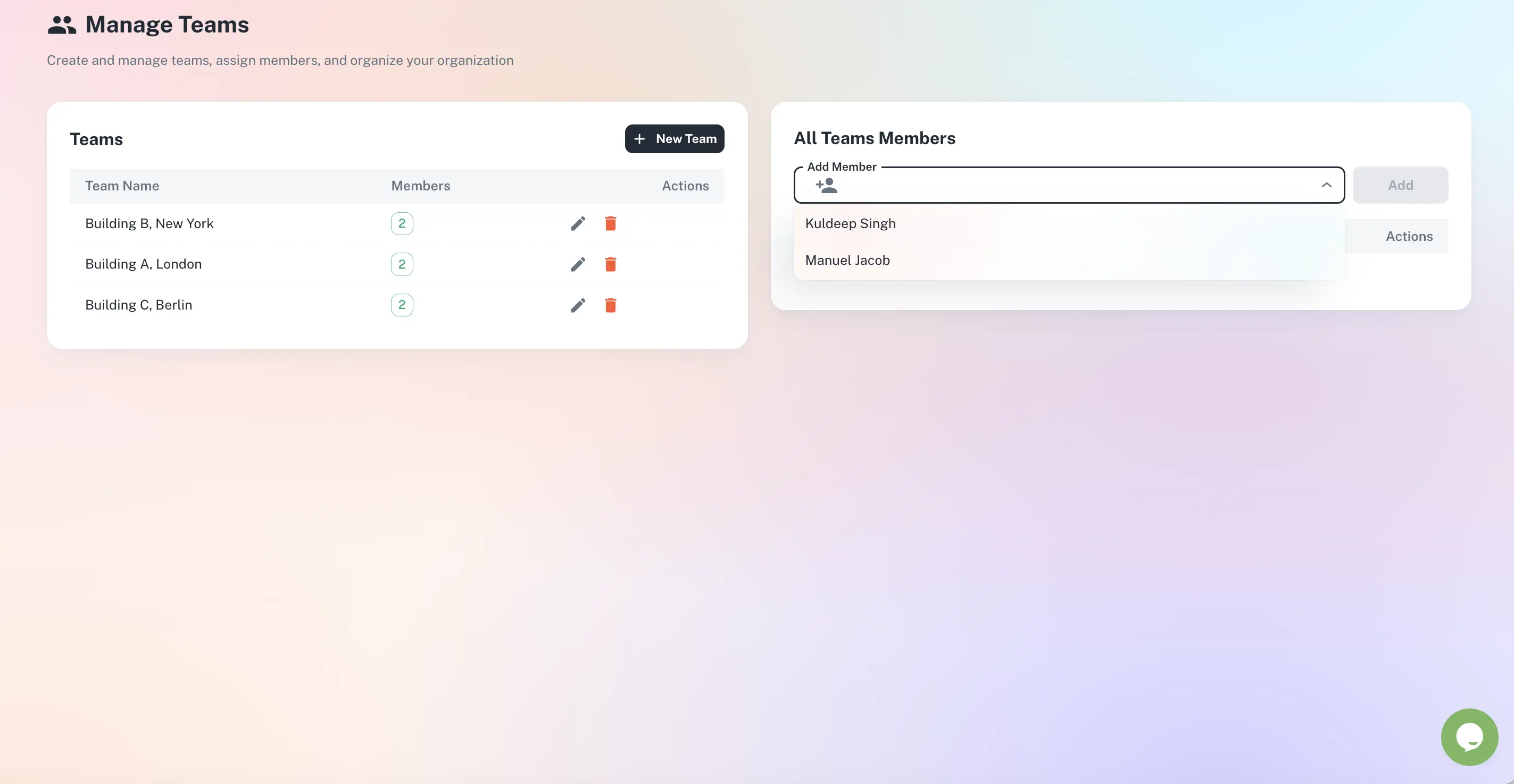
Role-based permissions, department structures and multi-location support give every person exactly the access they need. Each person manages their own assigned deadlines and tasks; managers see across every team and location in one dashboard - without asking anyone for a status update.
Named ownership, role-based access, roll-ups across every site
Department and team structure that mirrors your org
Role-based permissions - admin, manager, member
Multi-location and franchise support
Live activity feed and cross-team escalation
Quick answer
Multi-team operations management gives every deadline and task a named owner while keeping the right access for every role. In ExpiryEdge, team members see only what they own, managers see their team, and leadership sees across all teams and locations in one dashboard. Role-based permissions, bulk reassignment and cross-team escalation keep accountability intact as people and sites change.
Built for teams that operate across locations
Manage users, assign roles, organise teams by location, and roll every site up into one view for leadership.
Organise teams by department or location - each manager owns their slice.
End the "I thought someone else had it" problem
Every record and step belongs to a person
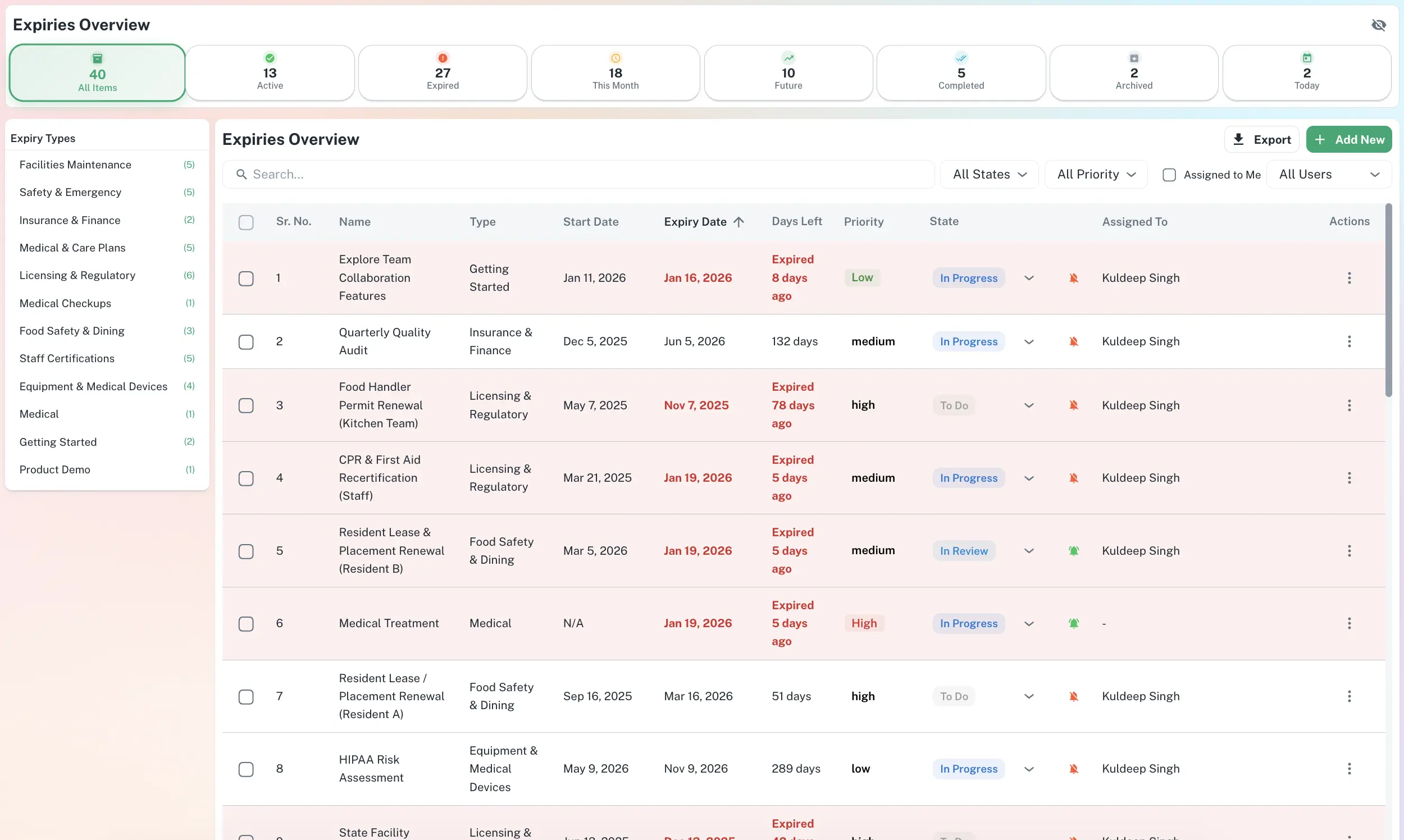
Assign any expiry record or workflow step to a named owner. When staff change roles, bulk-reassign their items in one operation - and the full ownership history is always retained, so accountability never disappears.
Assign records and checklist steps to people
Bulk reassign on staff changes
Ownership history always retained
One account, every location
Manage deadlines and tasks across offices, warehouses, sites or franchise locations from a single account. Each manager sees their own location; leadership filters to any site or sees the group-wide picture without chasing anyone.
Filter and drill into any location
Per-location licences, permits and SOPs
Group-wide roll-up for leadership
Role-based permissions, end to end
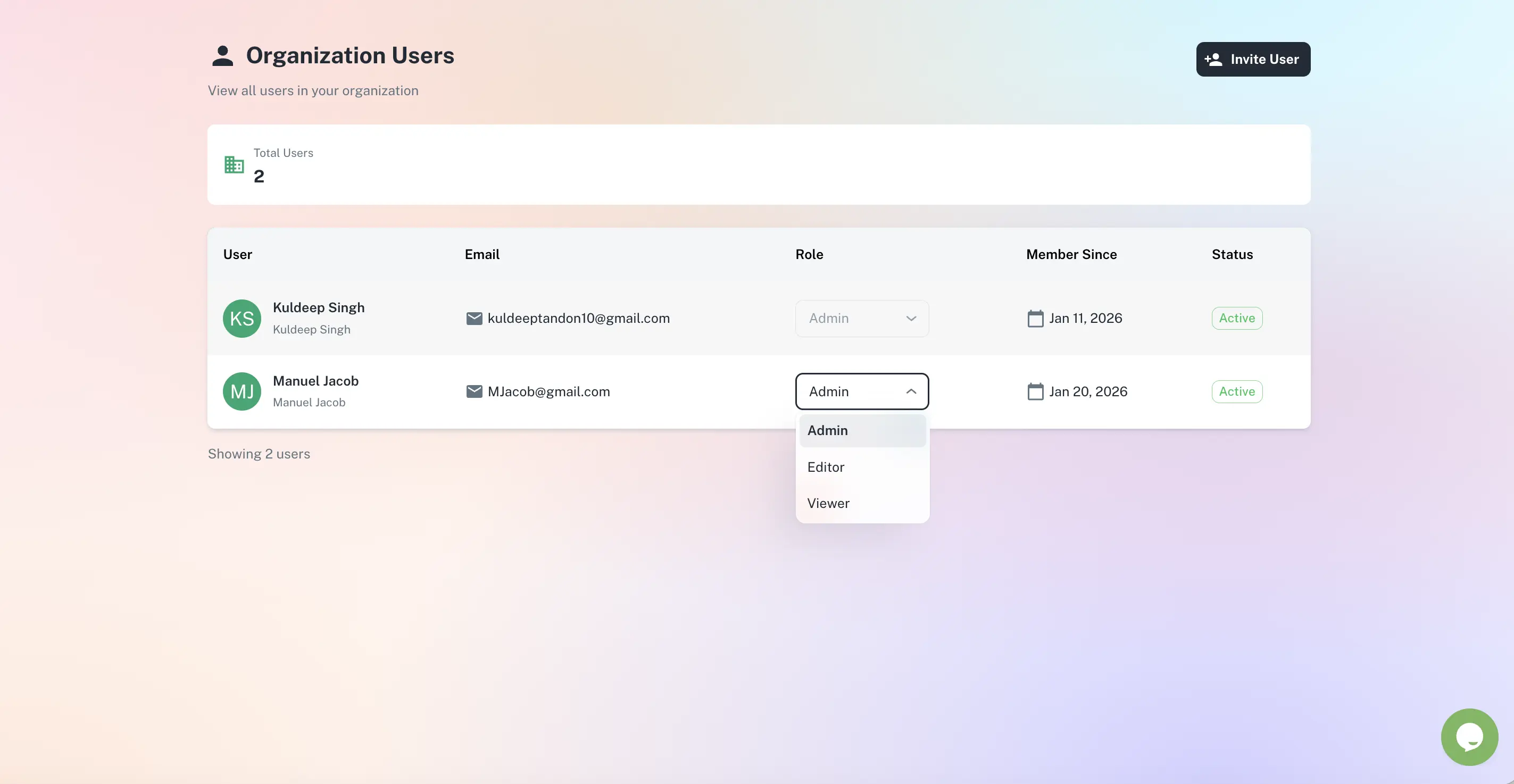
Admins configure the system, managers approve and escalate, members view and complete their own tasks. Sensitive records stay visible only to authorised roles, and a live activity feed logs who changed what, when, and with what note.
Admin, manager and member roles
Sensitive records restricted by role
Live activity feed across the team
Who uses multi-team operations management
Franchise Operators
Manage licence renewals, SOP checklists and task completion across every location from one account - and see which sites are on track before anyone else does.
Multi-Site Businesses
Each location manager handles their own responsibilities; you see the full picture without asking. When something slips at one site, you know before it becomes a problem.
Business Owners (Hands-Off)
Your people manage their own responsibilities and you get a high-level view. Escalations reach you only when something genuinely needs your attention.
Operations & Compliance Officers
Monitor deadline health and workflow progress across every department and location. Spot teams falling behind and generate location- or group-level reports.
ExpiryEdge lets you create a team and department structure that mirrors your organisation. Each team manages its own assigned deadlines and workflow tasks, and only sees what is assigned to them. Admins and managers have elevated permissions that let them see across all teams in one unified dashboard.
Yes. ExpiryEdge is specifically designed for multi-location and franchise operations. You can track location-specific licences, permits, certifications and SOP checklists, assign responsibility to location managers, and view status by location at any time. Escalation alerts notify you when any location falls behind - immediately.
Role-based access means each person sees and can do only what is appropriate for their role. Team members see and manage their assigned items and checklist steps. Managers see their team's items and can approve or escalate. Admins configure the system and see everything. Sensitive records are only visible to authorised roles.
Yes. Any expiry record or workflow task can be reassigned individually or in bulk. When someone leaves or changes role, their items can be transferred to a replacement owner in a single operation. The full ownership history is always retained.
Yes. This is one of the most common use cases. You can set up your team structure so that department heads and location managers handle their own responsibilities autonomously. As the business owner, you receive a high-level dashboard view and escalation alerts only when something requires your attention - everything else runs without your involvement.
One platform. Every team. Full visibility.
Set up departments, locations and roles once - ExpiryEdge handles who sees what, who gets reminded, and who gets escalated to.