
Build the process once. Your team follows it every time.
Each workflow is divided into sections, and each section holds the steps that need completing. Employees tick steps off as they go, progress is tracked live, and nothing falls through the cracks. Use it for onboarding, licence renewals, equipment inspections, supplier sign-off - any repeatable process your business runs.
Structured SOPs with live progress - for any repeatable process
Sections and steps - a clear hierarchy
Checklist-style tick-off on any device
Live progress monitoring across all runs
Reusable templates you launch on demand
Quick answer
Compliance workflow software turns a repeatable process into a structured checklist. In ExpiryEdge each workflow is built from sections and steps; assignees tick off steps as they complete them, managers watch progress in real time, and every completion is timestamped and attributed. Save a workflow as a template and launch it for each new hire, site, quarter or renewal.
Sections, steps, and real-time progress
Build a structured SOP, launch it as a live checklist, and watch completion progress across every active run.
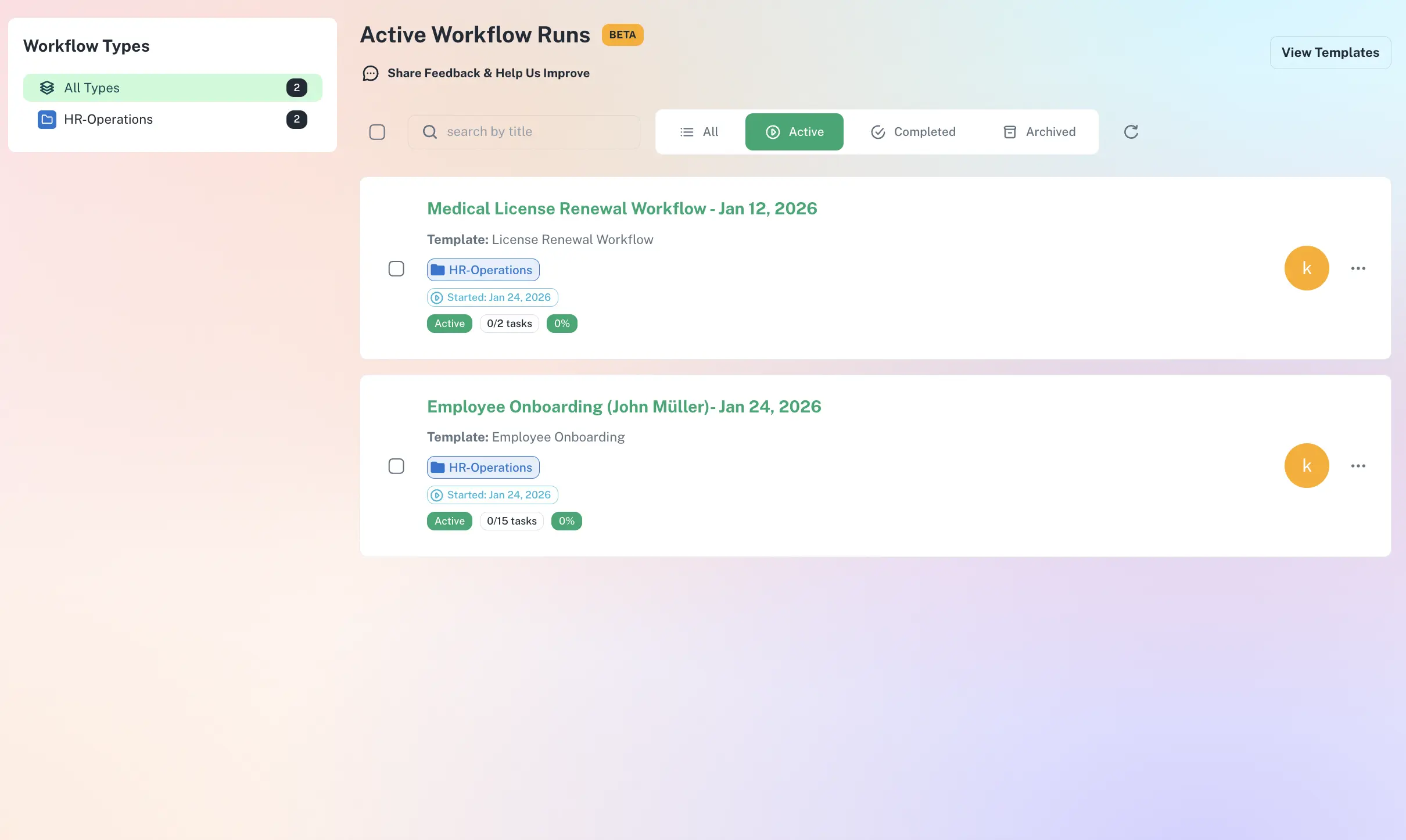
Track progress step by step - managers see exactly where each run stands.
How ExpiryEdge workflows work
Build sections & steps
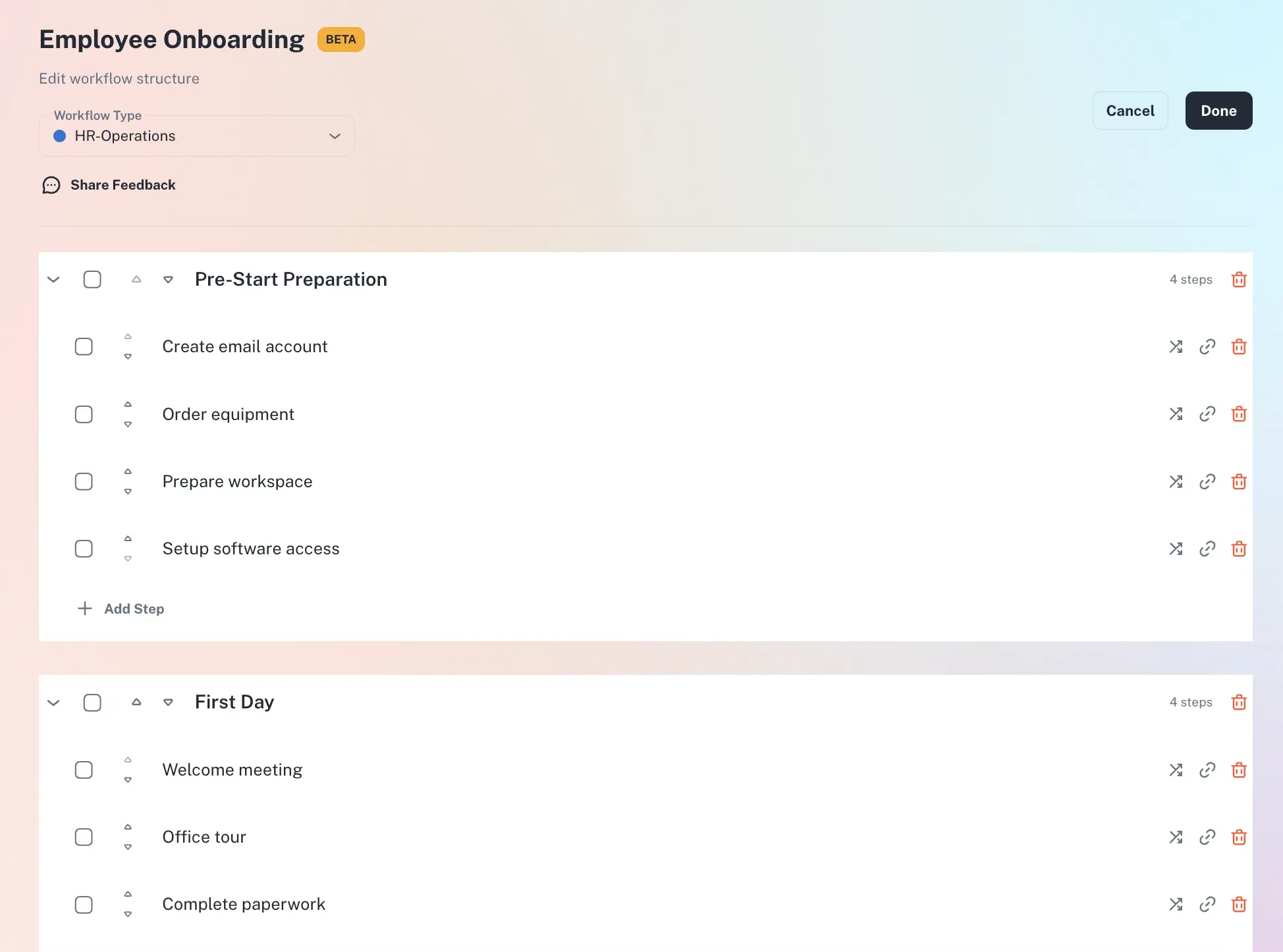
Organise the SOP into logical sections - "Pre-Start Checks", "Day 1 Tasks", "Sign-Off" - each holding as many steps as it needs.
Save as a template
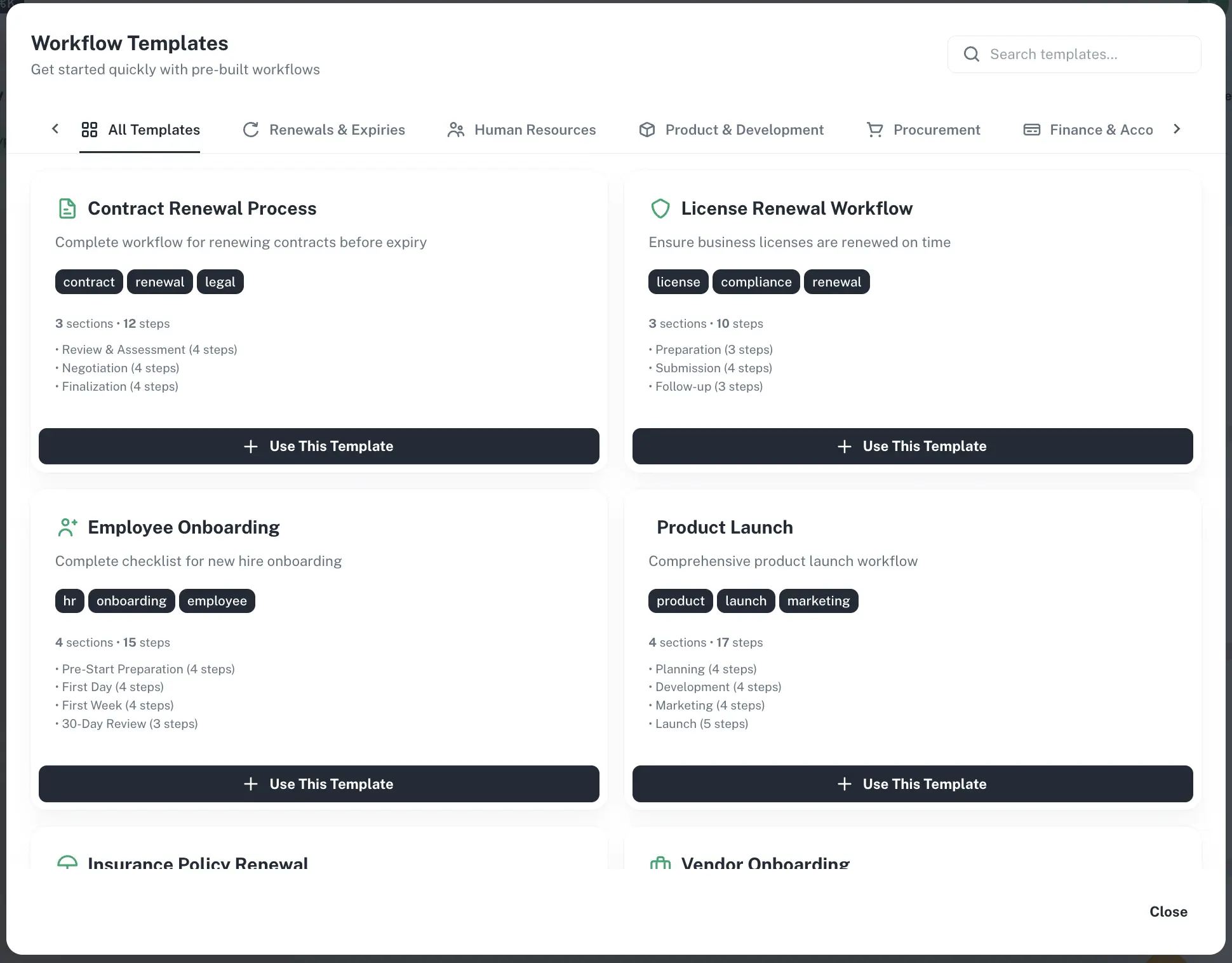
Store the workflow as a reusable template so every run follows the identical process.
Launch & assign
Start a run for a new hire, site or renewal, and assign each step to a named person or role.
Track to completion
Assignees tick off steps; managers monitor live progress and a timestamped completion record builds itself.
Structure that survives staff turnover
Sections and steps anyone can follow
Every SOP is organised into sections that group related work, with individual steps inside each. Your team always sees exactly where they are in the process - whether it has 5 steps or 50.
Logical sections group the work
Checklist tick-off on any device
Assign each step to a person or role
Watch every run without chasing for updates
Managers and owners see real-time progress for every active run - steps complete, steps outstanding, and anything overdue. Spot blockers before they cause delays, across as many simultaneous runs as you have.
Real-time completion per run
Overdue steps flagged automatically
Monitor all active runs from one dashboard
Templates that launch on demand - or on a deadline
Build a workflow once, save it as a template, and launch the identical process for every new hire, site or quarter. Connect a workflow to an expiry-tracked item and ExpiryEdge launches it automatically when the renewal window opens.
Reusable templates keep the process identical
Import templates shared by your team
Trigger a workflow from an expiry date
What teams use ExpiryEdge workflows for
HR & People Teams
Turn onboarding into a repeatable workflow: a "Pre-Start" section for right-to-work checks, a "First Day" section for inductions, a "First Week" section for training sign-offs. Every hire goes through the same process - nothing forgotten.
Operations & Facilities Teams
Monthly safety checks, quarterly equipment sign-offs, annual inspections - any recurring procedure becomes a workflow. Each run leaves a complete checklist record for the next "was this done?" question.
Franchise & Multi-Site Operators
Deploy the same SOP template across 3 sites or 300. Each runs the identical process in the identical order, and the centre sees progress across all of them in one dashboard.
Compliance & Legal Teams
Structure licence renewals, contract reviews and regulatory submissions as workflows. Assign each part, track progress, and keep a timestamped completion record for any future audit.
Each workflow in ExpiryEdge is built from sections and steps. A section groups related tasks together - for example, "Pre-Start Checks" or "Day 1 Actions". Each section contains individual steps that need to be completed. This hierarchical structure makes complex SOPs easy to follow, whether you have 5 steps or 50.
Yes. Workflow steps work as a checklist. Assigned team members tick off each step as they complete it, directly within ExpiryEdge. Progress updates immediately for anyone monitoring the workflow run, so managers always have an up-to-date view without needing to chase for status updates.
ExpiryEdge is compliance workflow software at its core, but the same structured checklist approach works for any repeatable business process. Common uses include employee onboarding and offboarding, equipment inspection procedures, supplier approval checklists, product launch processes, and monthly operational checks. If your business runs a process more than once, it can be a workflow template.
When a workflow run is active, managers and owners can see real-time progress: how many steps have been completed, which are still open, and whether any are overdue. The dashboard shows all active workflow runs in one place, so you can monitor multiple processes simultaneously without needing individual check-ins.
Yes. Once you build and save a workflow as a template, you can launch it as many times as needed - for each new employee, each new location, each quarter, or each relevant deadline. Every run is a fresh checklist from the same template, keeping the process consistent while maintaining a separate completion record for each run.
Build the process once. Your team follows it every time.
Turn your SOPs into structured checklists - sections, steps and assignees - with live progress and a complete record of every run.