
Compliance reporting software with audit-ready evidence built in.
When an inspector or insurer asks, the answer should be a download - not a scramble through inboxes and drives. ExpiryEdge keeps a live compliance dashboard, scheduled reports, and a timestamped audit trail behind every record, so a full audit pack is one click away at any moment.
The proof is already gathered before anyone asks
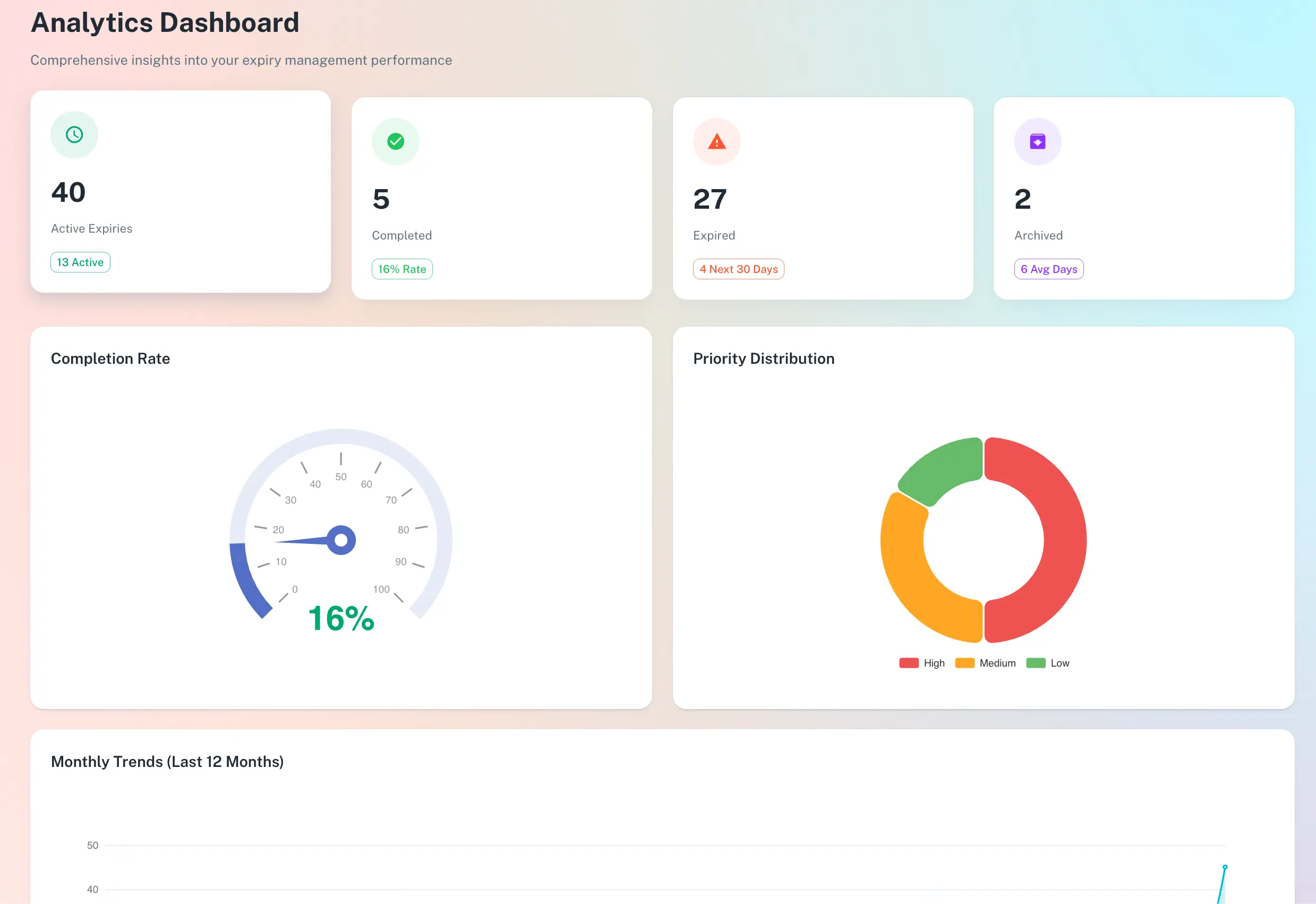
Live dashboard of compliance health
Scheduled and on-demand reports
Timestamped audit trail per record
One-click export to CSV, PDF or XLSX
Quick answer
Compliance reporting software in ExpiryEdge turns tracked records into evidence. A live dashboard shows real-time compliance health by team, location and category; scheduled reports go to stakeholders automatically; and a timestamped audit trail sits behind every item - who renewed it, when, and with what document. You export a complete, audit-ready pack in one click.
From live dashboard to audit pack
Watch compliance health in real time, then export the evidence behind it - every action timestamped and attributed, every certificate attached.
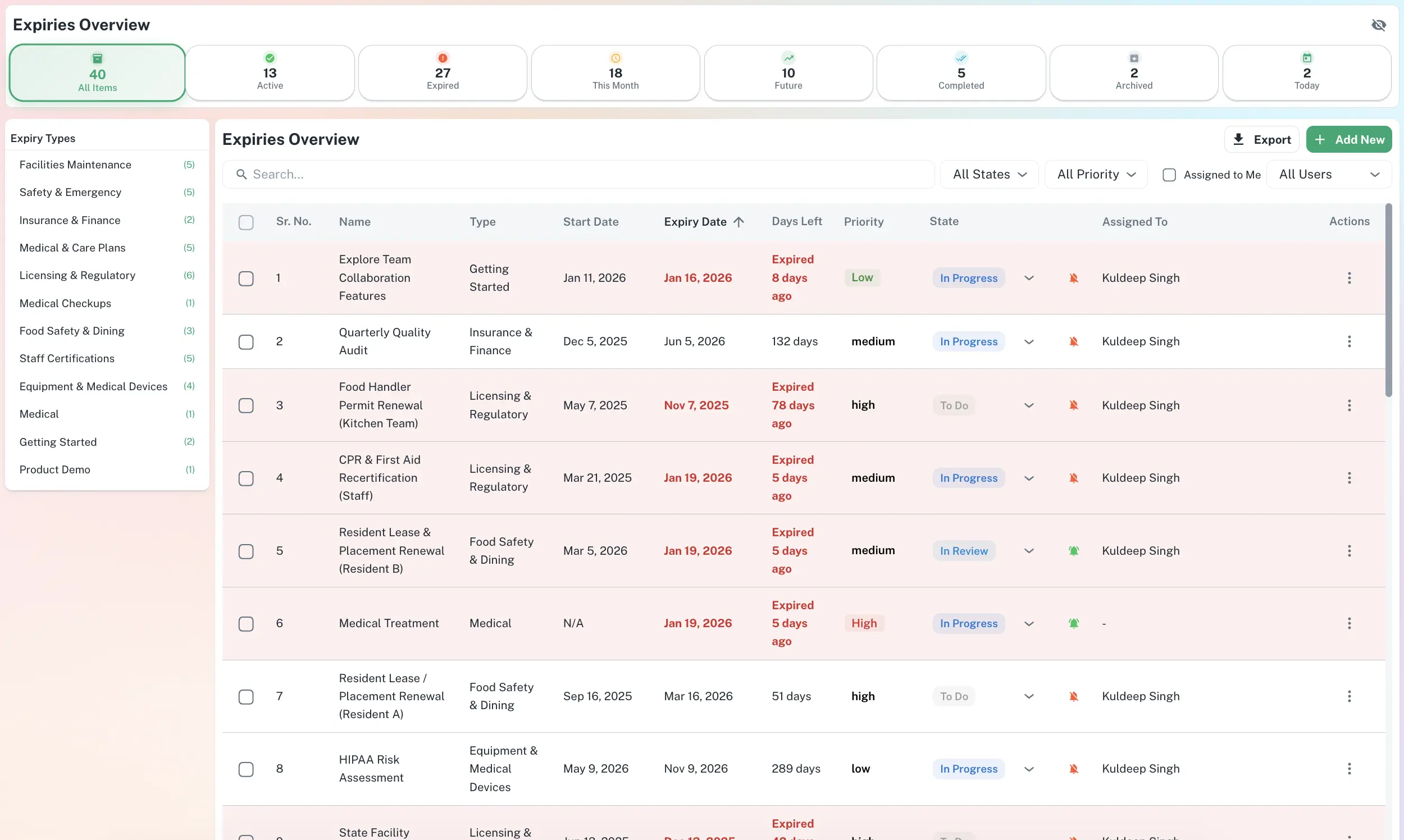
Real-time compliance health by team, site and category.
Reporting that is always current, never assembled
A live read on where you stand
The dashboard shows the share of items current versus at risk, in real time. Leadership gets a number that reflects reality the moment a renewal is logged - not a figure someone compiled last month.
Live compliance health figure
Break down by team, site or category
Trends over time, not a static snapshot
Scheduled and on-demand reporting
Schedule a weekly compliance summary to the leadership team, or pull an on-demand report for one department before a review. Reports are always built from current data, so there is no manual assembly and no stale numbers.
Scheduled reports to stakeholders
On-demand by person, team or site
Always built from live data
A timestamped audit trail behind every record
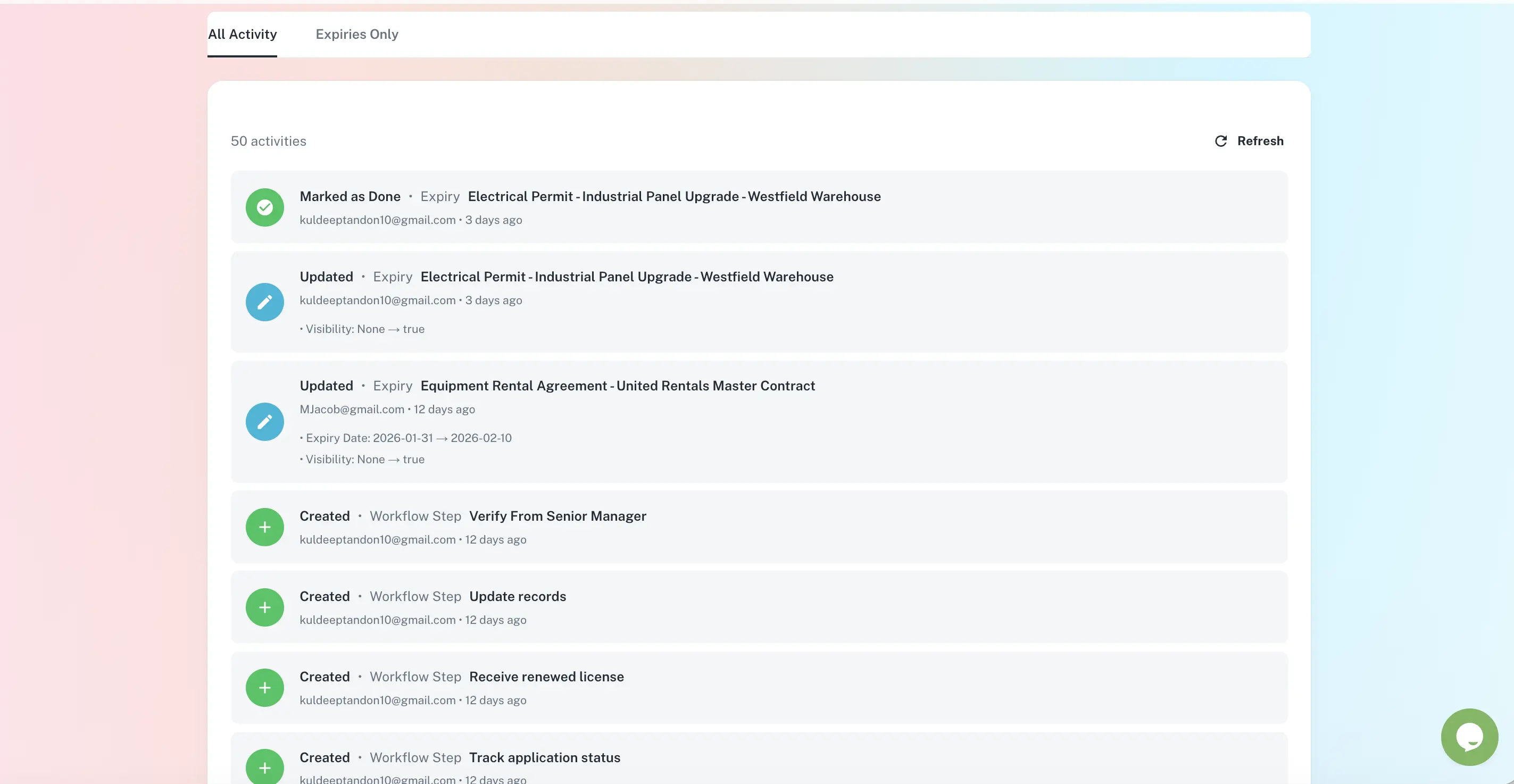
Every renewal, reminder and document upload is logged with the user and time. When an auditor asks how you know a certificate was current, the trail answers it - and the export includes the documents themselves.
Who did what, when - automatically
Documents attached to each record
Full audit pack in CSV, PDF or XLSX
Why manual reporting fails at audit time
| ExpiryEdge | Spreadsheet | Email & drives | |
|---|---|---|---|
| Live compliance dashboard | Manual | ||
| Scheduled reports to stakeholders | |||
| Timestamped audit trail per record | |||
| Documents stored with their record | Scattered | ||
| One-click audit pack export | Manual | ||
| Evidence ready before it is requested |
Any tracked category - licences, certifications, contracts, insurance, inspections and SOP completions - for any scope: a single person, a team, a location, or the whole organisation. Reports show what is current, expiring and lapsed, and can be filtered to exactly the slice a reviewer needs.
Yes. Schedule recurring reports - for example a weekly compliance summary to leadership or a monthly per-site report to managers. Each is generated from live data at send time, so recipients always see the current picture without anyone preparing it.
Every action on every record: who added the item, when it was renewed, what documents were attached, and when reminders were sent and to whom - each entry timestamped and attributed to a user. The trail is retained for the lifetime of the account.
Export a full audit pack in one click. It includes the records, their renewal history and the attached documents, in CSV, PDF or XLSX. Because the evidence is gathered continuously, there is no retroactive documentation - the pack is ready the moment it is requested.
Yes. The dashboard rolls up across teams, departments and locations, and you can drill into any one of them. Leadership sees the whole estate; individual managers see their own area. A report can be produced at any level.
Every certificate, licence and report is uploaded against its record in the document vault, so evidence is retrieved in seconds and always travels with the report it supports. There are no separate drives to search at audit time.