
What's the Best Warranty Registration Tracking Software for HVAC and Plumbing Contractors? 6 Options Compared

ExpiryEdge is our first pick for HVAC, plumbing and heating contractors who lose labour cover to late registrations. It turns each install into a registration deadline 60 or 90 days out, reminds whoever has to file it (the office or the homeowner) by SMS or email, stores the confirmation, and tells you before the labour cover ends. No tool we checked files the manufacturer registration for you, and none of the job software pages describe a reminder when the window is closing.
If you already run ServiceTitan, keep your warranty data there as well. Manufacturer and labour warranty dates sit on the equipment record, and techs see the status before they quote a repair. Successware and FieldEdge hold warranty dates for their users, Service Geeni suits UK equipment service firms, and the manufacturer portals are where the registration itself happens.
We make ExpiryEdge. For everything else here, including the manufacturer windows, we relied on the vendors' and manufacturers' own pages as they stood on 7 November 2026, and we link each one.
| Option | Registration deadline reminder | Warranty end dates on equipment | Tech sees warranty in the field | Published pricing |
|---|---|---|---|---|
| ExpiryEdge Our product | Yes, email, SMS, WhatsApp | Yes, as dated records | No, office dashboard | $29 to $199 a month |
| ServiceTitan | Not described | Manufacturer and service provider dates | Yes | No |
| Successware | Not described | Parts and labour date ranges, end date auto-filled | Yes, view only | No |
| FieldEdge | Not described | Warranty dates and spec sheets | Yes | No |
| Service Geeni (UK) | Not described | By date, hours or both | Not stated | From £40 per engineer a month |
| Manufacturer portals | No, you track it | One unit at a time | No | Free to register |
How we compared these tools
The money in warranty work is lost in two places: a registration filed too late, and a tech who doesn't know a unit is covered. Our first column covers the first. The next two, end dates on equipment and field visibility, cover the second. Published pricing is there because a two-van firm shouldn't need a demo to find out. On 7 November 2026 we read each vendor's product pages, pricing and help articles, and checked the windows on Carrier's and Trane's own warranty pages and GOV.UK's building work guidance. We didn't take paid trials of every tool. We make ExpiryEdge, so read our section with that bias in mind.
The 60 and 90-day windows that decide labour cover
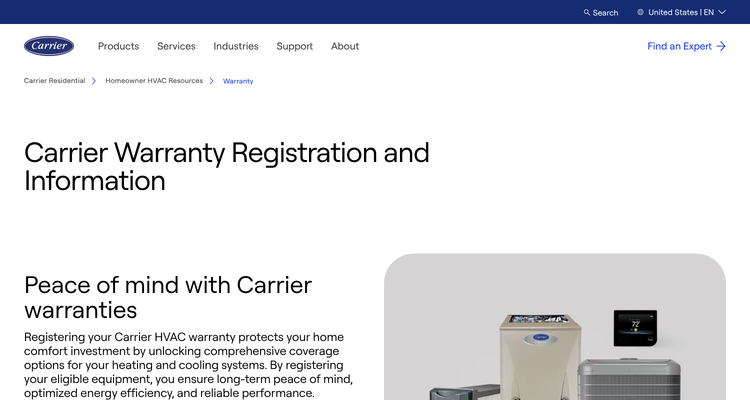
Manufacturers reward registration and punish silence. Carrier's warranty page gives you 90 days after installation to register. Register in time and the homeowner picks a 10-year parts warranty or 5 years of parts plus 3 years of labour. Miss it, and only the standard 5-year parts warranty applies, with no labour cover.
Trane's window is shorter: 60 days. Register late and the unit falls back to the Base Limited Warranty, which covers parts but not labour and typically runs five years instead of about ten. Trane also notes that exclusions vary by state and province.
Who files it varies. Some shops register every unit from the office the same week. Others hand the homeowner a leaflet and hope. The second approach is cheaper until a compressor fails in year six and nobody can find a confirmation number.
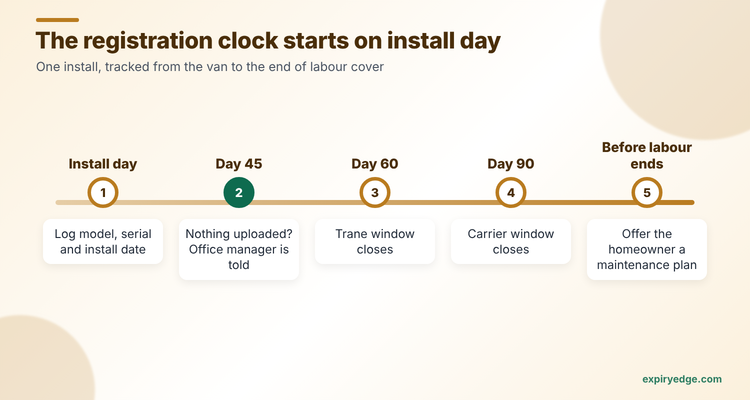
So the tracker has three jobs. Start a clock on install day. Make sure the office, the tech or the homeowner files before the window closes. Then keep the warranty end dates where the tech can see them, so you bill the manufacturer for covered parts instead of the customer.
UK heating firms have a parallel deadline. GOV.UK's guidance says a registered installer should notify the local authority and the homeowner should get a compliance certificate within 30 days of completion. Boiler makers run their own guarantee registration too, often through the installer.
- Make, model and serial number of every unit, ideally scanned from the data plate
- Install date, which starts the registration clock
- Which manufacturer window applies, such as 60 or 90 days
- Who files the registration: the office, the tech or the homeowner
- The confirmation number or certificate once it's filed
- Parts and labour end dates, plus any labour warranty you sold
1. ExpiryEdge: best for getting every registration filed on time
ExpiryEdge treats the registration as a deadline, not a field. When a tech closes an install, the office creates a record from a warranty template: model, serial, install date, manufacturer and the registration due date, 60 or 90 days out.
Reminders go to whoever files the registration. If that's the homeowner, they get an SMS or email with a no-login link to confirm they've registered and upload the certificate. If nothing arrives by day 45, the office manager gets an escalation. Upload a registration certificate and ExpiryEdge reads the warranty dates from it.
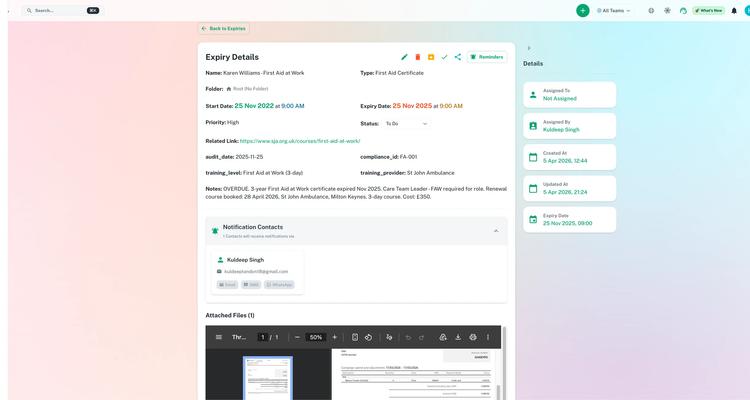
The same records keep working after registration. Set a reminder 60 days before the labour warranty ends and the homeowner gets a message offering a maintenance plan or an extended labour warranty. One dashboard, filtered by manufacturer or install year, shows every unit still inside its window. Our warranty tracking page shows the setup.
Try it with last month's installs in 15 minutes
- Import last month's installs as a CSV, with custom fields for model, serial, manufacturer and install date.
- Set each registration due date as the record's expiry, with reminders at 45, 30 and 15 days that text whoever files it and escalate to the office manager if nothing's uploaded.
- Send those homeowners a no-login request link to upload their registration confirmation.
Pricing: four flat plans, $29 to $199 a month, sized by how many dated items you keep. The 14-day trial doesn't take a credit card. A shop doing 150 installs a year, with one registration and one end-date record each, fits the $49 Pro plan's 250 items.
Watch out for: ExpiryEdge doesn't log in to Carrier or Trane and register for you, and it doesn't scan data plates. Someone still files the registration. ExpiryEdge makes sure they do.
Plan details are on the ExpiryEdge pricing page.
2. ServiceTitan: best if you already run ServiceTitan
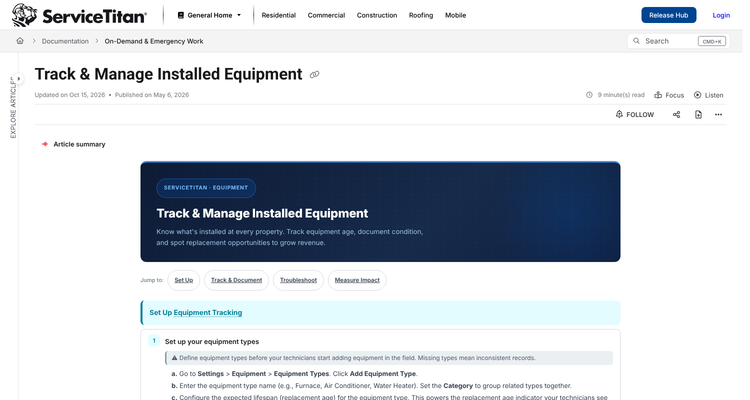
ServiceTitan's installed equipment article says office staff enter manufacturer warranty and service provider warranty start and end dates on each equipment record. Warranty status shows to both office staff and technicians, so a tech can check cover before quoting and flag work to bill to the manufacturer. A second version of the article adds that the record shows the remaining duration, details can be imported in bulk, and the Field Mobile App scans nameplates to look up or add equipment.
Pricing: not published. The pricing page lists three plans with per-technician pricing and a Request Pricing button.
Watch out for: the article doesn't describe manufacturer registration or reminders before a warranty ends, and it says there's no warranty table in ServiceTitan's Snowflake data, so reporting goes through custom equipment reports or the API.
3. Successware: best for in-house versus manufacturer warranty billing
Successware's equipment and warranties article splits every warranty into in-house, charged against a warranty reserve, or manufacturer and vendor, billed to a third party. You enter the start date and the end date fills in from the warranty length, with separate parts and labour months. A Warranty Expiration report finds expired in-house warranties that still have a reserve balance.
Pricing: not published. The Successware site routes you to a demo.
Watch out for: its mobile article says techs can add equipment in the app but can't edit warranty fields there. The office has to.
4. FieldEdge: best for spec sheets and warranty dates together
FieldEdge's field service software page says it replaces office calls and paper records with digital spec sheets, warranty dates and work history, so techs can see equipment details before they arrive. It also flags ageing equipment for replacement campaigns.
Pricing: not published. The pricing page lists three plans with Request Pricing buttons and says there's no free trial.
Watch out for: the page we read doesn't describe registration tracking or warranty expiry alerts.
5. Service Geeni: best for UK firms servicing commercial equipment
Service Geeni is UK field service and asset software for firms that maintain equipment, HVAC among them. Its equipment warranties article lets you set a warranty by start date, by running hours or by both, and mark it as a supplier or customer warranty. One unit can carry several, and you raise jobs under warranty from the record.
Pricing: the pricing page says plans start from £40 per engineer a month, with each tier quoted on request.
Watch out for: the article doesn't mention expiry reminders or registration.
6. Manufacturer portals: where the registration happens
Every software option above stops short of the manufacturer's own site. Carrier and Trane both take registrations online, and the homeowner's cover depends on what's entered there.
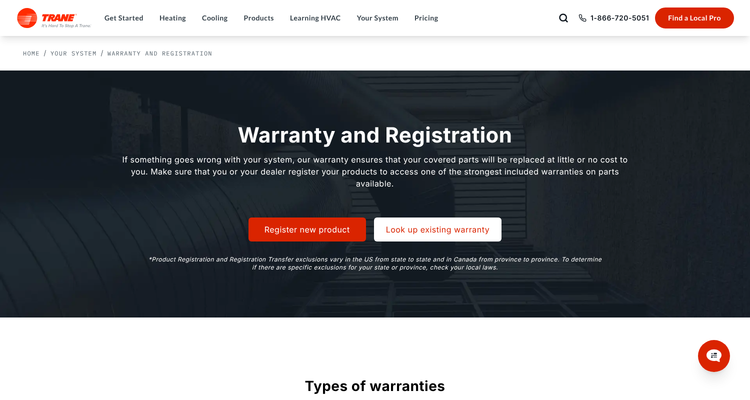
Pricing: registration costs nothing.
Register from the office if you can. You control the timing, you keep the confirmation, and you know the homeowner picked the labour option. If the homeowner registers, ask them to send you the confirmation so it sits with the install record.
Watch out for: a portal holds one unit at a time and won't remind you about the next install. If 20 installs went in last month, you need a list outside the portal showing which ones are filed.
ExpiryEdge as an alternative to ServiceTitan
We put ExpiryEdge first because the registration deadline is the step every job platform we checked leaves to you. If you run ServiceTitan, keep your warranty dates there. Techs see them on the job, and that's where they stop free repairs on covered parts. Adding ExpiryEdge makes sense only for the part ServiceTitan's article doesn't cover: chasing each registration before the 60 or 90 days run out, and warning the homeowner before labour cover ends.
If you don't run ServiceTitan, ExpiryEdge can be the whole system for a small install business. A two-van plumbing and heating firm fitting 80 boilers and heat pumps a year doesn't need a full job platform to stop losing labour cover. It needs a deadline on every install and someone reminded until it's done.
Count last year's late registrations, then decide
Pull last year's installs and check how many were registered in time. Then check how many warranty claims you paid for yourself because nobody knew the unit was covered. Those two numbers tell you whether your problem is registration, visibility in the field, or both.
Run a one-month test before you buy anything. Log every install that month, note the registration due date, and see how many get filed in time with your current process. A shop that files 19 of 20 doesn't need much. A shop that files 12 has found its problem.
If it's visibility, use the warranty fields in your job software. If it's registration, you need a deadline with an owner and a reminder, which is what ExpiryEdge adds.
For the rest of the trades picture, read our guide to software for trades compliance and the technician licence tracking comparison. Our warranty tracking guide for equipment dealers covers the dealer side.
Frequently asked questions
Carrier gives you 90 days after the install. Trane gives you 60. Miss Carrier's window and you're left with the standard 5-year parts warranty and no labour. Miss Trane's and the unit drops to its Base Limited Warranty, which doesn't cover labour either. So start the clock on install day.
You usually lose the longer registered warranty. On Carrier units the standard 5-year parts warranty still applies but labour isn't covered. On Trane units the Base Limited Warranty covers parts for about five years, not labour. Either way the repair cost can land on you or the homeowner.
Its installed equipment help article doesn't describe manufacturer registration. It stores manufacturer and service provider warranty dates on each equipment record, and shows techs the status. But you still register on the maker's site. So many shops track that deadline on its own.
Yes. Successware stores parts and labour date ranges per warranty and fills in the end date from the warranty length. FieldEdge keeps warranty dates and spec sheets on equipment. Neither page we read describes reminders before a warranty ends.
ExpiryEdge runs $29 to $199 a month and Service Geeni starts at £40 per engineer a month. ServiceTitan, Successware and FieldEdge don't publish prices. Registering on Carrier or Trane's own site costs nothing, but it won't track the deadline for you.