
Every client renewal an MSP is on the hook for, in one register.
MSPs track SSL, domain, software licence and warranty expiries for all clients by holding each item as a dated record grouped by client, with an owner and reminders at 90, 60, 30 and 7 days. ExpiryEdge stores those records, takes dates in by spreadsheet import, the API or Zapier, alerts your NOC in Slack or Microsoft Teams, and exports a renewal report per client. It does not scan certificates; the dates come from you or your tools.
Last updated · ExpiryEdge editorial team
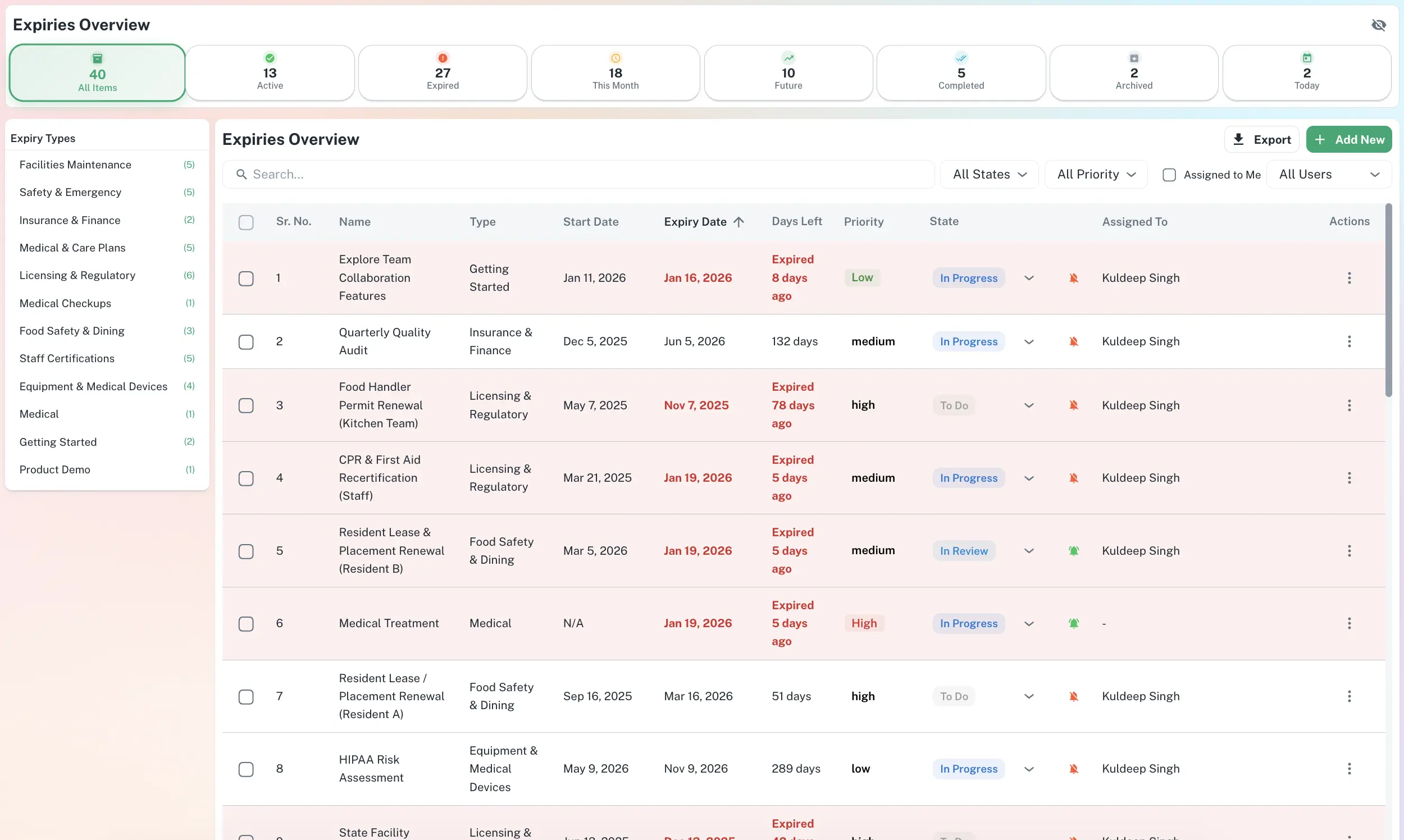
What expires next across every client, and who on your team owns it
SSL, domains, licences, warranties and contracts per client
Import, API and Zapier to bring dates in
Slack and Teams alerts for the NOC
Per-client renewal report as CSV, PDF or XLSX
Quick answer
MSPs track client expiries by keeping every SSL certificate, domain, software subscription, hardware warranty and maintenance contract as a record grouped by client, with an expiry date, an owner and reminders at 90, 60, 30 and 7 days. ExpiryEdge takes the dates in by import, the API or Zapier, alerts the NOC in Slack or Teams, escalates overdue items, and exports a renewal report per client. It does not auto-discover or scan certificates.
Renewals an MSP tracks across its client base
SSL/TLS certificates (entered or pushed in)
Domain name registrations
Software subscriptions and seat counts
Microsoft 365 and Google Workspace renewals
Hardware warranties for servers, laptops and firewalls
Vendor maintenance and support contracts
Firewall and security subscriptions
Backup and DR service renewals
Client managed-service agreements
Cyber insurance and professional indemnity
Technician vendor certifications
ISP circuits and connectivity contracts
Who uses it inside an MSP
MSP owners and service directors
See which client renewals land in the next 90 days and which carry revenue, before the client asks why something lapsed.
NOC and service desk
Get expiry alerts in the Slack or Teams channel you already watch, with an owner on every item.
Account managers and vCIOs
Hand each client a renewal report for the quarterly review and plan budget conversations months ahead.
Procurement and licensing
Track seat counts, true-up dates and term ends on software subscriptions so renewals are sized before they are invoiced.
Internal IT teams
Use the same register for your own SSL, domains, licences and hardware warranties.
From a dozen vendor portals to one renewal register
Every renewal grouped by client, with an owner on each
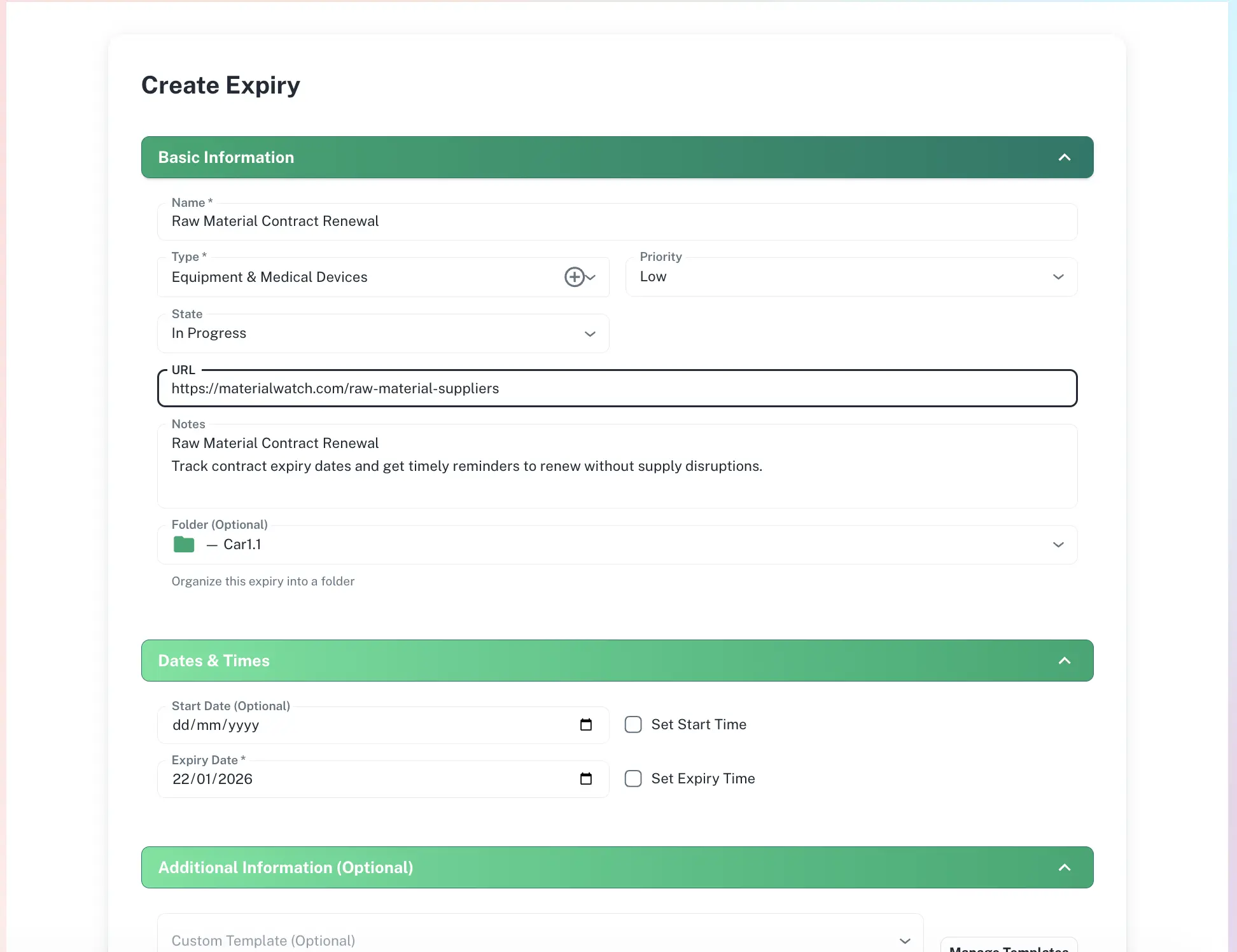
Set each client up as a group and add their SSL certificates, domains, subscriptions, warranties and contracts as records. Each record holds the expiry date, seat count or contract value in a note, the vendor document and the technician who owns it. Filter by client, by item type or by what expires in the next 30, 60 or 90 days.
Group by client, site or contract
Owner per record, reassign in one click
Seat counts and terms kept in notes and attachments
Import once, then send changes in by API or Zapier
Load the current list from a spreadsheet in one pass. After that, push new or renewed dates from your PSA, RMM, certificate tooling or vendor exports through the API or Zapier, so the register stays current without anyone retyping it. ExpiryEdge does not monitor or scan endpoints; it holds the dates your systems send it.
Bulk spreadsheet import
API, plus webhooks for outgoing events
Zapier for no-code connections
NOC alerts in Slack or Teams, and a renewal report per client
Reminders go to the channel your NOC watches at 90, 60, 30 and 7 days, and by email or SMS to the owning technician. If the date passes without a renewal logged, the item escalates to a service lead. For quarterly reviews, export a client renewal report as CSV, PDF or XLSX.
Slack and Microsoft Teams channel alerts
Escalation to a senior owner when overdue
Per-client exports for QBRs and audits
Alerts where the NOC already works
Send renewal alerts to a Slack or Microsoft Teams channel and to the owning technician by email or SMS, at 90, 60, 30 and 7 days. Change the cadence per item type, for example a longer lead for hardware warranties than for a 90-day certificate.
ExpiryEdge vs a spreadsheet vs a calendar
| ExpiryEdge | Spreadsheet | Calendar | |
|---|---|---|---|
| Renewals grouped by client | Manual | ||
| Owner per renewal, reassign in one click | Manual | ||
| Dates sent in by API or Zapier | |||
| Slack and Teams channel alerts | Partial | ||
| Escalation when a renewal is overdue | |||
| Per-client renewal report export | Manual | ||
| Timestamped audit trail |
Keep one register of dated records grouped by client, rather than relying on each vendor portal to email whoever set up the account. Every SSL certificate, domain, subscription, warranty and support contract gets an expiry date, an owner and a reminder cadence. In ExpiryEdge the dates come in by spreadsheet import, the API or Zapier; alerts go to Slack or Teams and to the owner at 90, 60, 30 and 7 days; and overdue items escalate. ExpiryEdge does not scan certificates, so feed it from your monitoring or vendor data.
Record each subscription with its term end date, its seat count and the agreement or invoice attached, and assign an owner. Start reminders 90 days out so there is time to reconcile actual users against licensed seats before the renewal or true-up date. Keep the seat count in the record notes and update it at each renewal; the audit trail then shows what was licensed and when. If you are starting from a spreadsheet, the software renewal tracker template gives you a column set to import.
Make each server, firewall, switch or batch of laptops a record with its warranty end date and support contract attached, grouped by client. Set a longer first reminder for hardware, such as 120 days, because replacement quotes and procurement take time. Warranty dates usually come from vendor lookups or your RMM, so push them in by import or API instead of typing them. Owners and escalation make sure someone acts before cover ends.
Filter the register by client and export it as CSV, PDF or XLSX. The report lists every renewal for that client with its expiry date, owner and status, and you can limit it to the next 90 days or the next quarter for a review meeting. Because each record carries a timestamped history, you can also show when the client was notified and when a renewal was completed.
Yes. ExpiryEdge has an API and webhooks, and connects to Zapier. Use the API or Zapier to create or update records when your PSA, RMM, certificate monitoring tool or a vendor export reports a new or renewed date, and use webhooks to send events out when an item is about to expire. A one-off spreadsheet import covers the initial load.
Yes. Reminders can post to a Slack or Microsoft Teams channel at each step of the cadence, 90, 60, 30 and 7 days by default, while the owning technician gets the same reminder by email or SMS. If an item passes its date without a renewal logged, it escalates to a service lead so it does not sit in the channel unread.
No. SSL certificates and domains are tracked as custom items with a date you enter, import or send in by API or Zapier. If you already run a certificate monitoring tool, send its expiry data to ExpiryEdge so the renewal gets an owner, reminders, escalation and a place in the client report. If a certificate has already lapsed, renew or reissue it with the certificate authority first, then record the new expiry date.
Put every client renewal in one register
Import your current list, connect the API or Zapier, point alerts at the NOC channel. Free 14-day trial, no credit card.