
Manage every contract from signature to renewal decision.
A contract is not a file you save once and forget. It has an end date, a notice period, obligations to meet, and a renewal decision waiting at the other end. ExpiryEdge tracks the whole lifecycle - every supplier and vendor agreement, its value, its exit window, and who owns it - and alerts the right person before auto-renewal makes the decision for you.
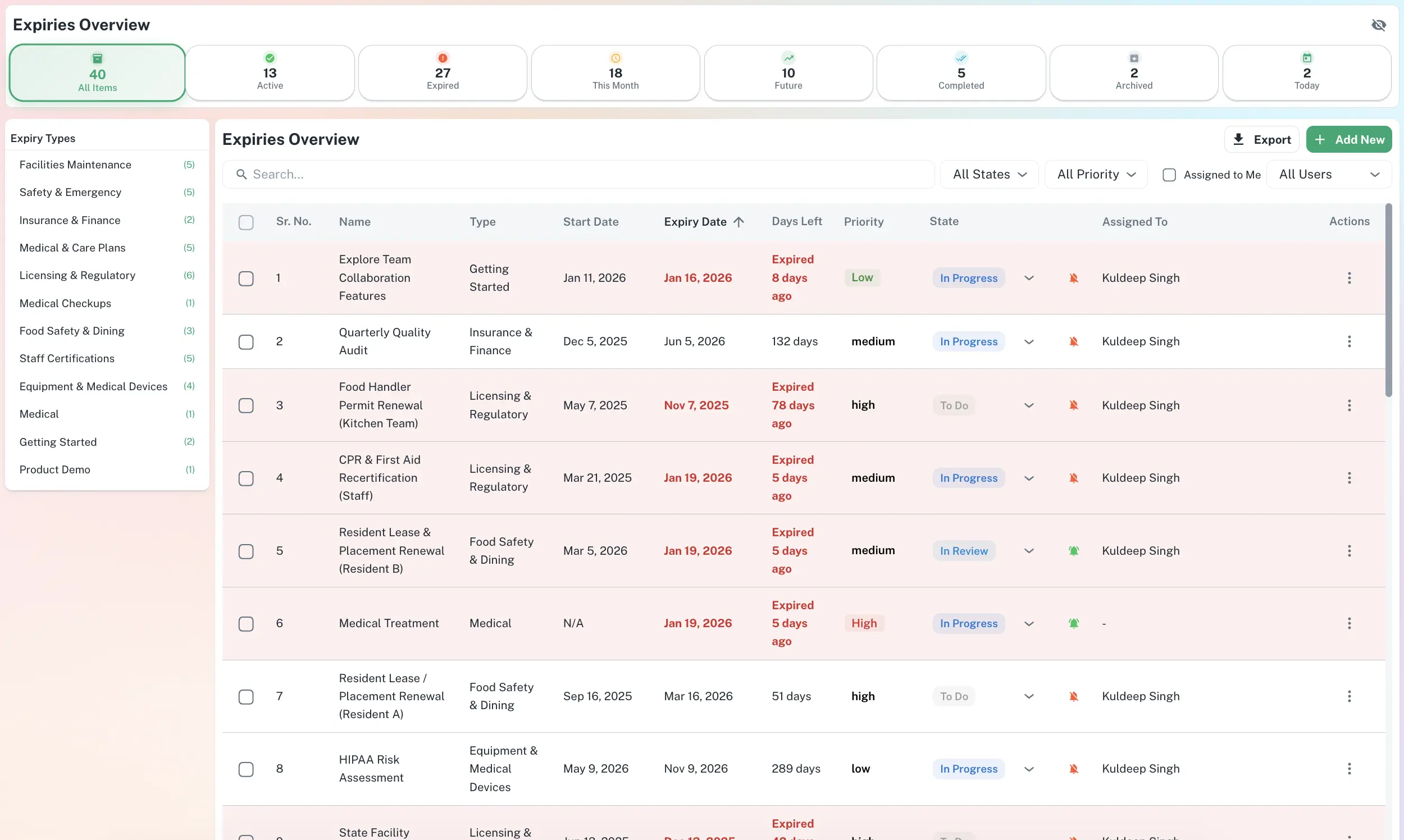
One record per contract - value, terms, owner, and the next decision
Exit windows calculated from end date and notice period
Full agreement stored against every record
Renewing / renegotiating / cancelling decision logged
Total committed spend by 30 / 60 / 90 days
Quick answer
Contract management software gives every agreement a live record - start and end dates, notice period, value, owner, and the documents themselves - and drives a renewal decision before each contract lapses or auto-renews. ExpiryEdge calculates the exit window for every contract, fires staged reminders to the responsible person, and keeps a timestamped trail of every renewal decision.
From a signed PDF to a renewal you decide on purpose
Track, alert, decide, renew - on a loop that never drops a date
Every contract moves through the same cycle: track the dates, alert the owner before the exit window, record the renew/renegotiate/cancel decision, then re-arm the next cycle on the new end date. No contract silently rolls over because someone was on leave.
Exit window calculated from notice period
Decision recorded against the record
Next cycle re-armed automatically on renewal
Every active agreement and what it commits you to, on one screen
Filter by supplier, owner, department or what is renewing next. See total committed spend for the quarter so finance can plan, and so nothing renews on terms nobody reviewed.
Filter by supplier, owner or department
Committed spend by 30 / 60 / 90 days
Documents and amendments attached per record
Each contract belongs to a named person, not a shared inbox
Assign procurement, legal or finance to each agreement. They get the staged alerts; their manager sees the status. Obligations and key dates stay attached to the record, so the contract survives staff turnover.
Named owner per agreement
Manager-level roll-up across the portfolio
Reassign in one click when people move on
Who runs contracts on ExpiryEdge
Finance Director
Needs to know which contracts auto-renew next quarter and what they cost - before the invoice arrives for another term.
Procurement Manager
Manages many supplier relationships and needs exit windows surfaced in time to review, renegotiate or consolidate.
Legal & Compliance
Owns the obligations buried in each agreement and needs nothing to lapse without a conscious, recorded decision.
Why a shared folder is not contract management
| ExpiryEdge | Shared drive + calendar | Spreadsheet | |
|---|---|---|---|
| Exit window calculated from notice period | Manual | ||
| Staged alerts to the named owner | |||
| Renewal decision recorded on the record | Manual | ||
| Documents stored with the contract | Manual | ||
| Committed spend by renewal window | Manual | ||
| Survives staff turnover | |||
| Timestamped audit trail of decisions |
It gives every agreement a live record - dates, value, owner, documents - and drives a renewal decision before the contract lapses or auto-renews. ExpiryEdge tracks the full lifecycle: it calculates the exit window from the notice period, sends staged reminders to the responsible owner, lets them mark the contract as renewing, renegotiating or cancelling, and keeps a timestamped trail of every decision.
The exit window is the period before a contract ends during which you can give notice to cancel or renegotiate. Once it closes, most contracts auto-renew on the existing terms for a full further term. ExpiryEdge tracks the exit window date - not just the end date - so the decision is always yours to make.
Any agreement with an end date, a notice period or an auto-renewal clause: supplier and vendor contracts, SaaS subscriptions, office and equipment leases, maintenance and service agreements, insurance renewals, telecoms and utility contracts, and professional retainers. If missing a date costs money or creates risk, it belongs in ExpiryEdge.
Yes. Assign each contract to procurement, legal, finance or an account manager. They receive the staged alerts; their manager sees the status across the portfolio. When someone leaves, you reassign their contracts in one click and the reminders continue uninterrupted.
You enter the end date and the notice period - for example 60 days. ExpiryEdge subtracts the notice period to find the last date you can act, then sends staged reminders before it: "exit window opens," "exit window closes," "contract renews." Each is a separate alert, so nothing depends on one easily-missed reminder.
Yes. Every reminder sent, document uploaded and decision made is logged with a timestamp and the user who made it. If a supplier later disputes a renewal date or terms, the full history is a one-click export - not a week of reconstructing email threads.
Decide every renewal on purpose
Track every contract, calculate every exit window, and never let an agreement renew by default again.