
Contract expiration tracking software built around the notice date, not the end date.
A vendor MSA ends on 31 March. The notice period is 60 days, so the real deadline is 30 January - and nobody opens that contract in January. ExpiryEdge stores the end date and the notice period on the same record, works out the last day notice still counts, and tells the named owner while cancelling or renegotiating is still on the table.
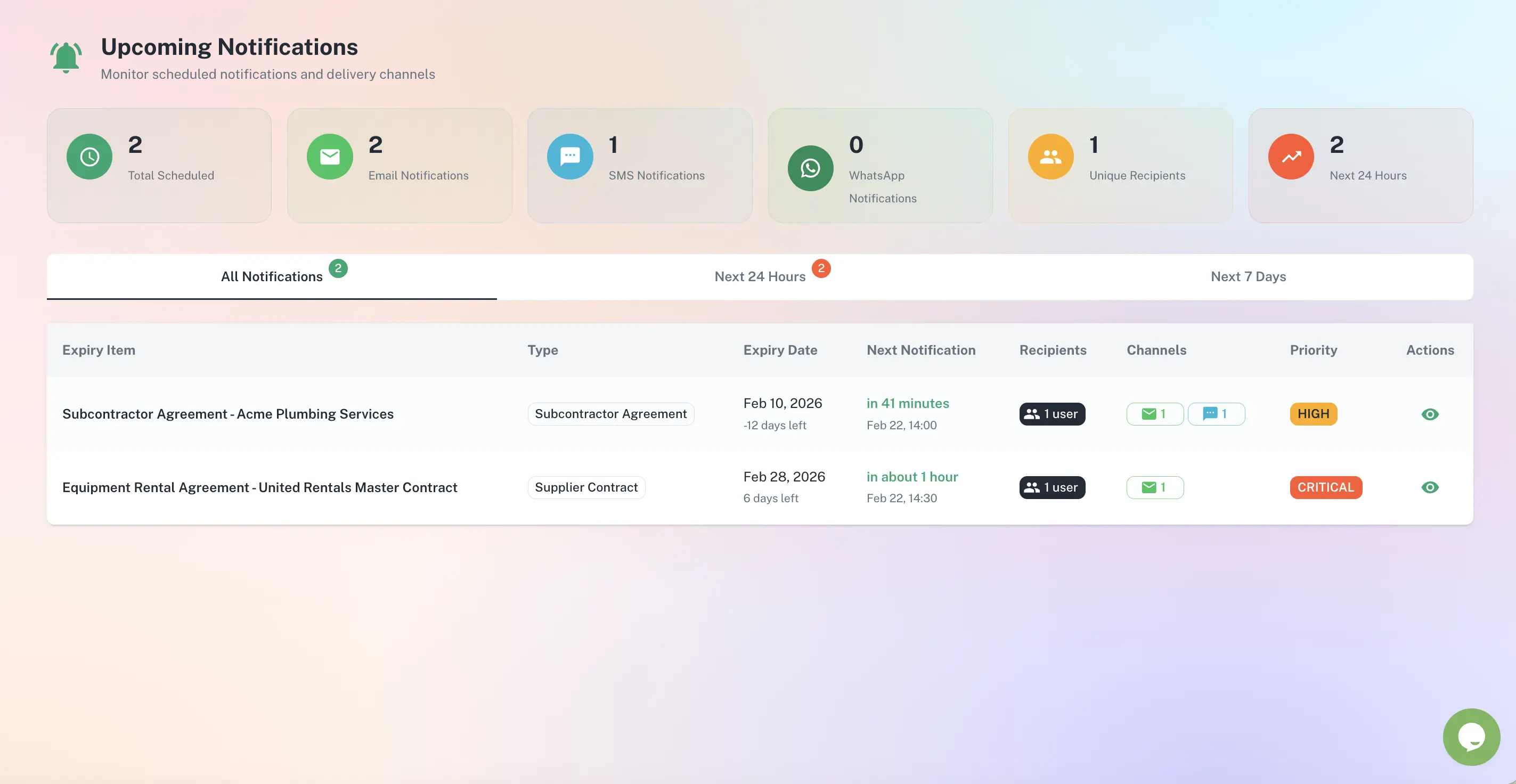
Two dates per contract: the one it ends on, and the one you have to act by
End date and notice period stored on one record
Act-by date calculated, not worked out in someone's head
Fixed-term, evergreen and auto-renew handled differently
Notice served, decisions logged, everything timestamped
Quick answer
Contract expiration tracking software keeps a live record of when every agreement ends, how much notice you owe, and what happens if you say nothing. ExpiryEdge subtracts the notice period from the end date to get an act-by date, ranks the portfolio against it, and alerts the named owner before that date passes - because once it does, the end date stops mattering. The contract has already renewed.
What weak control over contract dates costs
5%+
of contract value is forfeited to poor contract management.
Source: World Commerce & Contracting with Icertis (2025)5.4%
of contract value is the average margin by which organisations that embed financial insight into contract strategy outperform their peers.
Source: World Commerce & Contracting with Icertis (2025)Nearly 70%
of organisations report serious disconnects between risk management and revenue goals.
Source: World Commerce & Contracting with Icertis (2025)July 2025
the 8th Circuit vacated the FTC's amended auto-renewal disclosure rule, which is back in rulemaking. Read tightening auto-renewal rules as a direction of travel, not as protection - the notice period in your contract is what binds you today.
Source: FTC Negative Option Rule - vacated July 2025, further rulemaking pending. Regulatory context, not current law.Agreements where the end date decides whether you pay for another term
Evergreen SaaS subscriptions that roll until cancelled
Vendor MSAs with a 30, 60 or 90-day notice clause
Office and equipment leases with break dates
Maintenance and service agreements on annual terms
Telecoms and utility contracts with rollover clauses
Insurance policies that lapse at midnight on the expiry date
Fixed-term licences that stop dead, with no rollover
Framework agreements and SOWs expiring inside a live MSA
Professional retainers on a rolling notice period
Data processing agreements tied to the parent term
From an end date buried in a PDF to a decision with time on it
End date minus notice period is the day you actually have to act
Both dates live on the same record. Enter 31 March as the end date and 60 days as the notice period, and ExpiryEdge produces 30 January - the last day notice still counts. That date drives the ranking, the alerts and the escalation. The end date is just where the term stops.
End date, notice period and act-by date on one record
Notice measured in days or calendar months, per contract
Served-notice date written back against the agreement
Not every contract expires the same way, so the record does not treat them alike
A fixed-term licence stops on its end date and you lose access. An evergreen agreement carries on month to month until someone writes in. An auto-renew clause quietly commits you to another full term, often with a price escalator attached. Tag each contract with how it behaves, and the lead time, the wording of the alert and who receives it all change to match.
Rollover type recorded per agreement
Lead time follows the clause, not a global default
Price escalators flagged on the record where they apply
Every upcoming end date ranked by how little time is left
Sort by act-by date instead of end date and the order changes. The office lease with 211 days drops below the analytics subscription with 21. Filter by supplier, department or owner. Finance can see what renews inside the next quarter before the budget is signed off, rather than after the invoice lands.
Ranked by act-by date across the whole portfolio
Filter by supplier, department or owner
Committed spend visible at 30 / 60 / 90 days
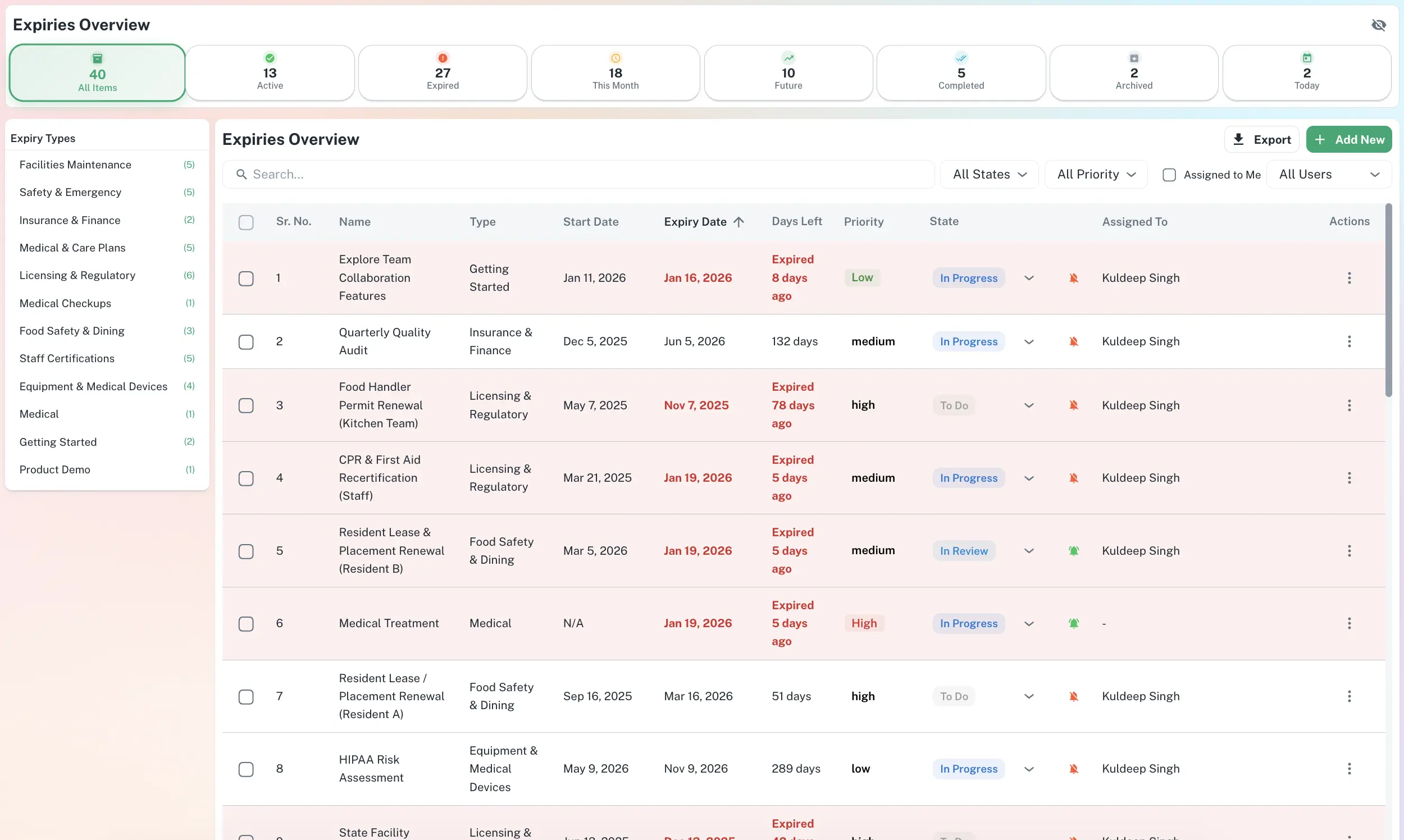
A timestamped record of who was told, when, and what they decided
Suppliers dispute notice. Sometimes they are right. Keeping the agreement, the act-by date and the letter that went out in one place turns a three-week email archaeology project into a one-click export. Every alert sent, document uploaded and renew-or-cancel decision is logged against the contract.
Served-notice evidence stored with the agreement
Contract PDF and amendments attached to the record
Full history exports to CSV, PDF or XLSX
Three things that happen quietly when nobody is watching the expiry
Another full term at the old rate
The clause said 60 days. Notice went in at 45. The contract rolled for twelve more months at a price someone had already decided was too high. ExpiryEdge surfaces the act-by date months out, so that conversation happens while it can still change the number.
Leverage you only have before renewal
Suppliers move on price when there is a live alternative and enough runway to switch. Six weeks out there is neither. Tracking the end date buys back the months where term length, usage tiers and discount are all still open.
Cover that stops the moment the term ends
Some agreements only protect you while they are in force - insurance, indemnities, licence grants, support SLAs. A fixed-term contract that lapses does not roll over. It just stops, usually on a day when nobody was looking.
Six fields per contract, and the rest can wait
Take the end date and the notice period
Open each agreement at the term and termination section. You need two things: when it ends, and how much notice you owe. Most contracts state both in one paragraph.
Record the rollover type and the annual value
Fixed term, evergreen, or auto-renew for a further term - plus what another term actually costs. Those two fields decide how early the alert fires and how hard it pushes.
Name an owner and a backup
One person decides, one covers when they are on leave. Agreements assigned to a shared inbox are reliably the ones that roll over.
Let the act-by date sort the register
ExpiryEdge ranks everything by act-by date and starts alerting. Begin with the agreements you would hate to renew by accident, then backfill the long tail across the next month.
Contract expiration tracking is the practice of recording when each agreement ends, how much notice is required to get out of it, and what the contract does if nobody says anything - stops, rolls month to month, or renews for another full term. ExpiryEdge holds those fields on one record per contract, calculates the last date notice still counts, and alerts the named owner before it passes.
The end date is when the term stops. The act-by date is the end date minus the notice period, and it is the only one you can miss. A contract ending 31 March with a 60-day notice clause has an act-by date of 30 January. Write 31 March in a calendar and you will be two months late. ExpiryEdge ranks and alerts on the act-by date, and keeps the end date on the record for reference.
Anything with an end date that costs money or removes a right when it passes. In practice that is vendor MSAs, SaaS and enterprise software subscriptions, office and equipment leases, maintenance and service agreements, telecoms and utility contracts, insurance policies, fixed-term licences, framework agreements and SOWs, professional retainers, and data processing agreements tied to a parent contract. If nobody can say what happens on the day it expires, it belongs in the register.
Evergreen agreements never expire, so there is no date to put in a calendar - which is exactly why they get forgotten and why they quietly become some of the most expensive line items a business carries. Record the notice period and a review date instead. ExpiryEdge treats the review date as the act-by date and re-arms it on the cadence you choose, typically annually, so an open-ended contract still gets looked at on purpose.
Set it in months and ExpiryEdge counts calendar months back from the end date, which is what the contract usually means. Three months before 31 March is 31 December, not 90 days before. The difference is a couple of days, and a couple of days is enough to lose an exit window, so the record keeps the unit the contract used rather than converting it.
Not reliably, and not in B2B. The FTC amended its Negative Option Rule in October 2024 to tighten auto-renewal disclosure, but the 8th Circuit vacated that rule in July 2025 and it is back in rulemaking. The direction of travel is toward stricter disclosure. The practical position today is that the notice period written into your agreement is what binds you, so tracking it is the control that works regardless of where the rulemaking lands.
Start from accounts payable, not from the filing system. Pull recurring payments over the last 12 months, and every one of them has a contract behind it. Work down the list by annual value. An afternoon of this usually turns up agreements nobody remembered were still running. Upload each PDF against its record as you go, so the next person does not repeat the exercise.
Yes. When the owner marks a contract as cancelled or renegotiated, the date is stamped against the record along with who did it, and the notice letter or email can be attached. Every alert sent is logged too. If a supplier later argues notice arrived late, the sequence is one export rather than a week of reconstructing email threads.
Catch the notice date, not the invoice
Free 14-day trial. Add your first contracts in an afternoon - end date, notice period, owner.