
What's the Best Client Contract Tracking Software for Security Companies? 6 Options Compared

For most guarding firms, ExpiryEdge is the best way to track client contracts, insurance certificates and site assignment renewals. Each contract, certificate and site document gets a date, an owner and a reminder schedule, and you can ask a client or subcontractor for a signed renewal or a new certificate through a link that needs no login. The price is published, and you can set it up in an afternoon.
If you want contract rates to drive scheduling and invoices, TrackTik and Belfry are stronger, though neither page describes renewal alerts. ContractSafe suits firms with a big contract library, TrustLayer handles subcontractor insurance certificates, and TEAM Software's WinTeam fits large firms that want contract job costing in an ERP.
We make ExpiryEdge and put it first here, so you should know that up front. The five other tools are described from their own sites and help pages on 7 November 2026, each fact linked to its page.
| Tool | Reminds account managers, clients and subs (email, SMS, WhatsApp) | Clients and subcontractors upload and e-sign from a link, no login | Tracks every contract, certificate and site document in one place | Escalates overdue renewals to the operations director | Contract rates drive billing | Published pricing / free trial |
|---|---|---|---|---|---|---|
| ExpiryEdge Top pick | Yes, email, SMS, WhatsApp, Slack, Teams | Yes, no-login link with e-signature | Yes, filter by client, site or category | Yes, built in | Rates kept in a custom field | $29-$199/month, 14-day free trial |
| TrackTik | Not stated | Not stated | Contracts with billing rates; renewal dates not stated | Not stated | Yes | Not published, quote |
| Belfry | Not stated | Not stated | Contracts and rates per client | Not stated | Yes, rates set per client | Not published, per employee per month |
| ContractSafe | Unlimited date reminders | E-signing on Finalize; uploads not stated | Contracts, not certificates | Not stated | Not stated | From $450/month, billed annually |
| TrustLayer | Automatic reminders to vendors | Automatic document requests to vendors | Vendor insurance only | Not stated | Not stated | Free up to 50 vendors, then $10 per vendor/month |
| TEAM Software (WinTeam) | Not stated | Not stated | Site certifications in scheduling (UK page) | Not stated | Yes, contract job costing | Not published |
How we compared these tools
Reminders come first because a missed notice window locks you into last year's rate. Collecting documents without an account matters because the certificate or signed renewal has to come from a client or subcontractor, not your own team. Then we checked whether contracts, certificates and site documents sit in one list, and who hears when a renewal is overdue. Whether contract rates drive billing separates operations platforms from trackers. Published pricing tells a 25-site firm what it'll pay before a demo. On 7 November 2026 we read each vendor's product, pricing and help pages, and checked the insurance and subcontracting rules against California's BSIS and the SIA's Approved Contractor Scheme guidance. We didn't run paid trials of all six. ExpiryEdge is ours, so read our ranking of it with that in mind.
Four documents per client, four dates that drift apart
A guarding firm's contracts aren't one document each. There's the master services agreement, the site schedule with hours and rates, the assignment instructions, and a certificate of insurance the client wants on file before the first shift. Each has its own date, and they drift apart.
Insurance is the one regulators look at. California's Bureau of Security and Investigative Services says on its private patrol operator insurance page that a licensed patrol operator must carry general liability cover of at least $1,000,000 per occurrence, on an occurrence basis, for the whole life of the licence. The Bureau can ask for a current certificate at any time, and you need a new one each time a policy is replaced.
UK firms face a version of this through the SIA's Approved Contractor Scheme. It's voluntary, but approved contractors may only subcontract to other approved contractors without the SIA's say-so. If you use subcontractors, their approval status becomes a dated item on your list. Keeping approval means an assessment every year and renewal every three years.
Here's a common failure. A shopping centre contract auto-renews for a year because the notice window closed while the account manager was on leave. Your wage bill went up in April, the rate didn't, and you're now guarding that site at a loss until next year. Nothing was wrong with the invoicing. The date just wasn't anyone's job.
So the software has four jobs. Know every renewal and notice date. Warn the account manager early enough to renegotiate. Collect the new certificate or signed renewal from someone outside your company. And show a client, auditor or assessor the current file on request.
- Contract end date and the last day to give notice
- Rate review or price increase date
- Your liability certificate, re-sent to each client when your policy renews
- Subcontractor certificates and, in the UK, their ACS approval
- Site assignment instructions review date
1. ExpiryEdge: best for contracts, certificates and site documents in one place
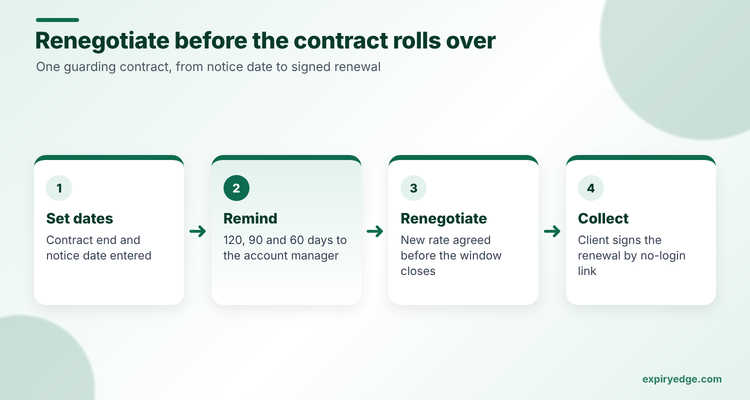
With ExpiryEdge, a shopping centre contract no longer rolls over at last year's rate because the notice window closed while the account manager was on leave, and a client never holds payment waiting for your new liability certificate. Your ops team stops digging through inboxes when an assessor asks for the current file.
Each client is a set of dated records: the contract with its end date and notice date, the insurance certificate with policy dates read from the upload, and the site's assignment instructions with a review date, plus custom fields for the hourly rate, site address and account manager. Reminders follow the schedule you set, for example 120, 90 and 60 days before a contract ends, go to the account manager and a deputy by email or Slack, and escalate to the operations director if nobody acts. When your own liability policy renews, every client gets the new certificate through one request link, and a subcontractor whose certificate is due gets a text or email with a no-login link to upload the new one. A reviewer approves or rejects each field with a comment, and a rejected item reopens the same link so only that part is fixed.
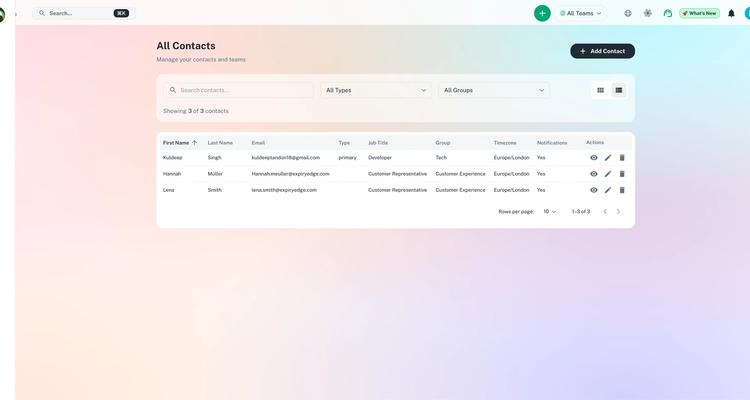
The dashboard filters by client, site or category, and the audit log exports for an assessor. The same account holds your officers' licences, which is often the first thing a client asks for after the certificate.
See the contract expiration tracking and certificate of insurance tracking pages for the setup.
Try it with your own client contracts in 15 minutes
- Import your client list as a CSV with custom fields for site address, hourly rate, account manager and notice period.
- Put a 120/90/60-day schedule on each contract end date that goes to the account manager in Slack and escalates to the operations director.
- When your liability policy renews, send every client the new certificate in one request link, up to 200 recipients per send.
Pricing: you pay by the number of dated items, $29 a month at the low end and $199 at the top, with a 14-day free trial and no card. A firm with 40 client sites and five dated items each needs 200 items, which fits the $49 Pro plan. Item limits for each plan are on the ExpiryEdge pricing page.
Good to know: ExpiryEdge runs beside your scheduling and billing platform rather than replacing it, so payroll and invoices stay in TrackTik, Belfry or your accounts package. Your broker still checks endorsement wording, and ExpiryEdge makes sure the current certificate is on file.
2. TrackTik: best for contracts that drive scheduling and invoicing
TrackTik's contracts and invoicing page lets you build out every contract with billing rates, services and terms, and contract details feed scheduling. Invoices come from scheduling and attendance data, formats and billing frequencies are customisable, and billing syncs to ADP, QuickBooks, Sage Intacct and Paycor.
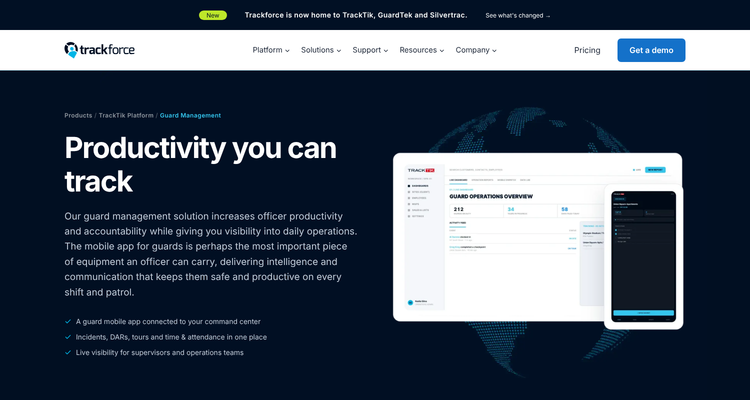
Pricing: not published. The pricing page asks for your sites, team size and modules and promises a quote within one business day.
Watch out for: the page doesn't mention contract renewal dates, alerts, client documents or insurance. It's about billing what you delivered, not about the contract running out.
3. Belfry: best for US firms billing from contract rates
Belfry's billing page sets contracts, holiday rates and billing frequencies per client, and invoices pull rates from those terms and approved timesheets. It compares billed revenue with labour cost site by site, so you can see profit by contract.
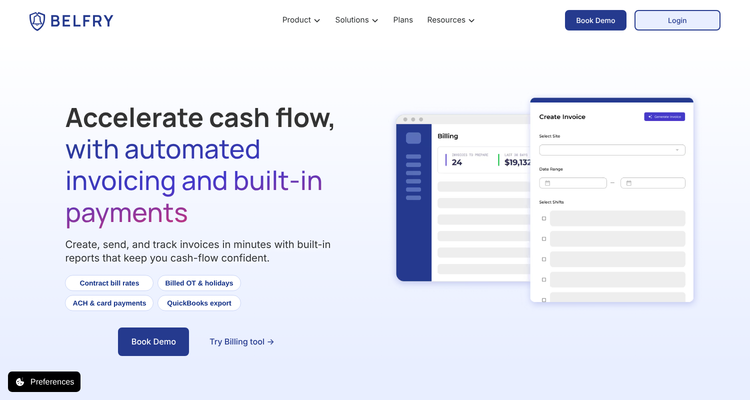
Pricing: not published. Belfry's plans page says it bills per active employee per month and asks you to book a demo.
Watch out for: the billing page doesn't cover contract renewal tracking or insurance certificates.
4. ContractSafe: best for a large contract library
ContractSafe is general contract management software. Its pricing page says every plan includes unlimited users, unlimited date reminders and date fields, recurring reminders and automated alerts for renewals, expirations and deadlines to give notice. AI extracts data from your contracts, and a paralegal-assisted service will do it for existing contracts from $2.50 each.
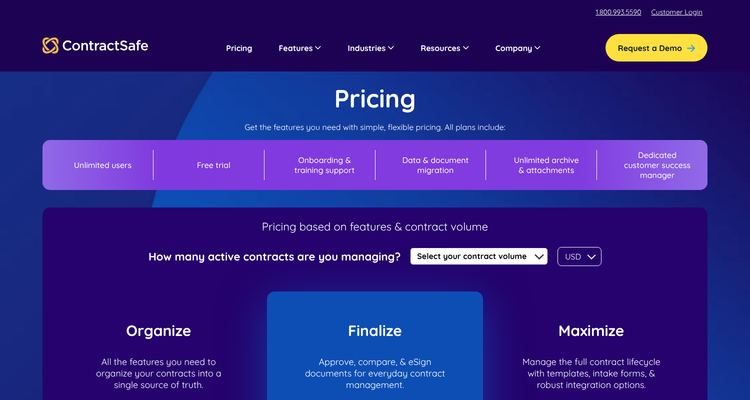
Pricing: from $450 a month billed annually, or $540 month to month, with the price set by active contract volume and features.
Watch out for: it's built for contracts, not insurance certificates or officer files, and the entry price is high for a firm with 30 clients.
5. TrustLayer: best free start for subcontractor insurance
If you subcontract shifts, TrustLayer tracks your subcontractors' certificates. Its Starter plan is free for up to 50 vendors, then $10 per extra vendor a month. It lists expiration tracking, a compliance dashboard and automatic document requests and reminders to vendors, and says its AI checks insurance documents.
Pricing: free up to 50 vendors, then $10 per vendor a month.
Watch out for: it covers vendor insurance, not your client contracts or your own certificate going out to clients.
6. TEAM Software (WinTeam): best for large firms on an ERP
TEAM Software, part of WorkWave, sells WinTeam as its core ERP for security firms. The WorkWave security page cites contract-specific job costing, invoicing and billing, and sending invoices and statements to clients. The UK security page describes scheduling that accounts for active site certifications.
Pricing: not published. Both pages point to sales.
Watch out for: neither page describes contract renewal alerts or certificate tracking. It's an accounting and operations system, priced and implemented like one.
ExpiryEdge as an alternative to TrackTik
Switch to ExpiryEdge for contract tracking if your problem is renewals and paperwork, not invoicing. A 25-site firm doesn't lose money because invoices are slow. It loses money when a contract rolls over at last year's rate because nobody saw the notice date, or a client holds payment because your new liability certificate never reached them. ExpiryEdge is built for those two moments, at a price you can see.
Stay with TrackTik if you want contract rates to flow into schedules and invoices automatically, with guard tours and incident reports on the same platform. Many firms will use both: TrackTik to bill the work, ExpiryEdge to make sure the contract, the certificate and the site instructions behind it are current.
Write down five dates per client before you book a demo
List every client and write down five dates for each: contract end, notice deadline, rate review, certificate sent, instructions review. If most of those live in someone's inbox today, start with the tool that reminds and collects. If they're fine and invoicing is the pain, start with billing.
Also check who will own it. Contract dates usually belong to the account manager, certificates to whoever handles insurance, and site instructions to operations. A tool that lets each person get their own reminders, with one manager above them for escalation, beats one shared inbox.
Then test with a real case. Pick a client whose contract ends in four months and walk it through each trial: who gets told, when, and how the signed renewal comes back. Our security compliance software guide covers licences and post orders too, and the guard licence tracking comparison goes deeper on officer files. For subcontractor insurance, see our COI tracking comparison.
Frequently asked questions
BSIS says a licensed private patrol operator must carry general liability cover of at least $1,000,000 per occurrence. The policy must be on an occurrence basis. You need it for as long as you hold the licence. The Bureau can ask for a current certificate at any time, and you need a new one whenever you replace a policy.
Usually in a spreadsheet, until a contract rolls over at the old rate. The fix is simple: put each end date and notice deadline in a tool that reminds the account manager months ahead. ExpiryEdge and ContractSafe both send renewal alerts. TrackTik and Belfry handle rates and billing instead.
With ExpiryEdge, yes. You send a request link with an e-signature field, and the client signs without logging in. Automatic follow-ups go out until it's done. ContractSafe's Finalize plan includes e-signing, and TrustLayer sends automatic requests to vendors for insurance documents.
ExpiryEdge is $29 to $199 a month, after a 14-day free trial. ContractSafe starts at $450 a month on an annual plan. For subcontractor insurance only, TrustLayer is free up to 50 vendors. TrackTik, Belfry and TEAM Software don't publish prices, so you'll need a quote.
If you're an SIA approved contractor, yes. The scheme says approved contractors may only subcontract to other approved contractors unless the SIA gives special permission. Track each subcontractor's approval as a dated item, since approval needs an assessment every year and renewal every three years.
Not legal advice
This article is for general informational purposes and does not constitute legal advice. Laws, regulations and contract requirements vary by jurisdiction and change over time. Consult a qualified attorney in your jurisdiction before making decisions that depend on the specific legal interpretation discussed here.