
ServiceTitan Alternatives: 6 Maintenance Agreement Renewal Tools for HVAC Contractors

ExpiryEdge is our first pick for HVAC contractors whose agreements lapse because nobody asked in time. It tracks every agreement's renewal date, texts the customer before it lapses and collects a signed renewal through a link. That suits shops whose job software doesn't handle renewals well, and commercial contracts that live outside it. It doesn't dispatch techs or bill members. If you need the whole membership run in one place on a multi-truck shop, pick ServiceTitan: it sells the membership, books the visits it promises, bills the card on file and handles renewals.
Housecall Pro is the pick for a smaller shop that wants service plans at a price it can see before calling sales. FieldEdge, Successware and Service Fusion suit established US shops, and Commusoft suits UK heating firms.
We make ExpiryEdge. We built the rest of this comparison from each vendor's own website and help articles on 7 November 2026, and linked every claim so you can read the original.
| Tool | Renewals | Books the promised visits | Recurring billing | Published pricing |
|---|---|---|---|---|
| ExpiryEdge Our product | Reminders and signed renewal link | No, reminders and checklists only | No | $29 to $199 a month |
| ServiceTitan | Auto-renew or bulk renewals | Yes, recurring service events | Yes, card on file | No |
| Housecall Pro | Customer renews online | Yes, scheduled automatically | Monthly, quarterly or yearly | Max plan, $299 a month yearly |
| FieldEdge | Auto-renew option | Tracks scheduled visits | Yes | No |
| Successware | Renewal list and one-step renew | Filters due and unscheduled visits | Bulk periodic invoices | No |
| Service Fusion | Dashboard flags 60 days out | Via repeating jobs | Recurring invoicing on Pro or add-on | $208 to $533 a month yearly |
| Commusoft (UK) | Service reminders and online booking | Yes, annual schedules | Yes | No |
How we compared these tools
An agreement only pays if the visits happen and the customer renews, so we compared tools on exactly that: how renewals work, whether the promised visits get booked, and whether billing recurs without someone keying it. Published pricing matters because most shops here are choosing between a $300 plan and a sales call. On 7 November 2026 we read each vendor's feature pages, pricing and help articles, and checked visit rules against the Department of Energy guide and the UK Gas Safety Regulations. We didn't run paid trials of all seven. We make ExpiryEdge, and you should read our entry knowing that.
Two promises in every agreement: the visits and the renewal
A maintenance agreement is two promises. You promise the visits, usually a cooling tune-up in spring and a heating check in autumn. The customer promises to pay and, you hope, to renew. Software earns its fee by keeping both promises on schedule.
The visits are the part customers notice. The Department of Energy's air conditioner maintenance guide lists what a good technician does: check the refrigerant charge and test for leaks, measure airflow, tighten electrical connections and check the thermostat. If a membership visit never gets booked, the customer has paid for nothing and won't renew.
Then there's the renewal. Most agreements run a year. Someone has to see the end date coming, ask the customer, and update the card if it expired. Miss that and the agreement quietly ends.
UK heating firms carry one more date. If your service plan customers are landlords, regulation 36 of the Gas Safety (Installation and Use) Regulations 1998 requires each appliance to be checked at intervals of no more than 12 months, with a copy of the record given to tenants within 28 days. Your annual visit is their legal deadline.
- Can it book both seasonal visits automatically when the agreement is sold?
- Does it show which agreements expire in the next 60 to 90 days?
- Can it renew automatically, and what happens when the card on file has expired?
- Does the customer get a reminder they can act on without phoning you?
- Can you see which promised visits are still unscheduled?
Pull last year's renewal numbers before any demo
Count your agreements and split them into residential and commercial. Residential plans at volume belong in your job software. Commercial contracts, each with its own terms, often fit better in a dedicated tracker.
Next, pull last year's numbers from whatever you use now. How many agreements came up for renewal, and how many renewed? How many promised visits never got booked? Ask each vendor to show you the screen that would have caught those.
Finally, check what happens on the day a card fails. That's where renewals leak. For the bigger picture, see our guide to software for trades compliance and the warranty registration tracking comparison. Our equipment maintenance schedule guide helps you plan the visits themselves.
1. ExpiryEdge: best for renewal dates and signed renewals around your job software
ExpiryEdge doesn't replace your dispatch board. It makes sure no agreement reaches its end date without someone asking the customer. Each agreement becomes a record with the customer as an outside contact, the renewal date, the plan level and the signed contract attached.
Before the date, the customer gets an email, SMS or WhatsApp message on the schedule you set, say 45, 30 and 7 days out. The message carries a no-login link where they confirm the renewal and sign it with a legally binding e-signature. You can send one request to up to 200 members at once, and ExpiryEdge follows up on its own until each one is done. Unsigned renewals escalate to your service manager.
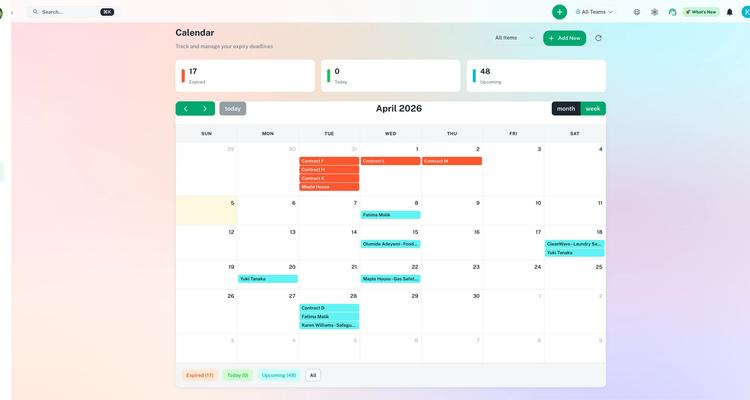
It's strongest for commercial work. A rooftop unit contract with a school or a restaurant group often lives in a PDF, not in the job software. ExpiryEdge holds it, reminds the customer's facilities manager and keeps a recurring checklist for each quarterly PM visit, with a record of who did it. See our trades and home services page for examples.
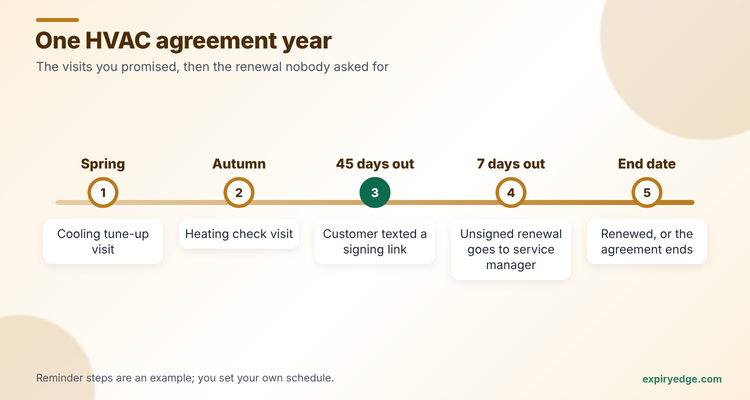
Try it with your own agreements in 15 minutes
- Export your agreements to a CSV and import them with custom fields for plan level, equipment and visit months, adding each customer as an outside contact.
- Set a 45, 30 and 7-day schedule that emails and texts the customer, and escalates unsigned renewals to your service manager.
- Build one renewal request with an e-signature field and send it to every customer whose agreement ends next month.
Pricing: flat monthly plans, not per technician: $29, $49, $99 or $199, depending on how many dated items you hold. Start with 14 free days and no card on file.
Watch out for: ExpiryEdge doesn't book techs, take card payments or apply member discounts to invoices. A residential shop with 800 members still needs ServiceTitan, Housecall Pro or similar for that.
To see which plan fits your agreement count, check the pricing page.
2. ServiceTitan: best for multi-truck shops
ServiceTitan handles memberships end to end. Its membership help article explains that each membership type sets the duration, price, billing frequency and included services. Recurring service types then generate visit events up to 12 months ahead, which the office books one at a time or in bulk.
Renewals run from an Expiring Memberships screen, where you can filter what's coming up, build renewal estimates in bulk, or let renewals happen automatically before expiry. Billing rules charge the customer's preferred card and flag failed payments. Its service agreement page adds that agreements can be built into proposals with equipment, location and cost details.
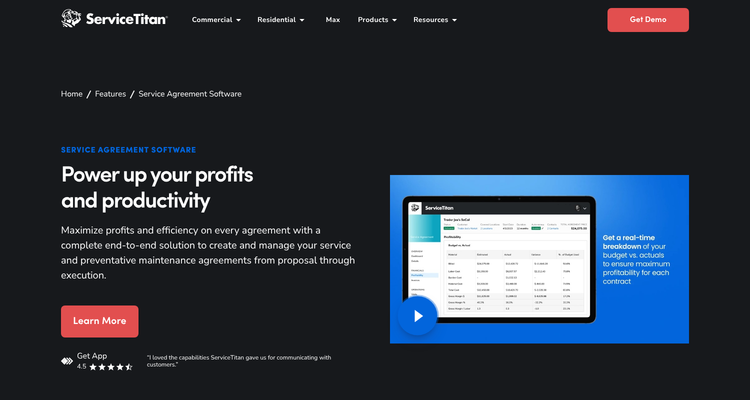
Pricing: not published. The pricing page lists Starter, Essentials and The Works with per-technician pricing and a Request Pricing button.
Watch out for: you'll need a sales call for a number. ServiceTitan's docs also note that Renewal Protection, which updates expired cards, needs ServiceTitan Payments.
3. Housecall Pro: best published price for smaller shops
Housecall Pro's HVAC service agreement page says recurring maintenance visits are scheduled automatically from each agreement and assigned to techs by skill, availability or location. It auto-bills monthly, quarterly or yearly, sends automated service reminders, and lets customers view, renew or upgrade their plan online.
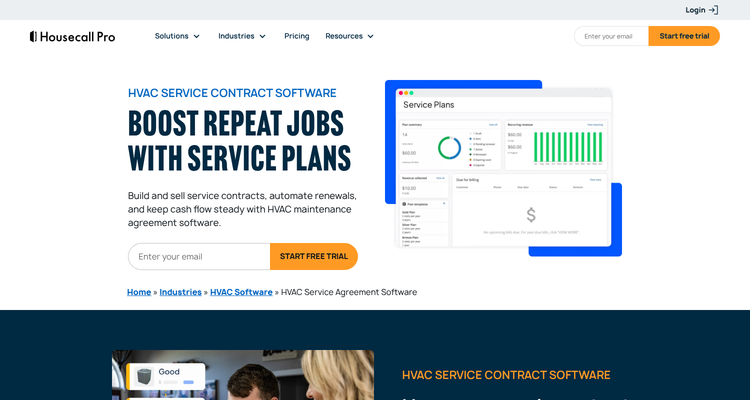
Pricing: published on the pricing page. Recurring Service Plans are listed only on Max, at $299 a month billed yearly or $329 monthly, with eight users and $35 for each extra user. Basic and Essentials don't include them.
Watch out for: you have to be on the top plan to sell agreements. The page doesn't spell out how auto-renewal works.
4. FieldEdge: best for tracking renewals across locations
FieldEdge's field service software page says you can watch upcoming renewals, billing cycles and scheduled visits in one place, across locations. It automates reminders and invoices and offers automatic renewal and recurring payment options. It also lets you recognise revenue when the work is done, not when the payment arrives.

Pricing: not published. The pricing page lists Select, Premier and Elite plans with Request Pricing buttons.
Watch out for: the same page says FieldEdge doesn't offer a free trial, and downgrades wait until the end of the contract period.
5. Successware: best for bulk renewal and billing runs
Successware's Agreement Manager article describes pulling a list of fixed-term agreements about to expire, sending a renewal document by email or post, and renewing in one step with the invoice created automatically. For perpetual agreements it creates periodic invoices in bulk. You can also filter agreements with visits due in a date range, or with unscheduled visits, for monthly outreach.
Pricing: not published. The Successware site asks you to book a demo.
Watch out for: the renewal outreach is a list you act on, by phone, post or email blast, rather than an automatic sequence to each customer.
6. Service Fusion: best for unlimited users at a published price
Service Fusion lets you mark a customer as on a service agreement with an effective and expiration date and member pricing. Its agreement dashboard article says any active agreement due to expire within 60 days counts as a renewal, and it shows whether each customer's card on file is valid, expiring or missing.
Pricing: the pricing page lists Starter at $208 a month, Plus at $325 and Pro at $533, billed yearly, all with unlimited users. Recurring invoicing is included on Pro and an add-on below it.
Watch out for: a help article says agreements don't track visits themselves. You pair them with repeating jobs or recurring invoices.
7. Commusoft: best for UK boiler service plans
Commusoft's gas engineer page says its service contracts feature runs the whole boiler service plan workflow. Once the annual schedule is set, it sends service reminders, lets customers book online and raises recurring invoices. Engineers fill in CP12 landlord certificates on the mobile app.
Pricing: not published. The plans page names three plans on a 12-month contract and says it's built for firms with six or more staff.
Watch out for: it won't suit a one- or two-van firm, by its own description.
ExpiryEdge as an alternative to ServiceTitan
We put ExpiryEdge first because a renewal that nobody asks for is the one you lose, and asking on time is its job. But don't switch your whole business to ExpiryEdge for memberships. If you sell hundreds of residential plans, ServiceTitan is still the right call: you need the visit booking, member pricing and card billing it gives you.
ExpiryEdge is the right alternative in two cases. First, a small shop with 40 or 60 agreements that runs jobs from a calendar and invoices in QuickBooks. It needs renewal reminders and signatures more than a full platform, and the $49 Pro plan covers 250 items. Second, commercial maintenance contracts, which rarely fit a residential membership model. ExpiryEdge tracks each contract, chases the client's signature and runs the quarterly PM checklist.
Plenty of shops run both: ServiceTitan for members, ExpiryEdge for commercial contracts, licences and insurance.
Frequently asked questions
Book every promised visit, then ask early. Remind the customer 30 to 45 days before the end date with a link they can act on, and fix expired cards before the renewal runs. ServiceTitan, Housecall Pro and FieldEdge offer automatic renewal options.
Yes, on its Max plan only. Housecall Pro's pricing page lists Recurring Service Plans on Max, at $299 a month billed yearly for eight users. Its service agreement page describes automatic visit scheduling, auto-billing and online renewal by the customer.
Housecall Pro's Max plan is $299 a month yearly, Service Fusion runs $208 to $533 a month yearly, and ExpiryEdge runs $29 to $199 a month. ServiceTitan, FieldEdge, Successware and Commusoft don't publish prices and quote on request.
Jobber's pricing page doesn't list a maintenance agreement feature. A community thread says some users set up repeat jobs for their plan customers instead. If you need to renew plans and bill members, compare Housecall Pro, ServiceTitan or a renewal tracker like ExpiryEdge.
Twice a year is normal. You'd do cooling in spring and heating in autumn. The Department of Energy's guide says a good tech checks the refrigerant charge, tests for leaks and measures airflow, so don't let a visit slip. In the UK, a landlord's gas appliances need a safety check at least every 12 months.
Only for part of the job. ExpiryEdge tracks agreement renewal dates, reminds customers by SMS or email and collects signed renewals, but it doesn't book techs or bill cards. It's a fit for small shops and commercial contracts, and many ServiceTitan users run both.