
Custom Data Templates
Create custom deadline templates with specific fields for consistency. Capture necessary information and speed up data entry for different deadline types.
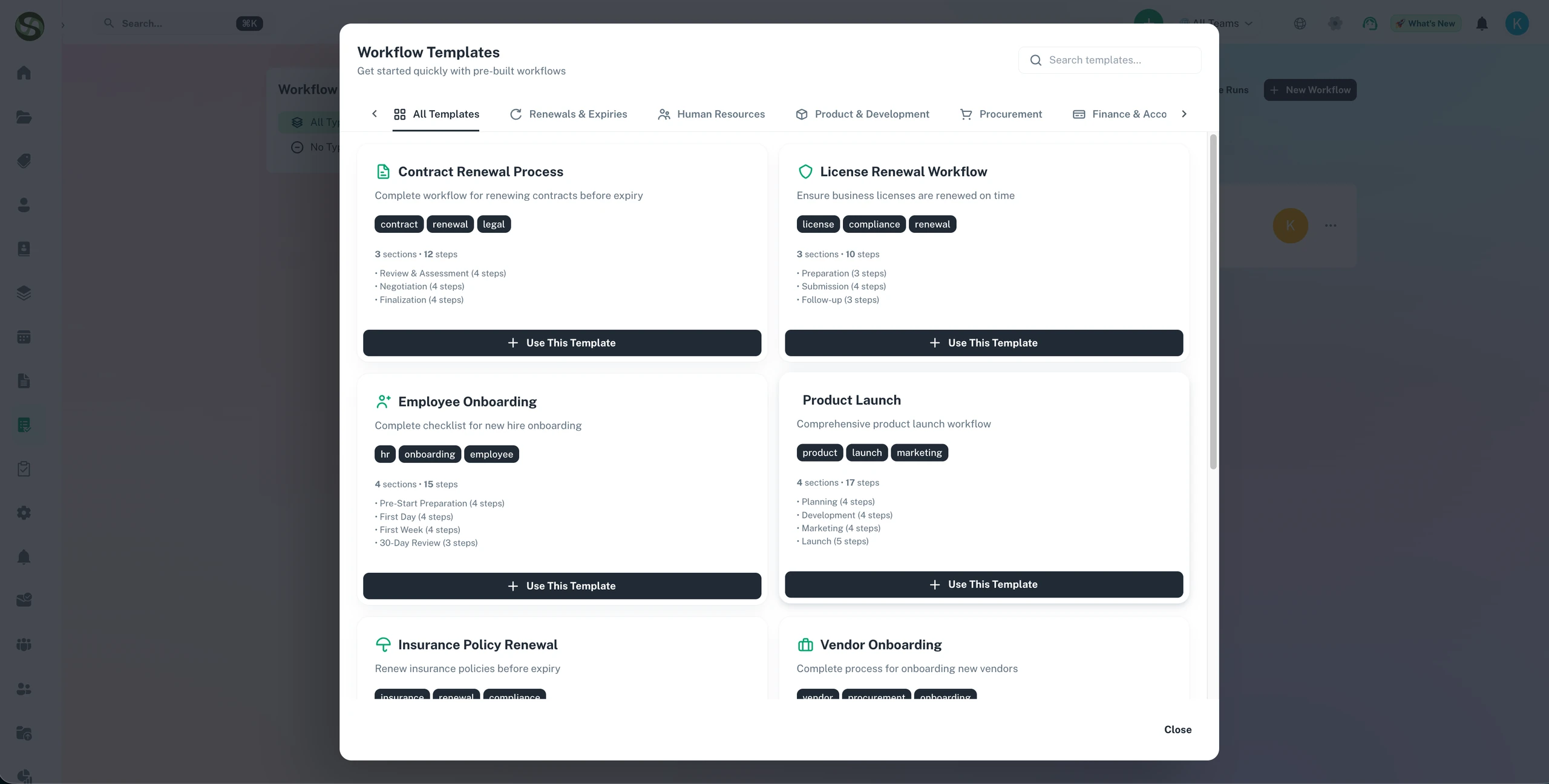
Standardise deadline tracking with custom data templates across every category
Custom field templates
Consistent data structure
Reusable tracking formats
Category-specific forms
Custom Data Templates Features
Everything you need to streamline your workflow and boost productivity
Drag-and-Drop Template Builder
Create custom templates with an intuitive visual builder. Add, remove, and arrange fields to match your exact data requirements.
Custom Field Types
Choose from text, numbers, dates, dropdowns, checkboxes, file uploads, and more. Create the exact data structure you need.
Template Library
Build a library of templates for different deadline types. One template for contract renewals, another for license expirations, etc.
Field Validation Rules
Set required fields, minimum/maximum values, date ranges, and custom validation rules. Ensure data quality and completeness.
Conditional Fields
Show or hide fields based on other field values. Create dynamic forms that adapt based on the type of deadline being created.
Template Sharing
Share templates across teams or departments. Ensure everyone uses standardized data collection for consistent reporting.
Why Use Custom Data Templates?
Real benefits that drive measurable results for your business
Ensure Data Consistency
Standardized templates eliminate inconsistent data entry. Improve reporting accuracy and make better data-driven decisions.
Speed Up Data Entry
Templates with pre-configured fields reduce time to create new deadlines by 70%. No more recreating the same structure repeatedly.
Capture All Necessary Information
Required fields ensure important details are never forgotten. Collect all information needed for effective deadline management.
Simplify Training
New team members follow templates to enter data correctly. Reduce errors and accelerate onboarding.
Who Uses Custom Data Templates?
Designed for teams and businesses across industries
Contract Management Templates
Create templates for different contract types with fields for parties, terms, renewal dates, notice periods, and payment schedules.
Certification & License Templates
Track certifications with fields for issuing authority, certification number, renewal requirements, and continuing education credits.
Event Planning Templates
Standardize event deadlines with fields for venue, vendors, attendee count, budget, marketing milestones, and post-event tasks.
Facility Maintenance Templates
Track equipment maintenance with fields for asset ID, last service date, next service due, technician assigned, and maintenance history.
Compliance Deadline Templates
Create templates for regulatory filings with fields for regulation number, filing authority, submission format, and required documentation.
Invoice & Payment Templates
Track payment deadlines with fields for vendor, invoice number, amount, payment terms, approval status, and payment confirmation.
Frequently Asked Questions
Everything you need to know. Can't find the answer? Reach out to our support team.
Custom templates define the data fields, reminder schedule, and document requirements for each type of compliance item you track. Instead of re-entering configuration every time you add a new certificate, contract, or licence, you create a template once and apply it to every item of that type. Templates ensure consistency and save time when onboarding new compliance obligations.
Yes. Custom templates are fully configurable. A healthcare organisation might create templates for CQC registration, clinical staff licences, and medical equipment maintenance. A construction company might have templates for CSCS cards, plant inspection certificates, and site insurance. Templates reflect exactly the fields, documents, and reminder schedules relevant to each compliance type in your industry.
Yes. Once a template is created by a system administrator, it is available for use across all teams and locations. When a new team is set up or a new location is onboarded, they can immediately start adding items using the existing template library rather than reconfiguring from scratch.
ExpiryEdge supports a wide range of custom field types: text, number, date, dropdown selection, multi-select, checkbox, and document attachment fields. You add whatever fields are needed to capture the information relevant to each compliance type - vendor name, policy number, licence issuing authority, certification level, and so on.
Template updates apply to new items created from the template going forward. Existing items retain their current configuration unless you manually update them. This prevents unintended changes to live compliance records while allowing the template to evolve as requirements change.
Ready to Get Started?
Join thousands of teams already using ExpiryEdge to streamline their workflows