
Organize Your Team Effectively
Create teams, assign roles, and manage permissions. Keep everyone aligned with clear responsibilities and access controls.
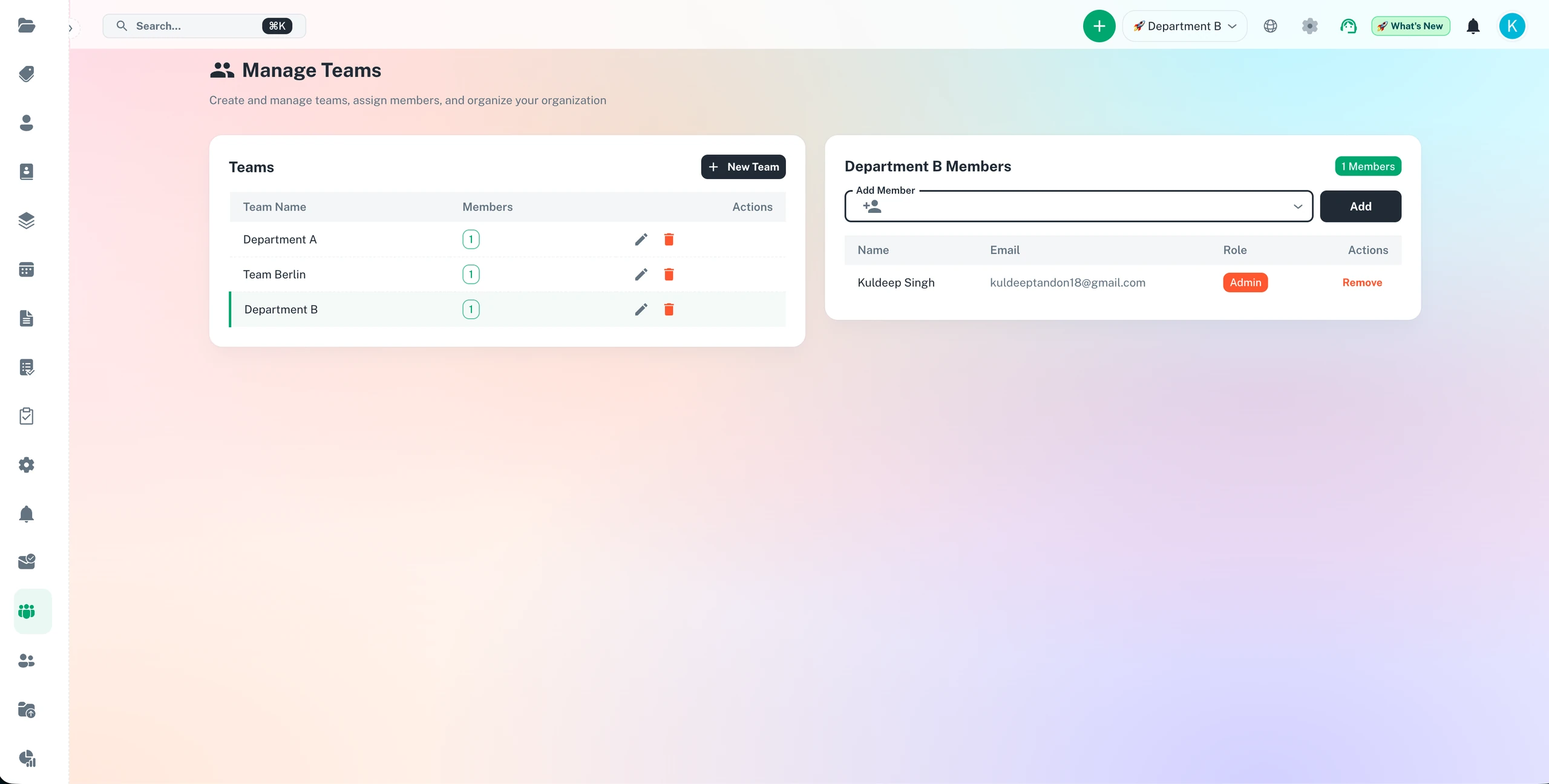
Structure your team for compliance - assign ownership, set roles, and track accountability
Team role assignment
Ownership tracking
Permission management
Accountability reporting
Organize Your Team Effectively Features
Everything you need to streamline your workflow and boost productivity
Create Teams & Departments
Organize your workforce into logical teams and departments. Create hierarchies that match your organizational structure for better collaboration and responsibility tracking.
Role-Based Permissions
Define granular access controls based on roles. Admins, managers, and team members get appropriate permissions. Protect sensitive data while enabling collaboration.
Team Workspaces
Each team gets a dedicated workspace with shared deadlines, documents, and communication. Keep department-specific items organized and accessible.
Cross-Team Collaboration
Share deadlines and workflows across teams when needed. Perfect for cross-functional projects while maintaining team structure.
Why Use Organize Your Team Effectively?
Real benefits that drive measurable results for your business
Clear Organizational Structure
Everyone knows which team they belong to, who their manager is, and what they are responsible for. Eliminate confusion and improve accountability.
Secure Data Access
Control who sees what with department-level and role-based permissions. Sensitive deadlines stay private while promoting necessary collaboration.
Scale Effortlessly
Add new teams, departments, and members as you grow. The organizational structure scales from 5 to 500+ employees seamlessly.
Improve Team Cohesion
Team workspaces foster collaboration and shared ownership. Members work together better when organization is clear.
Who Uses Organize Your Team Effectively?
Designed for teams and businesses across industries
Multi-Department Companies
Organize sales, marketing, finance, HR, and operations into separate teams. Each department manages their own deadlines while executives see everything.
Multi-Location Businesses
Create teams by office location or region. Manage deadlines specific to each location while maintaining corporate oversight.
Agencies & Consultancies
Organize by client accounts or project teams. Keep client work separated while enabling resource sharing across accounts.
Healthcare Organizations
Separate clinical staff, administrative teams, and departments. Manage credentials and compliance by department with appropriate access controls.
Property Management
Organize teams by property or building. Each site manager handles their location is deadlines with rollup reporting to corporate.
Educational Institutions
Structure teams by department, grade level, or campus. Manage accreditation deadlines, certifications, and compliance by organizational unit.
Frequently Asked Questions
Everything you need to know. Can't find the answer? Reach out to our support team.
ExpiryEdge allows you to structure your organisation into departments, teams, and roles that mirror your actual business hierarchy. Compliance items are assigned to specific teams and team members. Each person sees the compliance obligations relevant to their role, and managers see their team's status without being overwhelmed by the rest of the organisation's records.
Yes. ExpiryEdge has configurable role-based access control. You define roles - Administrator, Compliance Manager, Team Manager, Team Member, Read-Only - and assign permissions for what each role can view, create, edit, and delete. This ensures people have exactly the access they need without the risk of accidental changes to records outside their responsibility.
Adding a new team member takes under a minute. You invite them by email, assign them to the relevant team and role, and they receive an invitation to set up their account. Their notifications are configured at the same time. If they are taking over compliance responsibilities from a departing colleague, you reassign the relevant items to them and the reminder schedules continue without interruption.
Yes. ExpiryEdge supports approval workflows for compliance renewals. You can configure specific item types to require manager approval before a renewal is recorded as complete. This adds a verification step for high-stakes compliance items while keeping the process efficient - the manager receives an approval request notification and confirms with one click.
ExpiryEdge supports hierarchical organisational structures. You create nested teams (e.g., Regional Teams within a National Operations division) and configure which managers have visibility at each level. Senior leadership sees the full picture; regional managers see their regions; local managers see their sites. The escalation path also follows the hierarchy, so the right manager is notified at each stage.
Ready to Get Started?
Join thousands of teams already using ExpiryEdge to streamline their workflows