
Monthly Upcoming Task Report
Automated monthly reports showing upcoming tasks and deadlines for the next 30 days. Get complete visibility of obligations.
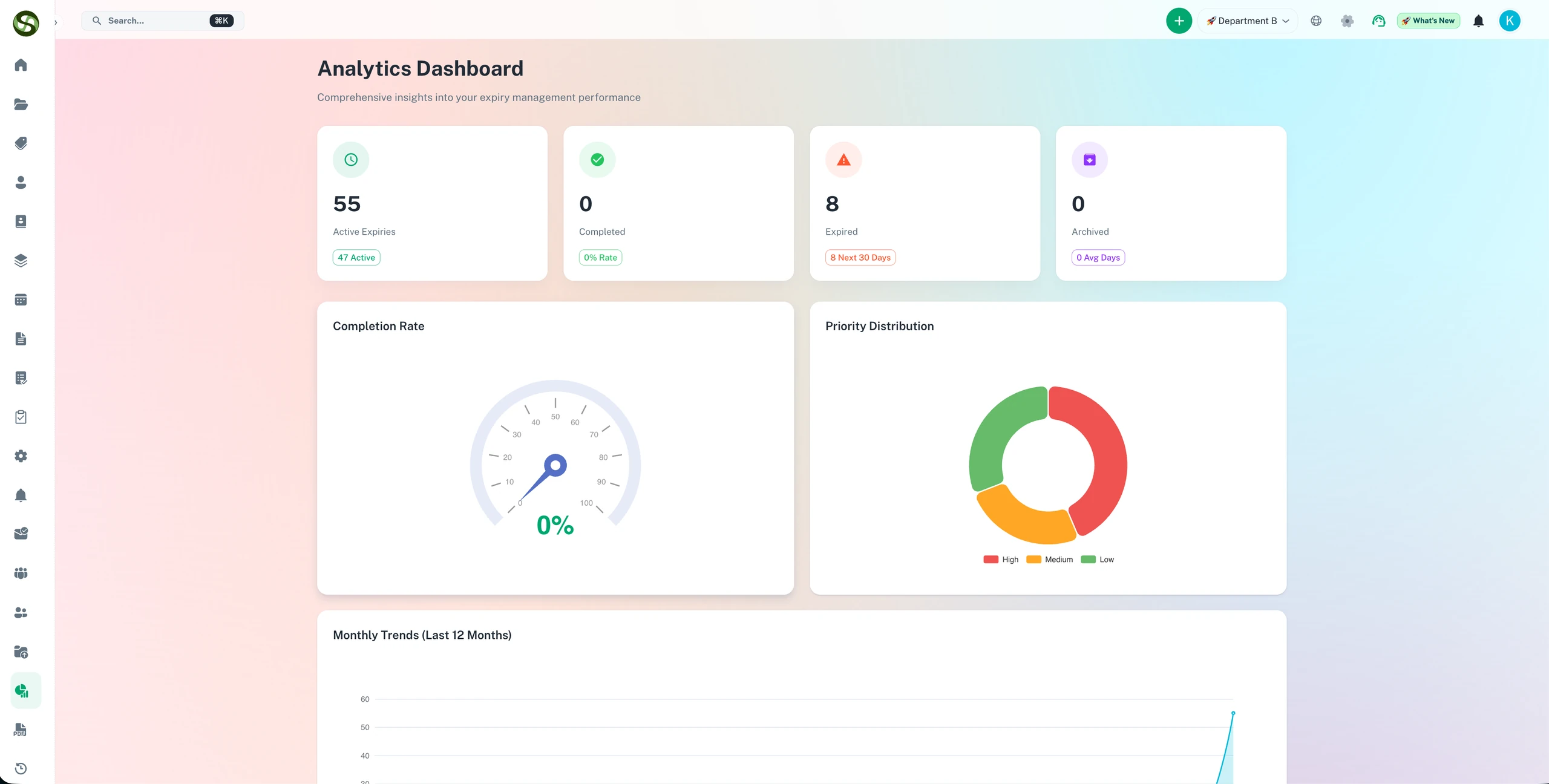
Automated monthly compliance reports to plan ahead and review team deadline performance
Monthly deadline reports
Automated report generation
Upcoming renewal preview
Team performance metrics
Monthly Upcoming Task Report Features
Everything you need to streamline your workflow and boost productivity
Automated Monthly Reports
Automatically generate and receive comprehensive reports at the start of each month showing all upcoming deadlines and tasks.
Upcoming Deadline Preview
See all tasks due in the next 30 days organized by week, priority, and category. Plan your month with complete visibility.
Customizable Report Format
Choose what information to include in reports. Show deadlines by team, priority, category, or custom criteria relevant to your needs.
Email Delivery
Reports delivered automatically to your inbox on the 1st of each month. No need to log in or manually generate reports.
Team-Specific Reports
Generate separate reports for each team or department. Team leaders receive only tasks relevant to their team members.
Export to PDF/Excel
Download reports in multiple formats for offline review, printing, or sharing in meetings and presentations.
Why Use Monthly Upcoming Task Report?
Real benefits that drive measurable results for your business
Better Monthly Planning
Start each month with a clear view of all upcoming obligations. Allocate resources and plan workload more effectively.
Reduce Last-Minute Surprises
Eliminate forgotten deadlines that suddenly appear. Monthly reports ensure you're prepared for everything ahead.
Improve Team Communication
Share monthly reports in team meetings. Align everyone on upcoming priorities and coordinate efforts in advance.
Support Budget Planning
See upcoming renewals and payment deadlines in advance. Better forecast cash flow and plan budget allocations.
Who Uses Monthly Upcoming Task Report?
Designed for teams and businesses across industries
Executive Planning
Leadership reviews monthly reports to understand organizational priorities, upcoming obligations, and resource requirements.
Operations Management
Operations teams use monthly reports to plan staffing, schedule maintenance, and prepare for upcoming operational deadlines.
Financial Planning
Finance departments forecast cash flow based on upcoming payment deadlines, contract renewals, and subscription payments.
Compliance Tracking
Compliance officers review monthly reports to ensure all regulatory filings, certifications, and audits are scheduled and prepared.
Project Management
Project managers see all project milestones and deliverables coming up in the next month to coordinate team efforts.
Field Service Coordination
Service teams plan routes, schedule appointments, and allocate technicians based on upcoming maintenance and inspection deadlines.
Frequently Asked Questions
Everything you need to know. Can't find the answer? Reach out to our support team.
The monthly report is an automated summary of all upcoming compliance obligations for the following month. It lists every item due to expire, the responsible owner, the days remaining, and the current status. Senior managers and compliance officers receive a consolidated view across the entire business without having to log in and run reports manually.
You configure the recipient list for monthly reports. Typically, the report goes to compliance managers, senior leadership, and department heads. You can configure separate reports for different teams or business units, so each manager receives only the items relevant to their area of responsibility.
Yes. Monthly reports can be scoped to specific departments, teams, locations, or item categories. An operations director might receive a report covering all operational compliance; an HR manager receives only HR-related certifications and training records. Each report configuration is set independently.
The report is generated and sent automatically on a schedule you configure - for example, the first Monday of each month. You do not need to log in to generate or send it. The report arrives in recipients' inboxes without any manual action required from the compliance team.
The monthly report is sent by email with a summary view and a link to download a full PDF or CSV version. The PDF version is formatted for sharing in board packs or management meetings. The CSV version is suitable for further analysis or integration with other reporting tools.
Ready to Get Started?
Join thousands of teams already using ExpiryEdge to streamline their workflows