
Folders
Create a hierarchical folder structure to organize deadlines, tasks, and documents by project, client, department, or any custom organization.
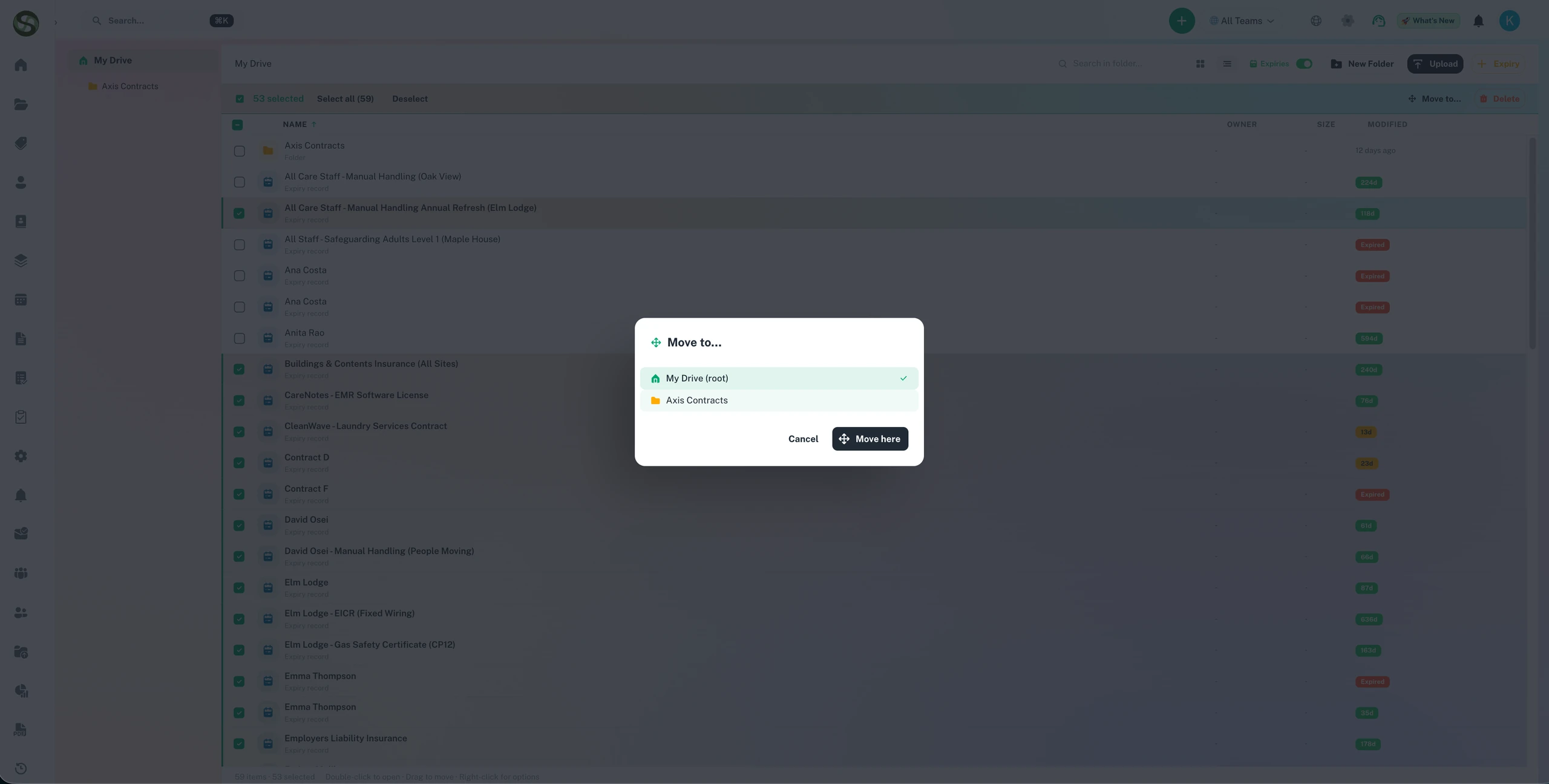
Organise all your deadlines and compliance documents into structured folders
Folder-based organisation
Shared team folders
Nested folder structure
Quick deadline filtering
Folders Features
Everything you need to streamline your workflow and boost productivity
Hierarchical Folder Structure
Create unlimited folders and subfolders to mirror your organizational structure. Organize by project, client, department, location, or any custom hierarchy.
Flexible Organization
Group related deadlines, tasks, and documents together. Keep everything for a project or client in one organized location.
Drag-and-Drop Management
Move tasks and deadlines between folders with simple drag-and-drop. Reorganize your structure as your needs evolve.
Folder-Level Permissions
Control access at the folder level. Share specific folders with team members or departments while keeping others private.
Nested Subfolder Support
Create deep folder hierarchies for complex projects. Organize by main project, then by phase, workstream, or deliverable.
Quick Search & Filter
Find any folder, task, or deadline instantly with powerful search. Filter by folder to focus on specific projects or areas.
Why Use Folders?
Real benefits that drive measurable results for your business
Eliminate Deadline Chaos
Reduce time searching for tasks by 85%. Everything is logically organized and easy to find.
Scale Your Operations
Manage thousands of deadlines across hundreds of projects without losing track. Folders keep everything organized as you grow.
Improve Team Collaboration
Team members instantly know where to find and add tasks. Consistent organization reduces confusion and duplicate work.
Simplify Client Management
Keep all client-related deadlines, documents, and tasks in dedicated folders. Provide better service with organized information.
Who Uses Folders?
Designed for teams and businesses across industries
Project-Based Organization
Create a folder for each project with subfolders for phases, deliverables, and milestones. Keep project deadlines separate and organized.
Client Account Management
Agencies and service providers maintain a folder per client with all related deadlines, contracts, renewals, and deliverables.
Department Organization
Large organizations create folders for each department, with subfolders for teams and projects. Maintain clear separation of responsibilities.
Multi-Location Operations
Organize by office, store, or facility location. Each location has its own folder with local compliance, permits, and operational deadlines.
Deadline Type Categories
Group similar deadline types together. Separate folders for regulatory compliance, contract renewals, project milestones, and routine tasks.
Event Management
Create a folder for each event with subfolders for vendors, marketing, logistics, and post-event activities. Keep event planning organized.
Frequently Asked Questions
Everything you need to know. Can't find the answer? Reach out to our support team.
Folders in ExpiryEdge allow you to organise your compliance records into a hierarchical structure that mirrors your business. You might create folders by location (London Office, Manchester Site), by department (HR, Finance, Operations), by item category (Vehicles, Certifications, Contracts), or any combination that makes sense for your organisation.
Yes. Folder-level permissions allow you to restrict access to sensitive compliance records. A legal folder, for example, might be visible only to the legal team and senior management. An operations folder is accessible to all operations managers. This ensures each person sees only the compliance records relevant to their role.
Yes. Items can be moved between folders without losing their history, attached documents, or reminder schedules. If a compliance item changes ownership or category, you move it to the appropriate folder and update the owner assignment - the item continues functioning exactly as before.
No. ExpiryEdge supports unlimited folders and nested folder levels. Large organisations with complex compliance structures can create deep hierarchies - group level, entity level, department level, team level - to match their organisational structure precisely.
Yes. The ExpiryEdge search function works across all folders simultaneously. You can search by item name, type, owner, expiry date, or any custom field. The results show the item's current folder location, so you always know where to find a record even in a large, complex folder structure.
Ready to Get Started?
Join thousands of teams already using ExpiryEdge to streamline their workflows