
TrackTik Alternatives: 5 Post Orders and SOP Tools for Security Companies, Compared With TrackTik

ExpiryEdge is our first pick if your gap is the review itself: every site's orders get re-checked on a schedule, the supervisor is reminded and escalated, and each officer e-signs the new version from a no-login link. It works beside any guard app, from $29 a month.
For orders pushed to officers' phones at the post, pair it with TrackTik, which suits large guarding firms: you set orders by client, site or post, and officers acknowledge each one in the app. GuardsPro is the low-cost guard app, with a post order acknowledgement report that records the date, time and signature.
The others suit narrower needs. Teambridge can tie acknowledgement to clock-in. PowerDMS is built for formal policy control in public safety. Silvertrac puts current post orders in the shift pass-down.
We make ExpiryEdge. TrackTik and the other four are covered using only what their own product pages and help articles said on 7 November 2026, and you'll find a link next to each point.
| Tool | Reminds the supervisor before each site's review (email, SMS, Teams) | Escalates missed reviews to the ops manager | Every officer e-signs the new version from a link, no login | Review runs as an assigned checklist | Orders shown in a guard app at the post | Published pricing / free trial |
|---|---|---|---|---|---|---|
| ExpiryEdge Top pick | Yes, on any schedule | Yes, automatic | Yes, up to 200 officers per send | Yes, with live progress | Works beside any guard app | $29-$199/month, 14-day free trial |
| TrackTik | Not stated | Not stated | Acknowledge button in the app | Not stated | Yes, by client, site or post | Not published, quote in one business day |
| GuardsPro | Not stated | Not stated | Signed acknowledgement report in the app | Not stated | Yes, per site | $5-$10 per user a month, 30-day free trial |
| Teambridge | Not stated | Not stated | In the app, can gate clock-in | Not stated | Yes, at shift start | Free Starter, Growth $7 per user |
| PowerDMS | Annual review reminders to admins | Not stated | E-sign on mobile | Not stated | Policy portal | Not published, annual quote |
| Silvertrac | Not stated | Not stated | Not stated | Not stated | In the shift pass-down | No figures on the page |
How we compared these tools
Orders go stale between reviews, so most of our columns follow the review: does the supervisor get reminded, does a missed review escalate, can every officer sign the new version without a login, and does the review run as a checklist? One column asks whether the tool shows orders in a guard app at the post, and the last whether you can see the price without a call. Where a vendor's pages don't say, the table says "Not stated". We read each vendor's product, pricing and help pages on 7 November 2026, and checked the UK assessment cycle against the SIA's Approved Contractor Scheme guidance on GOV.UK. We didn't run paid trials of every guard app. We also make ExpiryEdge, so take our verdict on it with that in mind.
A gate code changes and the binder doesn't
Post orders are the site's rulebook: patrol routes, access rules, who to call, what to do when the alarm panel shows a fault. They go stale fast. A client adds a loading bay, swaps the keyholder list or changes the visitor process, and the binder in the guard hut still shows last year's version.
So the software has three jobs. Get the current version in front of the officer on that post. Prove the officer read it, with a name and a timestamp. And make sure someone re-checks each site's orders on a schedule, not just after an incident.
The third job is where firms slip. No tool can know that a client changed the gate code. A review reminder every quarter, owned by a named supervisor, is the only thing that catches the drift.
Here's a common way it goes wrong. A retail park client moves deliveries to 5am and tells the account manager in an email. The night officer's orders still say the yard gate stays locked until 7. The driver waits, the client complains, and nobody can say who should have updated the orders. A dated review with an owner turns that into a task someone gets reminded about.
In the UK, the SIA's Approved Contractor Scheme is voluntary, but approved firms are scored each year against a standard that covers areas such as staff training and health and safety. The SIA's guidance on keeping approval says an approved assessing body assesses you every year. Signed, dated post order acknowledgements are an easy piece of evidence to have ready for that visit.
US firms carry the same exposure through their client contracts. If an officer did the wrong thing, the first question is which version of the orders they were given and whether they confirmed it.
- One owner per site, named on the orders
- Review every quarter, and again after any client change or incident
- New version issued to every officer on that post
- Each officer signs or acknowledges, with a timestamp
- Old versions kept so you can show what applied on a given night
Narrow the field first: count posts, then decide where sign-off happens
Count your sites and posts first. A firm with eight sites can review orders on a spreadsheet; a firm with 80 needs reminders that escalate.
Then decide where acknowledgement has to happen. If it must be at clock-in, your shortlist is TrackTik, GuardsPro and Teambridge. If a signed link before the next shift is enough, ExpiryEdge or PowerDMS will do.
Finally, test version history. Change one site's orders in a trial, have two officers acknowledge, then ask the tool to show who signed the old version. Our security compliance software guide covers the full picture, and the guard licence tracking comparison handles SIA licences and guard cards.
1. ExpiryEdge: best for quarterly reviews and signed sign-off beside any guard app
With ExpiryEdge, every site's orders get re-checked on a schedule instead of after a complaint, and you can show exactly which officer signed which version. Ops managers stop finding out about stale gate codes from the client.
Each site's post orders become a record with a review date, an owner and the current PDF attached, set to recur every quarter. Thirty days out, the site supervisor gets an email or a Teams message, and seven days out it escalates to the ops manager if nobody has acted. The review itself can be a reusable SOP checklist: walk the site, check the keyholder list, confirm alarm codes, update the orders, issue the new version, with each step assigned and progress visible live. Then send a request link to every officer on that post, up to 200 at once, with the new orders and an e-signature field. No login, so it works on any phone; unsigned officers get automatic follow-ups, and the audit trail shows who signed which version and when.
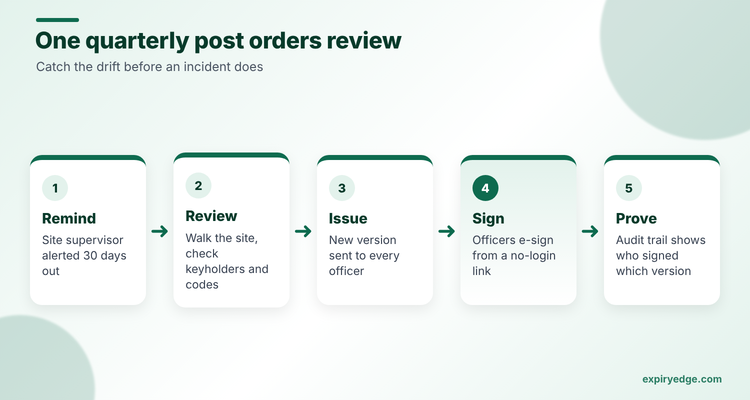
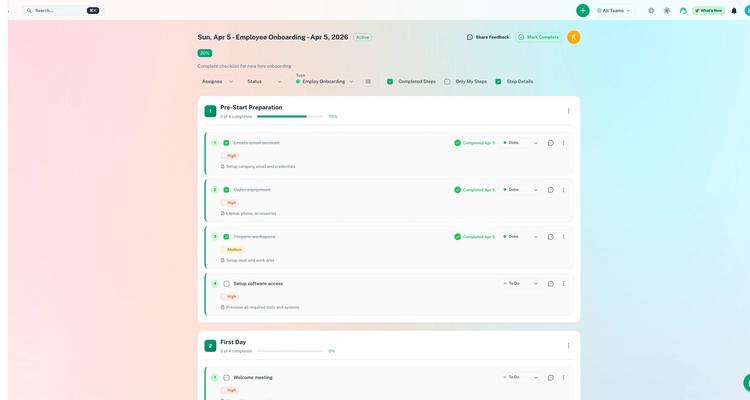
See our SOP management use case and the SOP software page for the setup.
Try it with your own post orders in 15 minutes:
- Add each site's orders as a record with the current PDF attached, a named supervisor and a quarterly recurrence.
- Build a review checklist template (walk the site, check keyholders, confirm alarm codes, issue the new version) and schedule it to run before each review date.
- Send the new orders to every officer on one post as a no-login request link with an e-signature field.
Pricing: Personal starts at $29 a month and Power tops out at $199, with a 14-day free trial and no card. The pricing page shows what each plan includes.
Good to know: officers sign from a link on any phone, so ExpiryEdge works whichever guard app you run. Keep TrackTik, GuardsPro or Teambridge for clock-in, and let ExpiryEdge run the review cycle around them.
2. TrackTik: best for large guarding firms
TrackTik's guard management page says you can configure post orders by client, site or post, update them in real time, and attach photos, video or PDFs. Orders go straight to officers' mobile devices, and supervisors can confirm the team has received them.
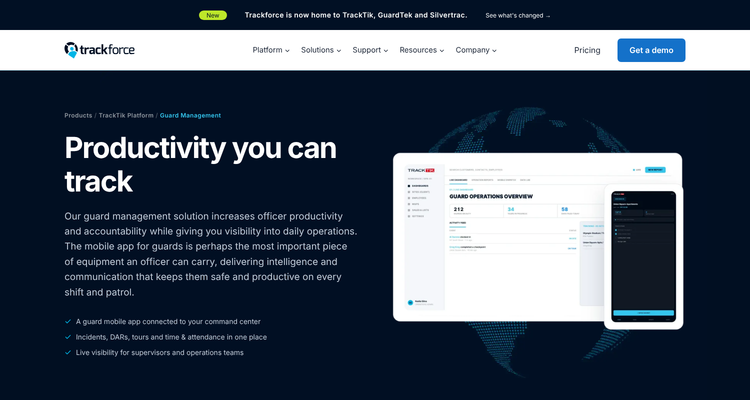
On the officer's side, TrackTik's help article on post orders describes a counter for unacknowledged orders, an Acknowledge button under each one, and a red bar that turns green once it's done.
Pricing: not published. The pricing page asks for your sites, team size and modules and promises a quote within one business day.
Watch out for: the pages we read don't mention review dates or version history for post orders. Ask how you'd prove which version an officer acknowledged six months ago.
3. GuardsPro: best low-cost option with signed acknowledgements
GuardsPro's features page says managers can write detailed post orders and keep them updated for each site. Its post order acknowledgement report shows which guards have acknowledged a site's orders, with the date, time and signature, and you can filter and search it.
Company policies work the same way. Guards open each document in the app, read it and tap acknowledge, and the app keeps a digital record for audits, per the policy acknowledgement guide.
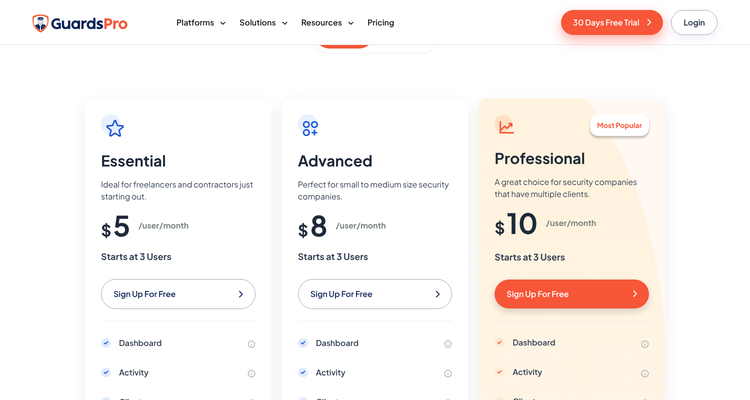
Pricing: the pricing page lists $5, $8 and $10 per user a month, each starting at three users, with a 30-day free trial and no long-term contract.
Watch out for: the pages we read don't describe scheduled reviews of post orders, so you'd still need a calendar for those.
4. Teambridge: best for tying acknowledgement to clock-in
Teambridge is workforce software with a security offering. Its post on post order acknowledgement describes officers opening the current orders at shift start, and they can't clock in until they've acknowledged them. Each acknowledgement records the officer, post, site, version and time, high-risk posts can add a short comprehension check, and version history is kept.
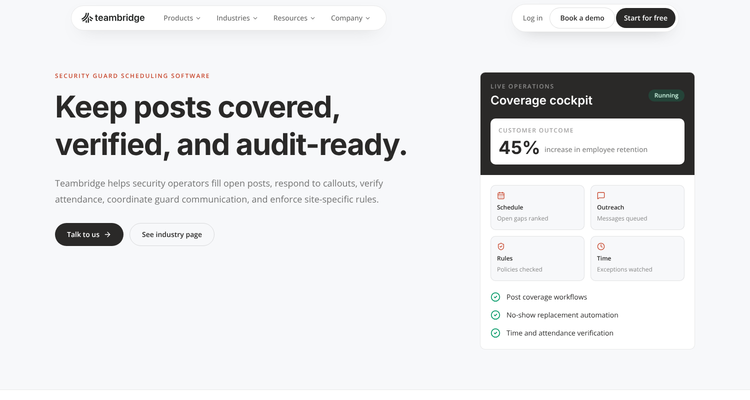
Pricing: Teambridge's pricing page lists a Starter tier with no fee, Growth at $7 per user and custom Enterprise pricing.
Watch out for: the detail comes from a blog post, and the security solution page is general. Ask which plan includes the clock-in gate.
5. PowerDMS: best for formal policy control and annual review
PowerDMS, from NEOGOV, is built for public safety agencies. Its policy management page lists e-signatures on mobile, dashboards of acknowledgement status by document, employee or group, and reminders to admins when a document is due for annual review. Publishing a new version archives the old one, so staff only see the current text.
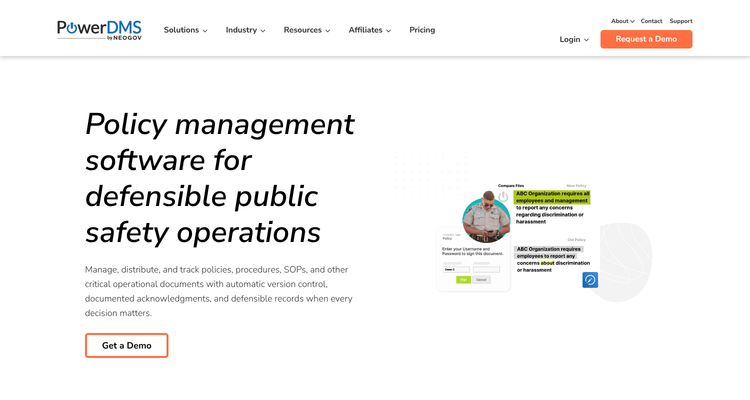
Pricing: not published. PowerDMS's home page says it sells an annual subscription tailored to size, products and integrations.
Watch out for: it targets police, corrections, fire, EMS and campus security. The page doesn't mention private guarding firms, so expect a product built for agencies.
6. Silvertrac: best for current orders in the shift pass-down
Silvertrac now sits under Trackforce. Its product page describes guard tours with step-by-step checkpoint instructions, daily activity reports and a shift pass-down that gives officers up-to-date post orders and emergency contacts at the start of every shift.
Pricing: no figures on the page. It promises no contracts, no hidden fees and monthly payments.
Watch out for: the page doesn't describe a separate post orders module, officer sign-off or review dates.
ExpiryEdge as an alternative to TrackTik
We put ExpiryEdge first because no tool can know a client changed the gate code, so the scheduled review is where orders stay right. That's the job it does. When TrackTik is still the right call is below.
Switch to ExpiryEdge for post orders if you're a smaller firm that doesn't want a full guard platform, or if you already have a guard app you like and the gap is governance. You get a review date on every site's orders, a reminder that escalates, a checklist for the review and a signed acknowledgement from every officer, from $29 a month.
TrackTik is still the right call if officers need orders on their phone at the post with photos and video, and supervisors need to see delivery live. That's a guard app's job. Plenty of firms will run both, with TrackTik delivering the orders and ExpiryEdge making sure they're reviewed and re-signed each quarter.
Frequently asked questions
We'd review them every quarter, and again the day a client changes anything or an incident happens. Name one supervisor per site. Put the next review date on the orders. If the date passes, the ops manager should hear about it. ExpiryEdge and PowerDMS both send review reminders.
In TrackTik, officers open the order in the app and tap Acknowledge. GuardsPro logs the date, time and signature in a report, and Teambridge describes a clock-in that waits for the officer to acknowledge. ExpiryEdge sends a no-login link with an e-signature field, then follows up until each officer signs.
Teambridge lists a Starter tier with no fee, though its post order features may sit on paid tiers. GuardsPro offers a 30-day free trial and ExpiryEdge a 14-day free trial with no credit card. TrackTik, PowerDMS and Silvertrac don't list a no-fee tier.
You don't need it to get orders to officers. TrackTik does that, and it logs who tapped Acknowledge. What you may need is a reminder to review each site's orders. We didn't see review dates on TrackTik's pages, so many firms keep a separate calendar. ExpiryEdge can hold that date, run the review checklist and get new signatures.
Who to call comes first. List the site contacts, keyholders and alarm company, then the patrol route with checkpoint times, the access and visitor rules, and the steps for a fire, a medical call or a break-in. Add the client's own rules. Date it. An officer at 3am should see at a glance that it's the current version.