
What's the Best Care Home Compliance Software in the UK? 7 Options Compared

ExpiryEdge is our pick for the dates a care home has to keep: DBS rechecks, training refreshers, hoist examinations and the fire risk assessment, each with an owner and a reminder that reaches them. If you need CQC policies and audits, pick QCS. It keeps policies current, runs care audits with action plans, offers a self-run mock inspection tool, and publishes its packages from £265 a month. Radar Healthcare suits care groups that want incidents, audits, risks and staff compliance in one governance view across homes.
The rest are care management systems with compliance built in. Care Control has the clearest HR training matrix with DBS and right to work tracking. PCS adds its own eLearning, CoolCare is strong on HR and maintenance jobs, and Log my Care costs nothing for very small services.
We make ExpiryEdge, so we're not neutral. For QCS, Radar and the five others we only used what their own websites said when we read them on 7 November 2026, and each fact is linked.
| Tool | Reminds carers and engineers directly (email, SMS, WhatsApp) | Carers and engineers upload certificates from a link, no login | Tracks every DBS, training and building date in one place | Escalates overdue items to the registered manager | CQC audits and action plans | Published pricing / free trial |
|---|---|---|---|---|---|---|
| ExpiryEdge Top pick | Yes, email, SMS, WhatsApp, Slack, Teams | Yes, no-login link | Yes, any dated item across homes | Yes, built in | Recurring checklists you build | $29-$199/month, 14-day free trial |
| QCS | Not stated | Not stated | Not stated | Not stated | Yes, plus mock inspection tool | From £265/month |
| Radar Healthcare | Training renewal alerts | Staff upload evidence; login not stated | Training and DBS tasks; building not stated | Flags overdue actions across homes | Yes, across homes | Not published, tailored proposal |
| Care Control | DBS and right to work reminders | Not stated | Training, DBS, right to work; building not stated | Not stated | Yes, with alerts | Not published |
| PCS | Refresher schedules, traffic-light reports | Not stated | Training certificates; DBS and building not stated | Not stated | Reports and audit trails | Not published |
| CoolCare | Flags renewable checks | Not stated | DBS, training and recurring maintenance jobs | Not stated | Not stated | Not published |
| Log my Care | Renewal reports, not reminders | Not stated | Skills matrix (Pro) | Not stated | Care plan audit add-on | Free Starter; Pro on request |
How we compared these tools
A registered manager answers at inspection for every date in the staff files and the building file, so most of our columns follow those dates: who gets reminded, how carers and engineers send renewals back, whether everything sits in one list, and who hears when something is overdue. One column covers CQC audits with action plans, and the last is whether you can see a price without a call. We read each vendor's own pages on 7 November 2026 and checked the duties against CQC's regulation guidance, HSE, GOV.UK and the fire service. We didn't take paid trials. ExpiryEdge is our product and we list it first, so read its entry with that in mind.
Audits, staff checks and the building: three clocks CQC won't set for you
CQC doesn't hand you a calendar. It sets duties and expects you to prove them. Regulation 17 requires systems such as regular audits to assess, monitor and improve quality and safety. If CQC asks for a written report on how you do that, it's due within 28 days.
Staff are the second clock. Regulation 18 says training needs are assessed at the start of employment and reviewed at appropriate intervals, and you define the mandatory training for each role. Regulation 19 requires Schedule 3 information to be confirmed before someone starts, and the fitness of staff to be reviewed regularly. CQC sets no recheck interval, so your policy does. If a carer has joined the DBS Update Service, you can check her certificate's status online for free, with her permission.
The building is the third. Under LOLER, the HSE says equipment used to lift people must be thoroughly examined every six months, unless a written examination scheme says otherwise. For legionella, HSE's health and social care guidance has sentinel outlet temperatures checked monthly and cold water tanks at least every six months. And the fire service expects a written fire risk assessment, reviewed regularly. The Home Office publishes a fire risk assessment guide for residential care.
So the software has three jobs: run the audits and prove the actions closed, keep every staff check and training refresher current, and stop the building certificates lapsing. Few tools do all three well.
- Hoist and sling thorough examination: every six months under LOLER
- Legionella: sentinel outlet temperatures monthly; cold tanks at least six-monthly
- Fire risk assessment: in writing, reviewed regularly
- DBS rechecks: your policy sets the interval
- Mandatory training refreshers: the intervals you define per role
- Supervisions and appraisals: as your policy sets
1. ExpiryEdge: best for DBS, training and certificate dates
With ExpiryEdge, the inspector doesn't find a hoist overdue its LOLER examination or a carer six months past her moving and handling refresher. The registered manager stops running dates from a diary, and gets the hours back for the floor.
Each carer gets a record with her DBS recheck date, Update Service status check, moving and handling refresher and medication competency, and the home gets records for the six-monthly hoist examination, the legionella risk assessment, the fire risk assessment review and every service contract. Reminders go out on steps you set, say 60, 30 and 7 days, and reach the carer by WhatsApp or SMS, not only your inbox. A no-login request link lets the hoist engineer upload the LOLER report and the carer upload a new certificate, and ExpiryEdge reads the expiry date from the upload. If nothing arrives, the item escalates to the registered manager. A monthly checklist can run your legionella temperature checks, with a record of who did each one.
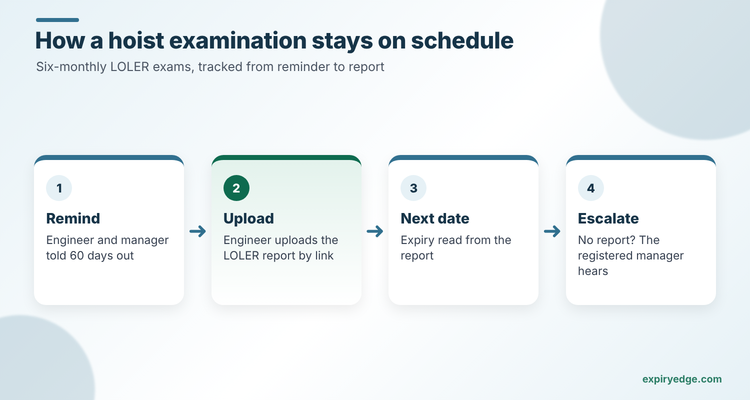
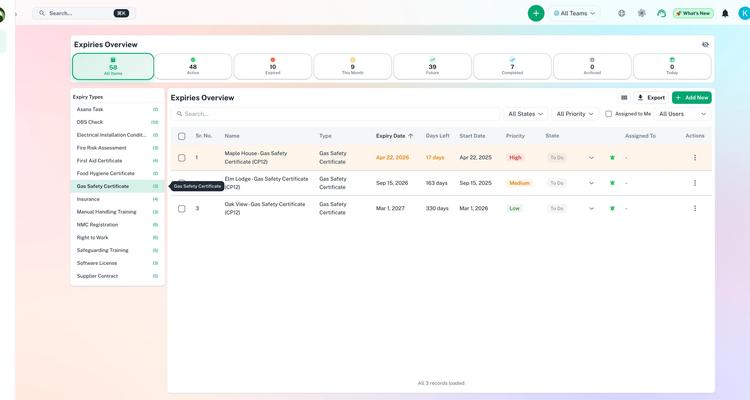
Filter one dashboard by category across several homes before the area manager's visit, and export the audit log for the inspector.
Try it with your own home's certificates in 15 minutes
- Import your staff list by CSV with custom fields for DBS certificate number, Update Service check date and moving and handling refresher.
- Add each hoist and sling as a record due six-monthly, and send your lifting engineer a no-login link to upload the next LOLER report.
- Schedule a monthly legionella checklist for sentinel outlet temperatures, assigned to your maintenance lead.
Pricing: in US dollars, $29 to $199 a month across four plans, with a 14-day free trial and no card details needed. The pricing page shows how many items and users each plan covers.
Good to know: ExpiryEdge runs beside your care system and your policy service rather than replacing them, so care plans, rotas and CQC policies stay where your team already works. DBS checks themselves still go through the DBS, and ExpiryEdge makes sure the recheck dates never slip.
2. QCS: best CQC policy and audit toolkit for most homes
QCS is best known for policies. Its home page describes policies and procedures kept current, audits with tracked actions, a learning centre for staff training and real-time compliance monitoring that flags gaps.
The Audit Centre offers ready-made templates aligned to what regulators look for, custom templates, and action plans with owners and progress tracking. The mock inspection tool lets your own team assess the service against CQC's five key questions and download a report.
Pricing: published on the pricing page: Foundations from £265 a month, Assurance from £390 and Governance from £515. Mock inspections sit in Governance.
Watch out for: the pages we read don't mention reminders for audits, or tracking of staff certificates and building examinations.
3. Radar Healthcare: best for care groups
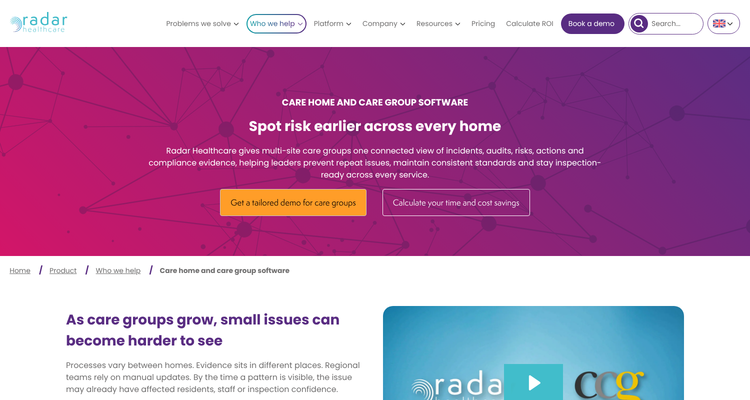
Radar Healthcare's care home page is built for multi-site groups. It connects incidents, audits, risks, actions and compliance evidence, and flags homes with rising incident trends, repeated audit failures or overdue actions.
Its workforce compliance module assigns tasks such as policy checks and DBS checks to new starters automatically. It tracks training, appraisals and supervisions, and sends alerts for upcoming training renewals. Staff can upload their own evidence.
Pricing: not published. The pricing page asks you to pick modules and company size, then sends a tailored proposal. Workforce compliance and audit are add-on modules.
Watch out for: it's a modular governance platform priced by proposal. A single 30-bed home may find it more than it needs.
4. Care Control: best all-in-one system with a training matrix
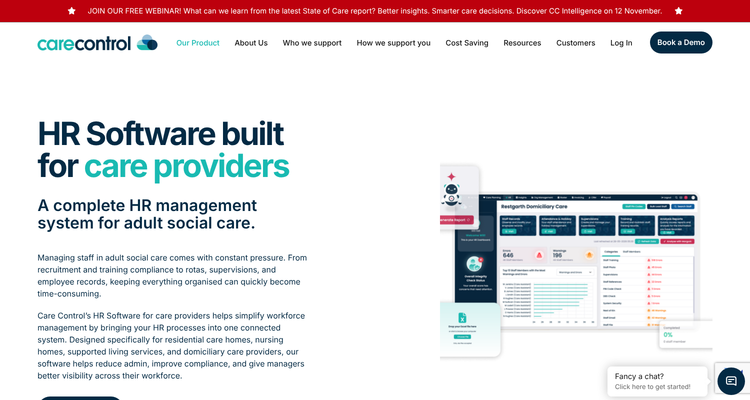
Care Control combines care planning, rota, HR, compliance and reporting. Its HR page describes a digital training matrix with certificate storage and expiry monitoring, and tracking of DBS documents and right to work checks with reminders.
The compliance module covers audits for care plans, compliance and medication, with alerts, targets and notification groups. It also flags missing items in care plans and staff files.
Pricing: not published. The home page promises transparent pricing with no hidden fees and offers a savings calculator.
Watch out for: it's a full care management system, so it makes most sense if you're replacing your care records too.
5. PCS: best if you want care records and eLearning together
Person Centred Software runs digital care records, eMAR and reporting. PCS Learn adds 160+ courses, many endorsed by Skills for Care, allocated by role. You can set refresher schedules and compliance targets, store certificates, and see who's due through traffic-light reports.

Pricing: not published; book a demo.
Watch out for: the pages we read don't describe DBS or building certificate tracking.
6. CoolCare: best for HR records and maintenance jobs
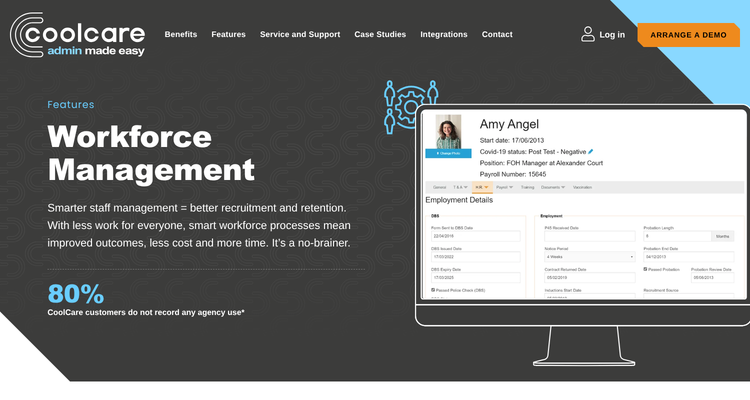
CoolCare's workforce module keeps full staff records with DBS fields, a "Renewable Check" field it flags for action, unlimited document uploads, and training prompts when someone is missing a qualification. Its administration module adds a maintenance job tracker with recurring tasks and supplier management.
Pricing: not published; arrange a demo.
Watch out for: the pages we read don't mention audits or CQC evidence.
7. Log my Care: best free start for very small services
Log my Care's pricing page lists a free Starter plan for providers with fewer than 10 service users. The Pro plan adds care plans, incident reporting and a team training and skills matrix. A feature post says a report flags training due for renewal soon or already expired.
Pricing: Starter is free. Pro and Outstanding prices aren't shown; the page says pricing is tailored to active service users.
Watch out for: the training matrix and care plans aren't in the free Starter tier, and expiring training appears in reports rather than reminders.
ExpiryEdge as an alternative to QCS
QCS and ExpiryEdge solve different halves of the problem. QCS tells you what good looks like: policies, audit templates and mock inspection questions. ExpiryEdge makes sure the dated things behind them get renewed.
We put ExpiryEdge first because so many findings come down to a date. Switch to it if your inspection findings are mostly lapsed items, such as a missed hoist examination, an out-of-date fire risk assessment or carers overdue for refresher training. A 40-bed home with 45 staff and four dated items each, plus 30 building and contract dates, fits the $49 Pro plan's 250 items.
For a policy library and audit framework, pair ExpiryEdge with QCS. Most homes that use ExpiryEdge keep a policy service and use ExpiryEdge for the reminders.
Find out where each date lives today, then pick
List every dated item in five staff files and the building file. Then mark where each one lives today. If the answer is often "the manager's diary", that's your gap.
Next, decide whether you're replacing your care system. If yes, compare Care Control, PCS, CoolCare and Log my Care on how their training matrix flags renewals. If no, add a policy and audit service like QCS, or Radar for a group, and a date tracker for the rest.
Then test with a real item. Ask each vendor what happens 30 days before your hoist examination is due, and who hears about it if the engineer hasn't booked in. Our senior living compliance software guide covers US and UK homes, and the staff training software comparison goes deeper on training. See our certification tracking page for the setup.
Frequently asked questions
The HSE says equipment used to lift people must be thoroughly examined every six months, unless a competent person has drawn up a written examination scheme with different intervals. Track the date for each hoist and sling, and ask the engineer to upload the report.
CQC doesn't set an interval. Regulation 19 says providers must regularly review staff fitness, so your policy sets the frequency. If a carer subscribes to the DBS Update Service, you can check her certificate's status online for free with her permission.
QCS publishes packages from £265 to £515 a month. Log my Care has a free Starter plan for under 10 service users. Radar Healthcare, Care Control, PCS and CoolCare quote on request. ExpiryEdge runs $29 to $199 a month with a 14-day free trial.
Regulation 18 says training needs are assessed when someone starts and reviewed at appropriate intervals, with mandatory training defined by you for each role. Inspectors usually look at a training matrix showing who's due, who's overdue and what you did about it.
Maybe not for training. Care Control, CoolCare, PCS and Log my Care all track staff training. Check whether yours also covers DBS rechecks and building certificates like LOLER and legionella; if not, a tracker such as ExpiryEdge can hold those dates.