Top 5 Lab Certification Tracking Software Alternatives 2026

Top 5 Lab Certification Tracking Software Alternatives 2026

Tracking certification and compliance deadlines across labs, teams, and equipment gets confusing and risks missed renewals. Standard tools still depend on manual calendars, emails, or isolated spreadsheets that miss alerts or lack audit trails for regulatory review. This comparison spells out pricing, features, and audit support in five tracking platforms so a quality or compliance manager can match a system to their environment without repeat demos.
Table of Contents
ExpiryEdge

At a Glance
ExpiryEdge reports most teams are operational in under 10 minutes, and offers a 14-day free trial with no setup fees. The platform focuses on date-driven work by tracking expiry dates for licenses, contracts, certifications, inspections, and SOPs. It sends reminders across email, SMS, WhatsApp, Slack, and Microsoft Teams to keep deadlines visible.
Core Features
ExpiryEdge centralizes expiration tracking and ties each expiry to workflows and role assignments so owners have a clear task list. The system issues multi-channel alerts with reminders, escalations, and deadline monitoring while logging every action in a document-level audit trail. Teams can run SOP checklists with live progress, store documents, and assign ownership through role-based access controls.
Key Differentiator
The platform pairs broad alert delivery with configurable SOP checklists and full traceability inside a single product. That combination lets operations move from manual calendar entries to tracked, auditable processes. The result is a single source for deadlines, task assignments, and proof of action.
Pros
ExpiryEdge automates reminders and reduces manual tracking by routing alerts through the channels teams already use. Named ownership and checklist progress enforce accountability and create a clear handoff record during renewals or inspections. Built-in document storage and audit-ready reports make regulatory reviews and internal audits faster and less error prone. Quick onboarding and flexible setup keep initial administrative overhead low.
Cons
- Requires internet connectivity and active staff engagement with notifications for the system to catch every deadline.
Notable Integrations
ExpiryEdge connects to productivity platforms and messaging channels commonly used by operations teams. Integrations include Asana, ClickUp, Slack, Microsoft Teams, WhatsApp, email, SMS, and API webhooks. Those links let you push alerts into existing task systems or automate downstream actions when deadlines approach.
Who It’s For
ExpiryEdge fits mid-sized to large enterprises that must manage many expirations across sites and teams. Typical users include compliance officers, facilities and operations managers, HR teams tracking certifications, and lab managers overseeing validations. The product suits regulated industries such as manufacturing, healthcare, and construction that need audit trails and documented renewals.
Unique Value Proposition
Multi-channel alert delivery tied to role-based SOP checklists and persistent audit logs reduces the administrative work around expirations. That setup lowers the risk of missed renewals, penalties, or service interruptions by turning dates into assigned tasks with verification. For teams that run recurring inspections and certifications, this changes deadline management from ad hoc reminders to accountable workflows.
Real World Use Case
A manufacturing company uses ExpiryEdge to track safety certifications, equipment inspections, and insurance policies across multiple sites. The system assigns owners, sends reminders via Teams and SMS, and retains audit logs for each completed checklist. Auditors receive consolidated reports showing who acted and when, which shortens inspection prep.
Pricing
Pricing starts at $43.08/month with annual billing for the ProEssentials plan. Plans scale to $274.08/month for PowerUser, which adds unlimited expiry tracking and custom integrations. The vendor lists a 14-day trial and no setup fees for initial onboarding.
Website: https://expiryedge.com
LabMODO
At a Glance
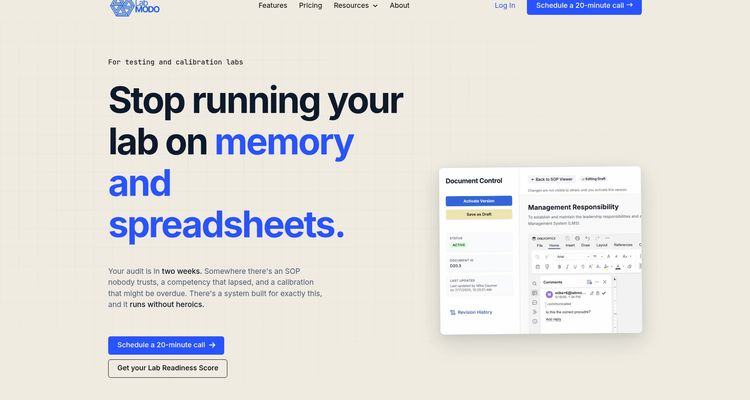
LabMODO reports most labs go live within a week. That claim highlights the product’s rapid deployment emphasis. The vendor also advertises automated workflows, version control, and real time compliance dashboards.
Core Features
Centralized SOP management with version control and acknowledgment tracking keeps procedures auditable and current. Automated training assignment, tracking, and refresh reminders record competency and follow up on expiries. Equipment and calibration scheduling, inventory expiry alerts, lot tracking, and real time dashboards keep audit trails and operational visibility.
Key Differentiator
The vendor positions LabMODO for rapid, on floor deployment with minimal disruption and little consultant involvement. Guided onboarding and data migration aim to get teams live quickly without heavy IT projects. That approach targets labs that want a fast switch from spreadsheets and paper records to a managed system.
Pros
High adoption comes from an intuitive, on floor design that fits laboratory workflows and operator habits. Guided onboarding and migration reduce implementation time and lower IT demand. Full audit trail logging and immutable records simplify regulatory reviews and shorten evidence collection time during inspections.
Cons
- Specific third party review data is not provided, so external limitation signals are unclear.
- Pricing depends on lab size and needs, which may require custom quoting and budget planning.
- Some teams need initial training to fully use all features, adding early project effort.
When It May Not Fit
LabMODO requires a web enabled device for on floor use. Labs that operate with strict offline procedures or in field locations with intermittent connectivity may find that requirement limiting. If your facility lacks reliable Wi Fi or prefers paper workflows for certain tasks, this product may not fit your environment.
Who It’s For
Regulated lab managers and quality professionals in testing, clinical, environmental, petroleum, and commercial labs. Teams preparing for ISO 17025, CLIA, EPA, or other accreditations will find the feature set relevant. Multi site operations that need centralized SOPs, training records, and calibration schedules will get the most value.
Real World Use Case
LabMODO’s marketing materials state a clinical lab reduced audit prep time from weeks to days. That example shows how SOP version control, training tracking, and scheduled calibrations cut manual audit work. Use this scenario as a reference when estimating internal resource savings for audit readiness.
Pricing
Pricing starts at $849/month for a core plan with 10 seats. Plans for multiple labs are custom priced and require a sales consultation.
Website: https://labmodo.com
Certikeeper
At a Glance
Certikeeper Passport™ creates a shareable digital compliance profile that companies can present to customers and auditors. The vendor advertises EU DPP readiness as part of the product roadmap. That combination aims to shorten audit preparation and speed supplier verification.
Core Features
A central hub holds all certificates, QA records, and compliance documents so teams stop toggling between folders. The QA-Cockpit groups audits, RCAs, CAPAs, and reviews into a single control view while online supplier assessments capture declarations and performance scores. Integration hooks with ERP, QMS, and procurement systems help feed documents and supplier data into existing workflows.
Key Differentiator
Certikeeper combines certificate management, supplier collaboration, and regulatory readiness in one product rather than acting as simple document storage. Its Certilinks™ community and the Passport profile let suppliers publish verified items and share them across buyer networks. That approach aims to reduce repetitive requests for the same certificates across the supply chain.
Pros
The product moves beyond file storage by automating routine compliance tasks and routing follow up items to responsible owners, which reduces manual audit prep. Its supplier assessment engine centralizes questionnaires and performance tracking so your procurement and QA teams see supplier risk scores in the same place. The vendor also positions the architecture for EU DPP alignment, which could ease future transparency reporting for regulated supply chains.
Cons
- Pricing is not specified on the website, so cost comparison may be difficult.
- Implementation and onboarding may require training; it is primarily suited for organizations with dedicated compliance teams.
- Integration setup with existing IT infrastructure might require technical support.
When It May Not Fit
Small teams with low supplier volume will likely find the platform heavier than needed. Organizations without a dedicated compliance or QA coordinator may struggle with onboarding and process change. If you need out of the box, no training required software, this product may demand more internal effort to realize benefits.
Notable Integrations
Connectors target core enterprise systems. The vendor lists ERP systems such as SAP, Microsoft Dynamics, and Oracle. Integrations also include QMS and procurement systems to import supplier records and route documents into operational systems.
Who It’s For
Quality assurance and compliance managers in medium to large food, agri, and manufacturing organizations will get the most value. Teams managing many suppliers or preparing for stricter transparency rules gain clearer document control and supplier traceability. Procurement leads who need supplier evidence linked to purchase records also benefit.
Real World Use Case
A food producer consolidates safety certificates, supplier assessments, and audit records on Certikeeper. The system automates renewal reminders and generates a Passport profile that the producer shares with retailers and auditors. That cut down repetitive evidence requests and reduced manual follow up during audits.
Pricing
Pricing runs from €249 to €999 per month depending on plan and organization size. Final cost varies with the number of suppliers, integration scope, and onboarding services.
Website: https://certikeeper.com
ValiDyne IQ
At a Glance
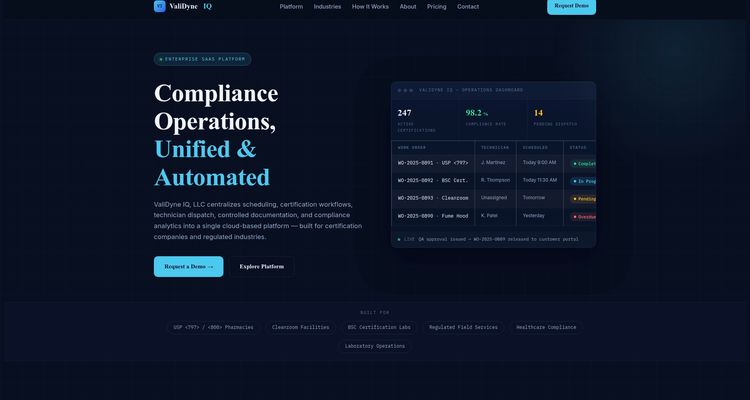
ValiDyne IQ’s marketing materials state support for USP and USP certification workflows. That specific certification focus signals a product built for pharmaceutical and sterile compounding contexts. The platform centralizes scheduling, certification workflows, technician dispatch, document control, and compliance analytics for regulated facilities.
Core Features
ValiDyne IQ combines Certification lifecycle management with approval stages and QA review, and controlled document workflows that include digital signatures and audit trails. The system includes drag and drop dispatch scheduling with real time technician availability, mobile optimized technician work flows, branded customer portals, automated recurring renewal scheduling, and live activity feeds for stakeholders. Built in role based access control, escalation alerts for overdue work, and real time KPI dashboards support audit readiness.
Key Differentiator
The vendor positions ValiDyne IQ as an all in one compliance platform that pairs automated certification workflows with real time analytics and industry specific templates. That positioning narrows its appeal to organizations that have formal regulatory regimes and repeatable certification cycles. The combination of dispatch coordination plus document control is less common among general purpose compliance tools.
Pros
Integrated automation reduces manual paperwork and helps teams keep certification records audit ready. Mobile optimized technician workflows and branded client portals provide field transparency and customer visibility. The vendor reports scalable subscription plans from regional to enterprise levels and dedicated support for large organizations, which makes the product suitable for multi site operations.
Cons
- Pricing is not listed publicly, so procurement requires direct contact with the vendor.
- Setup may be complex for very small operations that only need basic tracking.
- Specific third party integrations are not detailed, so buyers must verify API compatibility.
- No standalone mobile app is mentioned, relying instead on mobile optimized web interfaces.
When It May Not Fit
Small single site labs or clinics that need only simple expiration reminders will likely find this offering more complex than required. Teams that need offline access for technicians will find a cloud based model limiting. Organizations seeking transparent, self serve pricing may prefer a vendor with public rate cards.
Who It’s For
Certification managers at large labs, cleanroom facilities, and pharmacies that run recurring regulatory inspections will get the most value. Compliance teams that coordinate field technicians and customer facing documentation will also benefit. Large healthcare systems or certification firms with multi site requirements will find the feature set aligned to their needs.
Real World Use Case
A pharmaceutical sterilization facility uses ValiDyne IQ to schedule, document, and automate certification renewals for USP and USP . The team tracks technician dispatch, captures digital signatures on certificates, and runs KPI reports ahead of regulatory audits.
Pricing
Not publicly specified. Contact the vendor for a custom quote and subscription details. The product notes scalable plans from regional to enterprise levels with dedicated support for large accounts.
Website: https://validyneiq.com
QT9 Software
At a Glance
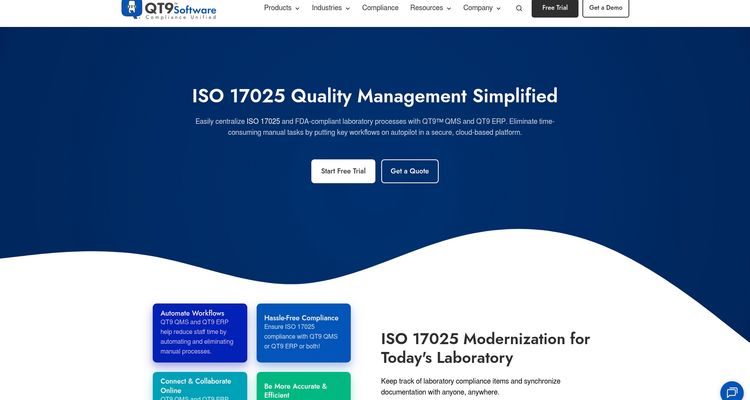
Supports both cloud based and on premise deployment while automating audit scheduling and traceability. The platform targets labs working toward ISO 17025 accreditation and centralizes document control, audit tracking, and corrective action workflows. That combination helps labs keep records organized and visible during inspections and accreditation reviews.
Core Features
QT9 Software automates manual workflows and audit schedules and centralizes document collaboration so teams work from a single source of truth. Dashboards provide real time compliance monitoring and traceability for actions and document changes, and the system includes built in risk and corrective action management. The vendor says the product can integrate with other quality and operational systems to fit existing toolsets.
Key Differentiator
QT9 Software stands out for its automation of audit management combined with end to end traceability in one product. That focus lets quality teams schedule audits, record findings, and follow corrective actions without moving data between tools. Labs that need an audit centric QMS rather than a generic document repository will notice the difference.
Pros
QT9 reduces time spent on manual audit prep by automating routine tasks and audit calendars and by keeping records linked to findings. Its centralized document control and collaborative editing shorten review cycles and reduce version confusion. The option for cloud based or on premise deployment gives IT teams a choice for data residency and internal policy. Full traceability for actions and changes supports audit readiness and makes root cause reviews faster.
Cons
- Pricing may be high for smaller laboratories or organizations. Smaller labs with tight budgets should budget for licensing costs and implementation fees.
- Setup can be complex depending on existing systems and processes. The vendor lists staff training and configuration as typical steps before the system runs smoothly.
- Specific integrations may require custom development. Buyers should confirm connector availability rather than assume out of the box support.
When It May Not Fit
QT9 may not fit teams that need a lightweight checklist tool or a simple spreadsheet replacement. Organizations with minimal compliance requirements will likely face more complexity than benefit. Labs that cannot allocate time for configuration and user training will not get full value from the platform.
Who It’s For
Laboratory quality managers and compliance officers in regulated testing and calibration environments who need audit focused controls will get the most value. The product suits labs pursuing or maintaining ISO 17025 accreditation and teams that require visible, auditable records for inspections.
Real World Use Case
A lab moving toward ISO 17025 accreditation centralizes its procedures, test reports, and audit logs in QT9 Software. The team automates audit schedules, tracks nonconformances through corrective action, and pulls compliance reports for assessors. That process reduces the hours spent preparing for audits and shrinks the time between finding an issue and closing it.
Pricing
Pricing is listed as not applicable for informational only on the vendor page. Prospective buyers must contact QT9 Software for current licensing, deployment, and implementation fees. Expect a quoted package that reflects deployment choice and the level of configuration and training required.
Website: https://qt9software.com/iso-17025
Comparison of alternatives
Managing laboratory certifications efficiently requires software that combines automation, user-friendly interfaces, and integration capabilities tailored to meet varying operational needs. Here, we explore the differentiating features of notable software solutions to help identify the choice for various operational requirements.
Onboarding and Setup Convenience
LabMODO distinguishes itself through its guided onboarding process, minimizing dependency on IT resources for setup. This feature is particularly advantageous for laboratories seeking a swift transition from traditional paper-based processes.
Alert Systems and Task Integration
ExpiryEdge excels in providing centralized expiry tracking combined with multi-channel alerts. The implementation enables role-based task assignments and consistent deadline monitoring, ensuring oversight and accountability. However, successful utilization requires user adherence and proactive engagement with notifications.
Best fit
- Teams managing numerous certifications and aiming to integrate alerts with diverse communication tools should consider ExpiryEdge for its multi-channel alert functionality integrated with role-based workflows and audit trails.
- Laboratories prioritizing a straightforward deployment with guided migration should opt for LabMODO due to its inherent focus on minimizing onboarding complexities.
- Quality assurance teams handling supplier collaboration and regulatory readiness will benefit from Certikeeper’s centralized document management and Certilinks™ community.
- Facilities requiring technician dispatch, centralized certification management, and compliance dashboards might find ValiDyne IQ the most valuable.
- Labs preparing for ISO 17025 accreditation with audit-focused requirements should evaluate QT9 Software for its centralized document control and integration options.
Our pick
ExpiryEdge is the preferred choice for teams that manage complex expirations across diverse communication channels, owing to its timer-based reminders, role-based workflows, and task centralization. Those requiring a feature set specialized in ISO accreditations or with considering specific configurations should explore alternatives like LabMODO or QT9.
Choosing the right lab certification tracking software involves assessing features like alert delivery mechanisms, integration options, implementation speed, and pricing strategies.
| Product | Key Differentiator | Best For | Pricing | Notable Limitation |
|---|---|---|---|---|
| ExpiryEdge | Multi-channel alerts with role-based workflows | Mid-size to large enterprises managing expirations | $43.08–$274.08/month | Requires active staff engagement to respond to notifications |
| LabMODO | Rapid deployment with intuitive design | Labs tailoring workflows during ISO or CLIA preparations | $849/month, custom plans | Requires reliable internet and initial training for full use |
| Certikeeper | Supplier transparency with Certilinks and Passport profiles | QA leaders managing supplier interactions | €249–€999/month | May demand more process adaptation for smaller teams |
| ValiDyne IQ | Dispatch coordination paired with compliance analytics | Large healthcare systems or certification firms | Price not published | Complexity might not suit single-site, simple tracking needs |
| QT9 Software | Audit scheduling with document collaboration | Labs pursuing ISO 17025 accreditation | Price not published | High setup effort and potential costs for small labs |
How to Manage Lab Certification Deadlines Without Missing a Beat
Lab managers and quality professionals face the constant pressure of tracking certifications, renewals, and inspections. Manual methods or generic tools often lead to missed deadlines, increased audit prep time, and compliance risks. Expiryedge addresses these challenges by combining expiration tracking with automated workflows, multi-channel alerts, and role-based task assignments. This setup cuts administrative work and helps teams stay on top of every critical date.
Expiryedge fits regulated labs that require audit-ready documentation, clear ownership, and timely reminders across email, SMS, Slack, and Microsoft Teams. With Expiryedge, your team can reduce the risk of penalties and service interruptions by transforming expiration dates into accountable, verified actions.
Looking to simplify lab certification tracking software in one centralized platform? Try Expiryedge and experience how automated reminders and deadline monitoring improve compliance and operational flow. Sign up now and start managing your certifications with less effort and more confidence.
FAQ
How does ExpiryEdge automate reminders for compliance deadlines?
ExpiryEdge automates reminders by sending alerts through multiple channels such as email, SMS, and Slack. This is made possible through its focus on expiration tracking for licenses and contracts, ensuring deadlines are consistently visible to users. Expect an efficient way to manage compliance timelines with less manual tracking.
What is the difference between ExpiryEdge and LabMODO in terms of onboarding speed?
LabMODO is known for its rapid deployment, often getting labs live within a week. In contrast, ExpiryEdge reports that most teams can get operational in under 10 minutes. Depending on your team’s specific needs, LabMODO may be best for those seeking a quick transition without heavy reliance on consultants.
Which platform provides stronger audit trails for compliance tasks, ExpiryEdge or ValiDyne IQ?
ValiDyne IQ offers advanced features for certification lifecycle management, including digital signatures and audit trails. Meanwhile, ExpiryEdge maintains detailed document-level audit logs and multi-channel alerts. Consider ExpiryEdge if your primary focus is on managing expiration deadlines through effective tracking and reminders.
Can I use ExpiryEdge if my team has limited internet connectivity?
Using ExpiryEdge effectively requires reliable internet connectivity, as it depends on active engagement with digital notifications. If your team operates in environments with poor internet access, it may not capture every deadline efficiently. This is important to consider prior to adopting the system, particularly for teams in remote locations.
How does ExpiryEdge help with accountability in task assignments?
ExpiryEdge enhances accountability by assigning owners to specific tasks associated with expiry dates, which aids teams in tracking workflow progress. This feature combines with its configurable SOP checklists to create a clear handoff record during renewals and inspections. Expect a measurable increase in operational clarity and responsibility with its structured approach.
Recommended
Frequently asked questions
What is the difference between ExpiryEdge and LabMODO in terms of onboarding speed?
LabMODO is known for its rapid deployment, often getting labs live within a week. In contrast, ExpiryEdge reports that most teams can get operational in under 10 minutes. Depending on your team's specific needs, LabMODO may be best for those seeking a quick transition without heavy reliance on consultants.
Which platform provides stronger audit trails for compliance tasks, ExpiryEdge or ValiDyne IQ?
ValiDyne IQ offers advanced features for certification lifecycle management, including digital signatures and audit trails. Meanwhile, ExpiryEdge maintains detailed document-level audit logs and multi-channel alerts. Consider ExpiryEdge if your primary focus is on managing expiration deadlines through effective tracking and reminders.
Can I use ExpiryEdge if my team has limited internet connectivity?
Using ExpiryEdge effectively requires reliable internet connectivity, as it depends on active engagement with digital notifications. If your team operates in environments with poor internet access, it may not capture every deadline efficiently. This is important to consider prior to adopting the system, particularly for teams in remote locations.
How does ExpiryEdge help with accountability in task assignments?
ExpiryEdge enhances accountability by assigning owners to specific tasks associated with expiry dates, which aids teams in tracking workflow progress. This feature combines with its configurable SOP checklists to create a clear handoff record during renewals and inspections. Expect a measurable increase in operational clarity and responsibility with its structured approach.