
The Date That Matters Is the Exit Window - Not the Contract End
Most contract tracking tools remind you when a contract expires. By then it's too late - the contract has auto-renewed, the exit window has closed, and you're locked in for another term. ExpiryEdge tracks the notice period and tells you when the exit window is open, while you still have a choice.
No credit card required · Setup in minutesAlerts arrive before the exit window closes - not when the contract has already renewed.
Track every contract's cost, terms, and renewal decision in one place.
Every renewal is a deliberate decision - not something that happened because no one checked in time.
Your compliance hub, at a glance
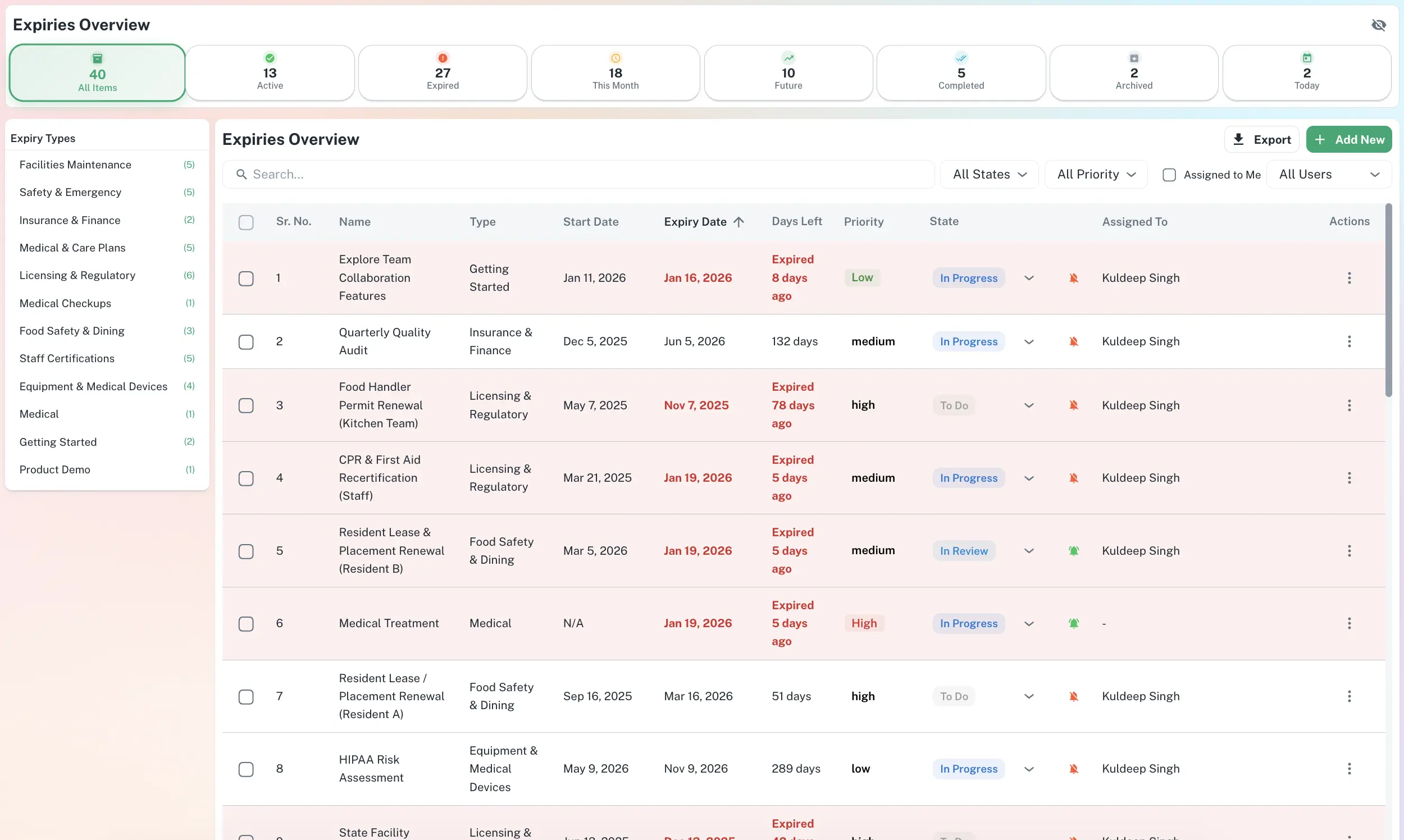
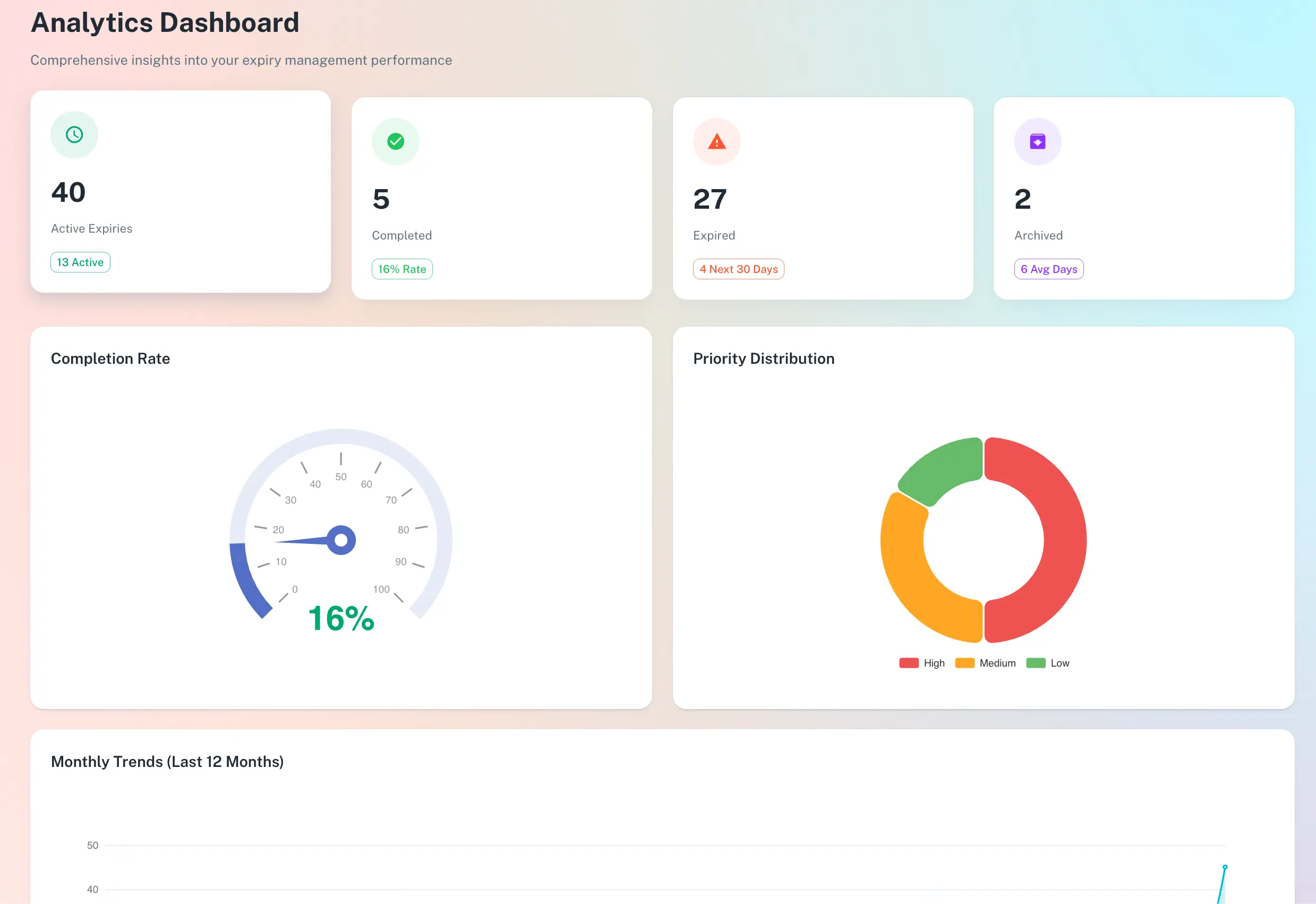
ExpiryEdge puts every deadline, owner and status on one searchable screen - so your team spends less time chasing and more time renewing.
Manage every deadline from one searchable dashboard - filtered by type, status, and assignee.
What's included
Exit window date calculation
Enter the contract end date and the required notice period. ExpiryEdge calculates when the exit window opens and closes - and alerts you before it shuts.
Contract value tracking
Log the annual value of each contract. See the total cost of all contracts up for renewal in the next 90 days. Make informed decisions about what to renew and what to renegotiate.
Full contract document storage
Upload the full contract against each record. When it's time to renegotiate, the terms are right there - no searching email chains for the original agreement.
Supplier and vendor grouping
Group all contracts with a single supplier. See every agreement, its renewal window, and its status in one place. Understand your total exposure with each vendor.
Renewal decision workflow
Mark each contract as Renewing, Renegotiating, or Cancelling when the window opens. Everyone involved knows the decision. No confusion about whether to let it run.
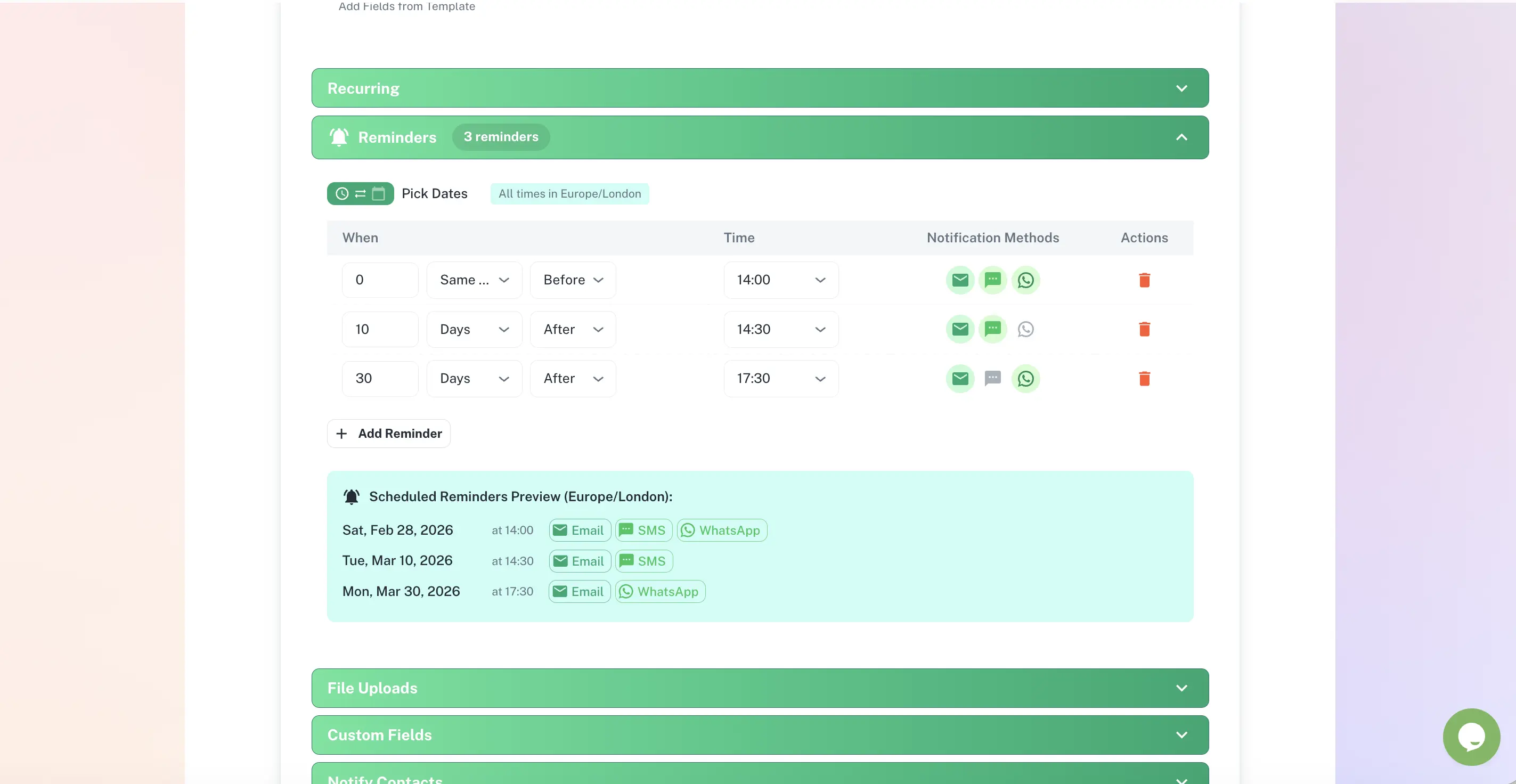
Separate alerts for each renewal stage
"Exit window opens in 30 days." "Exit window closes in 14 days." "Contract renews in 7 days." Each stage surfaces with its own specific notification - not one generic reminder.
How it works
Log the contract, end date, and notice period
Enter the supplier, contract value, and end date. Set the required notice period - 30, 60, or 90 days. ExpiryEdge calculates the exact window you have to act.
Receive alerts before the exit window closes
Alerts go to whoever manages that supplier relationship - finance, procurement, legal, or the business owner - with enough time to review the terms and make an actual decision.
Record your decision and move on
Mark the contract as renewing, renegotiating, or cancelling. If renewing, ExpiryEdge schedules the next reminder cycle automatically. There's a clean, auditable record of every decision made.
Who uses this
Finance Director
Responsible for cost management. Needs to know which contracts are auto-renewing in the next quarter and what they cost - before the invoices arrive.
Procurement Manager
Manages 30–100 supplier agreements. Needs to know when exit windows open so they can begin supplier reviews or renegotiations at the right time.
Legal Counsel or COO
Needs a complete view of all contractual commitments - renewal dates, values, and decisions - without having to request status updates from multiple departments.
Frequently asked questions
What is a contract exit window and why does it matter more than the end date?
The exit window is the period before a contract ends during which you must give notice to cancel or renegotiate. If you miss it, the contract auto-renews on the supplier's terms. Most tools alert you when the contract expires - by that point the exit window has already closed and you are locked in. ExpiryEdge calculates and alerts on the exit window date, not the end date, so you still have a choice.
Which contracts should I be tracking?
Any contract with an auto-renewal clause or a fixed notice period for exit - supplier and vendor agreements, SaaS and software subscriptions, office and equipment leases, maintenance contracts, insurance renewals, utility and telecoms contracts, and partner or reseller agreements. If missing the exit window costs you money or locks you into another term, it should be in ExpiryEdge.
How does ExpiryEdge calculate when to alert me?
You enter the contract end date and the notice period required to exit - for example 60 days. ExpiryEdge subtracts the notice period from the end date to identify the latest date you can act, then sends reminders before that date. You receive staged alerts - "exit window opens in 30 days", "exit window closes in 14 days" - not one generic reminder.
Can different contracts be assigned to different team members?
Yes. For each contract you assign who receives the renewal alerts - finance, procurement, legal, or the account manager for that supplier. Different contracts can have different owners and different alert recipients. The right person is notified for each relationship, not just whoever set up the system.
What happens once I record a renewal decision?
You mark the contract as Renewing, Renegotiating, or Cancelling. If renewing, ExpiryEdge schedules the next reminder cycle automatically when you update the expiry date. There is an auditable record of who made the decision and when. No contract can silently auto-renew without someone having made a deliberate choice.
Make every contract renewal a deliberate decision.
Free to try. No credit card required.
Start Free Trial