
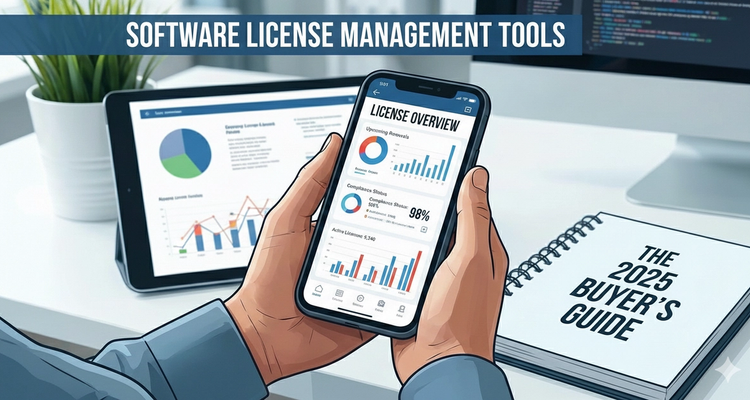
Software License Management Tools: The 2025 Buyer's Guide
Your company is likely wasting thousands of dollars on unused software licenses right now. Even worse, you might be using more licenses than you've paid for, putting you at risk of costly compliance audits.
According to Gartner research, companies waste an average of $1,000 per employee annually on unused or underutilized software. For a company with 100 employees, that's $100,000 going down the drain every year. Meanwhile, software vendors are becoming increasingly aggressive with compliance audits, with penalties reaching millions of dollars for violations.
The solution? A comprehensive software license management tool that tracks, optimizes, and protects your software investments.
What Is Software License Management?
Software license management (SLM) is the process of tracking, controlling, and optimizing software licenses throughout their entire lifecycle—from purchase to deployment to renewal or retirement.
It encompasses:
- Inventory of all software assets across your organization
- Tracking license types, quantities, and terms
- Monitoring actual usage vs. purchased licenses
- Managing renewals and expirations
- Ensuring compliance with vendor agreements
- Optimizing license allocation to reduce waste
Without proper management, organizations face three critical problems: overspending on unused licenses, compliance risks from under-licensing, and operational inefficiencies from manual tracking.
The Hidden Costs of Poor License Management
The true cost of neglecting software license management extends far beyond wasted subscriptions.
1. Over-Licensing Waste
The Problem: Companies purchase more licenses than needed, often renewing automatically without reviewing actual usage.
Real Cost: Flexera's 2024 State of ITAM Report found that 30% of software licenses go unused. For an organization spending $500,000 annually on software, that's $150,000 in pure waste.
Common Scenarios:
- Paying for seats of employees who left the company
- Duplicate licenses for the same user across departments
- Premium licenses when basic versions would suffice
- Annual renewals on software no longer used
2. Compliance Risks and Audit Penalties
The Problem: Using more licenses than purchased exposes companies to vendor audits and substantial penalties.
Real Cost: Microsoft, Adobe, IBM, and Oracle are known for aggressive software audits. Penalties typically range from 3-5x the cost of missing licenses, plus legal fees.
Example: A mid-sized company discovered they had 50 unlicensed AutoCAD installations during an Autodesk audit. At $1,800 per license with 3x penalty multiplier, they faced $270,000 in fines plus $50,000 in legal costs.
Audit Triggers:
- Former employees sharing login credentials
- Virtualization creating more instances than licensed
- Departments purchasing software independently
- Cloud services scaling beyond license agreements
3. Security Vulnerabilities from Expired Licenses
The Problem: Expired software licenses often lose access to critical security updates and patches.
Real Cost: A single data breach costs companies an average of $4.45 million according to IBM's 2024 Cost of a Data Breach Report.
Risks:
- No security patches for known vulnerabilities
- Loss of vendor technical support
- Compliance violations (HIPAA, SOC 2, ISO 27001)
- Inability to address zero-day exploits
4. Productivity Loss from Manual Tracking
The Problem: IT teams waste hours manually tracking licenses in spreadsheets.
Real Cost: IT staff spending 10 hours weekly on license tracking costs $25,000-50,000 annually in lost productivity.
Key Features Every Software License Management Tool Should Have
When evaluating software license management tools, prioritize these essential capabilities:
Core Features
1. Automated Discovery and Inventory
- Automatic detection of installed software across all devices
- Cloud and SaaS application discovery
- Real-time inventory updates
- Support for Windows, Mac, Linux environments
2. License Tracking and Documentation
- Central repository for all license agreements
- Purchase order and invoice storage
- Contract terms and conditions tracking
- Vendor contact information management
3. Usage Monitoring and Analytics
- Real-time license usage tracking
- Identification of unused or underutilized licenses
- User activity monitoring
- Compliance status dashboards
4. Expiration and Renewal Management
- Automated alerts for upcoming renewals
- Renewal cost forecasting
- Vendor negotiation preparation reports
- Historical spending analysis
5. Compliance Management
- License vs. installation comparison
- Audit-ready compliance reports
- Risk assessment scoring
- Violation alerts and remediation tracking
6. Cost Optimization Tools
- License reallocation recommendations
- Right-sizing analysis (downgrade opportunities)
- Duplicate license identification
- ROI reporting
Advanced Features Worth Having
- Integration with procurement systems
- Software approval workflows
- Vendor management portal
- Mobile accessibility for approvals
- AI-powered optimization recommendations
- Multi-currency support for global organizations
How License Management Tools Work: Automation and Tracking
Modern software license management tools automate what was once a nightmare of manual spreadsheets and educated guesses.
The Automated Workflow:
Step 1: Discovery The tool scans your network, endpoints, and cloud environments to discover all installed software automatically. This includes desktops, laptops, servers, virtual machines, and SaaS applications.
Step 2: Inventory Creation All discovered software is cataloged with details including version numbers, installation dates, locations, and assigned users.
Step 3: License Matching The system matches installed software against your purchased licenses, identifying compliance gaps (over-deployed or under-licensed applications).
Step 4: Usage Monitoring Continuous monitoring tracks actual software usage—who's using what, how often, and when licenses sit idle.
Step 5: Alert Generation Automated alerts notify stakeholders about expiring licenses, compliance risks, optimization opportunities, and renewal deadlines.
Step 6: Reporting and Analytics Dashboards provide visibility into software spending, usage trends, compliance status, and cost-saving opportunities.
ROI Calculator: What You'll Save with Proper License Management
Let's calculate the potential return on investment for a mid-sized company:
Company Profile:
- 200 employees
- $400,000 annual software spend
- Currently using spreadsheets for tracking
Without License Management Tool:
- 30% waste from unused licenses: $120,000 lost
- 15 hours/month IT staff time: $18,000 annually
- Audit risk exposure: $50,000-500,000 potential
- Total Annual Cost: $138,000+ (excluding audit risk)
With License Management Tool:
- Tool cost: $10,000-25,000 annually
- Waste reduction to 8%: $32,000 (savings of $88,000)
- IT time reduction to 3 hours/month: $3,600 (savings of $14,400)
- Audit risk mitigation: Priceless
- Net Annual Savings: $77,400-92,400
- ROI: 309-924%
Top 10 Software License Management Tools Compared
1. ExpiryEdge
Best For: Companies managing licenses with complex renewal cycles Strengths: Expiration tracking, multi-system support, user-friendly Pricing: Starting at $49/month Rating: ★★★★★
2. Flexera One
Best For: Enterprise organizations with complex environments Strengths: Comprehensive features, strong analytics, cloud optimization Pricing: Custom (typically $50,000+) Rating: ★★★★☆
3. Snow Software
Best For: Large enterprises needing SAM and ITAM Strengths: Powerful discovery, excellent reporting, vendor management Pricing: Custom enterprise pricing Rating: ★★★★☆
4. ManageEngine AssetExplorer
Best For: Mid-sized IT teams wanting affordability Strengths: Full ITAM suite, reasonable pricing, good support Pricing: Starting at $1,195/year Rating: ★★★★☆
5. ServiceNow SAM Pro
Best For: Organizations already using ServiceNow Strengths: Seamless integration, workflow automation Pricing: Custom (part of ServiceNow platform) Rating: ★★★★☆
6. Zylo
Best For: SaaS license management specifically Strengths: SaaS discovery, usage analytics, renewal management Pricing: Custom pricing Rating: ★★★★☆
7. Aspera SmartTrack
Best For: Oracle license management Strengths: Oracle-specific optimization, audit defense Pricing: Custom pricing Rating: ★★★★☆
8. Ivanti Asset Manager
Best For: Organizations needing unified endpoint management Strengths: Hardware + software management, mobile device support Pricing: Custom pricing Rating: ★★★☆☆
9. License Dashboard
Best For: Small businesses and startups Strengths: Simple interface, affordable, quick setup Pricing: Starting at $2/asset/month Rating: ★★★☆☆
10. Torii
Best For: SaaS management and employee onboarding/offboarding Strengths: SaaS-focused, automation workflows Pricing: Custom pricing Rating: ★★★☆☆
Implementation Guide: Getting Started in 5 Steps
Step 1: Conduct a Software Audit (Week 1) Document all current software, licenses, costs, and users. Identify immediate compliance gaps and waste.
Step 2: Define Your Requirements (Week 1-2) Determine must-have features based on your environment size, software portfolio, and budget.
Step 3: Evaluate and Select a Tool (Week 2-3) Request demos from 3-4 vendors. Compare features, pricing, and ease of implementation.
Step 4: Deploy and Configure (Week 4-6) Install discovery agents, import license data, configure alerts, and set up user access.
Step 5: Train and Optimize (Ongoing) Train stakeholders, establish processes, and continuously optimize license allocation based on usage data.
Common Mistakes to Avoid
❌ Waiting for an audit: Implement proactive management before vendors come knocking ❌ Choosing cheapest option: Poor tools waste more money than they save ❌ Ignoring cloud/SaaS: Modern tools must handle both on-premise and cloud licenses ❌ Set-and-forget approach: Regular review and optimization are essential ❌ Siloed management: Centralize all license management under one system
Conclusion
Software license management isn't optional anymore—it's a business necessity. The combination of rising software costs, aggressive vendor audits, and complex hybrid environments makes manual tracking impossible.
A good software license management tool typically pays for itself within 3-6 months through recovered waste and avoided penalties. The question isn't whether you can afford one, but whether you can afford not to have one.
Take action today: Calculate your current software waste, evaluate tools that match your needs, and start recovering thousands in hidden costs.
Related Articles
Expiration Reminder System (Stop Wasting Money on Forgotten Dates)

The Complete Guide to Appointment Reminders: Reduce No-Shows by 90%
Software License Management Tools: The 2025 Buyer's Guide
Popular Topics
Stay Updated
Get the latest insights on compliance tracking and deadline management delivered to your inbox.